www.wegener.com 800009-01 Rev. J 47
iPump 6400 User’s Manual
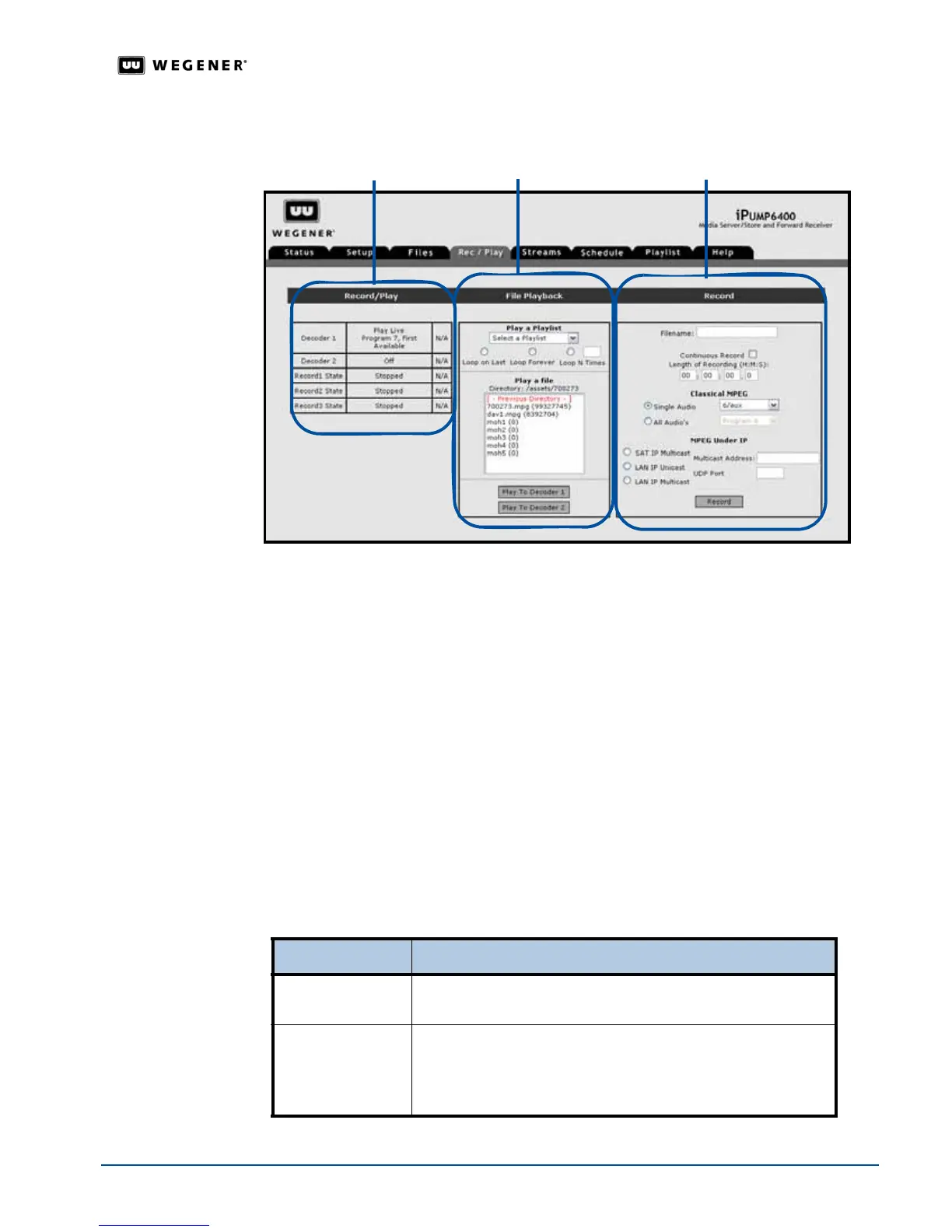
Figure 3.23: iPump 6400
web browser
Rec/Play tab
3. Under
Record
, in the
Filename:
box, enter a name for the file you wish to record. File
names are limited to 16 characters. Upper and lower case letters, numerals, decimals and
spaces are allowed, but leading or following spaces are truncated. The file name may not
begin or end with a space or spaces.
Note: Users should avoid accidentally overwriting an existing file. The iPump 6400 front
panel displays a warning message before the
Record function overwrites an
existing file with the same name, but does not prevent the overwriting.
Next enter a time in the
Length of Recording boxes. Enter the duration of time to record in
hours, minutes, seconds, and tenths of a second. Enter a duration slightly longer than the
expected program length to ensure that you record the entire program. To record for an
indefinite period, select the
Continuous Record checkbox. The iPump 6400 continues to
record until commanded to stop, or until the available disk space is consumed.
Note: If the storage capacity is filled over 99% during recording, the
iPump 6400 begins
deleting existing files in chronological order beginning with the oldest file. The
current recording is not interrupted unless all deletable files have been deleted and
remaining storage capacity remains under 1%.
4. Under
Record
, select the type of program.
5. Click the
Record
button to begin recording the selected program.
If the program is... Then select...
Classical MPEG
Single Audio
or
All Audio’s
and select a program from the
dropdown list
MPEG Under IP
an IP Program
and enter the
IP Multicast Address
and
UDP
Port Number
corresponding to the desired stream.
For more information on DVB programs, see
Table 3.11
on
page 45.
RecordFile PlaybackRecord/Play chart



 To Next Page