上海维宏电子科技股份有限公司
SHANGHAI WEIHONG ELECTRONIC TECHNOLOGY CO., LTD.
82 / 131
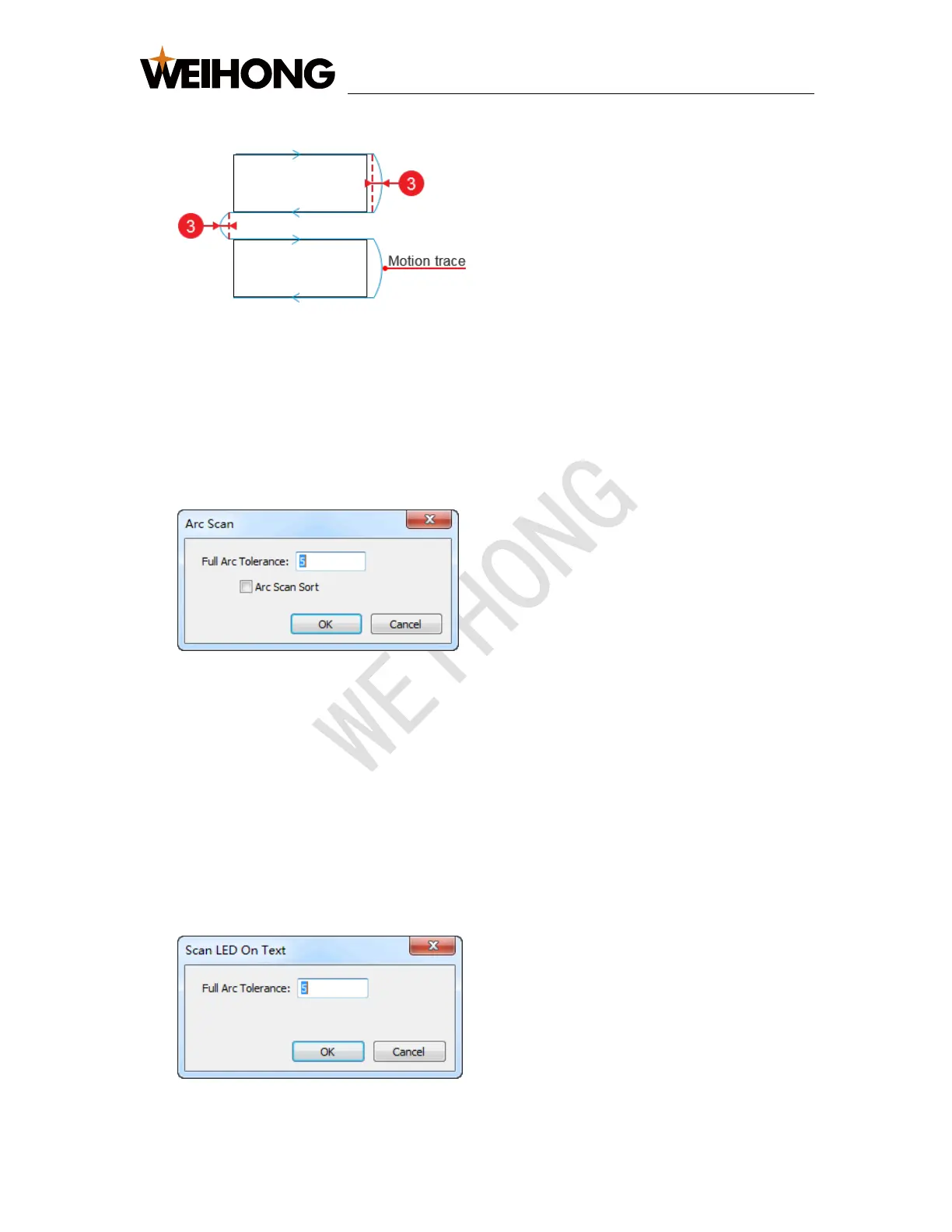
4. Optional: Check Extension Distance.
③: Extension Distance
5.7.2 Set Scan Cutting for Circles
To set scan cutting for circles, do the following;
1. Select the target circles.
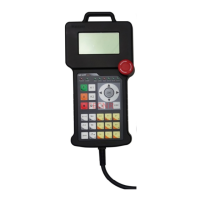
2. Click Object → Scan Cut → Arc Scan. Arc Scan dialog box pops up:
3. Set Full Arc Tolerance.
4. Optional: To sort the selected circles by the default array sort strategy, check
Arc Scan Sort. See Execute Array for details.
5.7.3 Set Scan Cutting for Tiny Circles in Advertisement Text
To set scan cutting for tiny circles in advertisement text, do the following:
1. Select the target text.
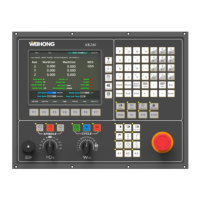
2. Click Object → Scan Cut → Scan On Text. Scan LED On Text dialog box pops
up:
3. Set Full Arc Tolerance.


 To Next Page