Page 17
Exclusive and IS 600 E · 9401-191-003-EN · Version 18-01
Info!
Load 1
Stopwatch
expired!
End stop-
watch?
No
Yes
Reset
alarm?
No
Yes
?
?
i
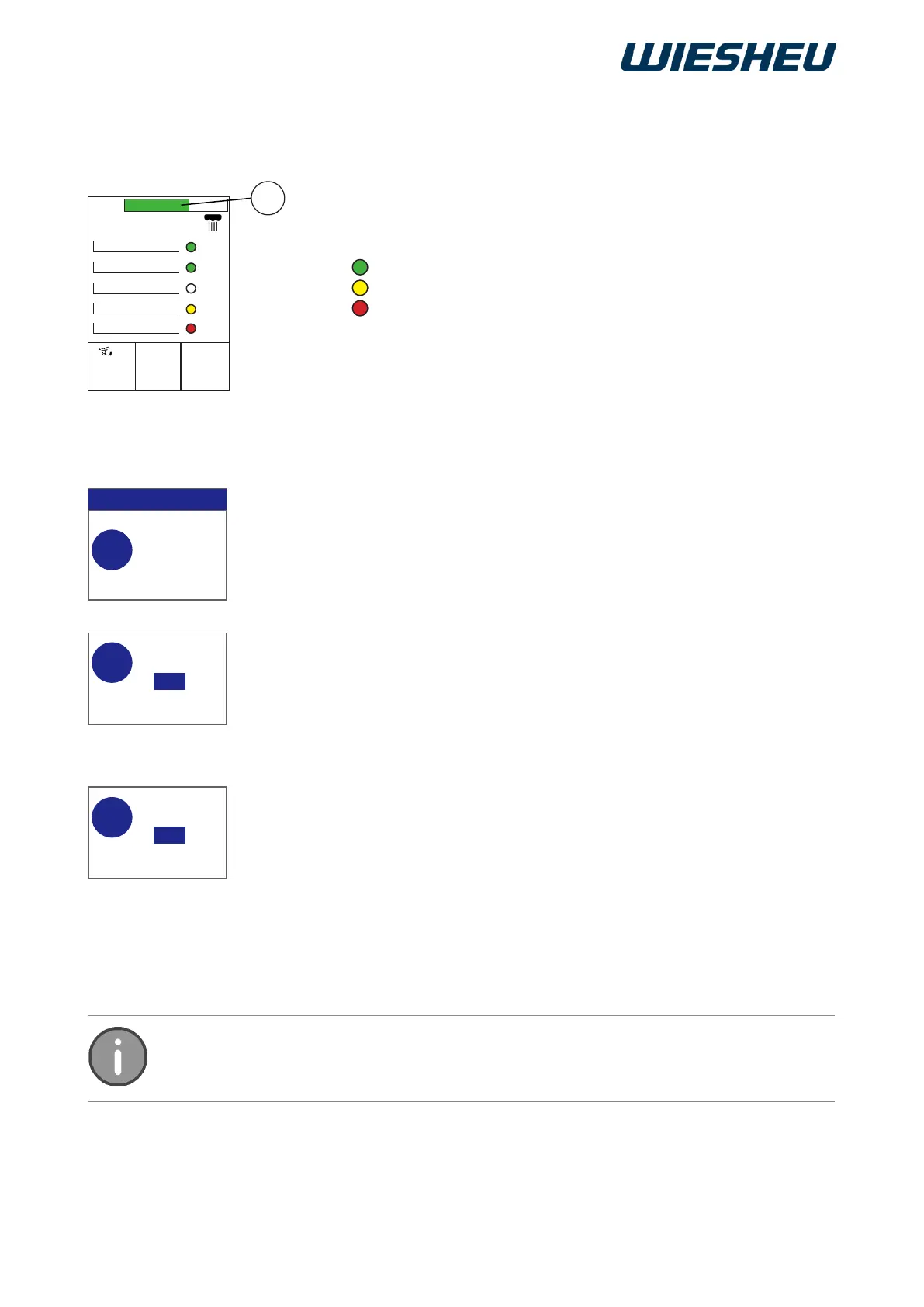
green
yellow
red
2017-01-11
15:32:15
0000 ml
1
(180 °C) 150 °C
open 2 25%
E
01: 8:00 min 5:20
02: 8:00 min 6:14
03: 8:00 min 8:00
05: 8:00 min -2:56
04: 8:00 min 2:05
■ Press the “ON / OFF” button.
■ Press the “C” button.
→ The system shows the following message on the display:
“Reset alarm?” Yes / No”
■ Select “Yes”:
→ The clock is paused.
→ The clock is reset to the set time.
■ Select “No”:
→ The clock continues running.
→ The timeout is displayed with a minus sign and in red type.
■ Press the “C” button.
→ The system shows the following message on the display:
“End stopwatch? Yes / No”
■ Select “Yes”:
→ You are in the main menu.
or
■ Select “No”:
→ The clock continues running.
→ The timeout is displayed with a minus sign and in red type.
In this menu the “Steam” function is limited to “Manual steaming”. No values can be
entered.
→ The set time of the respective load counts down.
→ The system shows a visual message [Progress Bar (E)]:
→ The set time counts down.
→ The remaining time is less than 4 minutes!
→ The set time has expired.
→ An acoustic signal sounds.
→ The system shows the following message on the
display:
“Load X stopwatch has run down!”
Continue: “Stopwatch” menu (Dibas 64/Euromat 64)


 To Next Page