Maintenance
9223−1/A1
Winterthur Gas & Diesel Ltd.
1/ 1
Proximity Sensor − Replace
1. General
For the function of the Crank Angle Sensor Unit, read the data in the Operation
Manual 9223−1. For the Inspection and Overhaul Intervals, refer to 0380−1 Crank
Angle Sensor Unit.
2. Proximity Sensor − Replace
WARNING
Injury Hazard: Before you
operate the turning gear,
make sure that no
personnel are near the
flywheel, or in the engine.
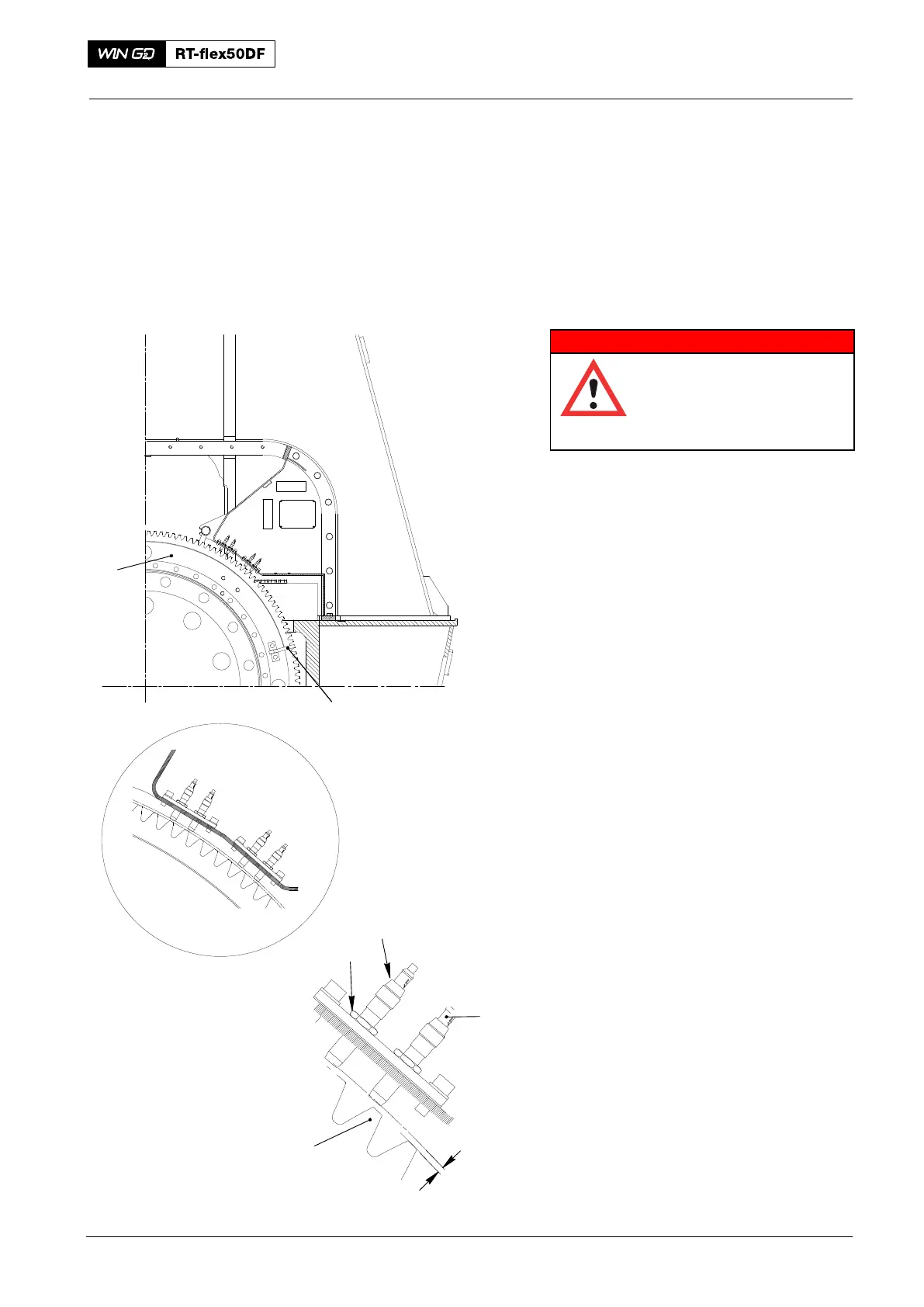
1) Operate the turning gear to get a
tooth (3, Fig. 1) of the flywheel (6)
opposite the applicable proximity
sensor (5).
2) Put a mark on the cable (2) to identify
its position.
3) Disconnect the applicable electrical
connection from the proximity
sensor (5).
4) Loosen the locknut (4).
5) Remove the proximity sensor (5) from
the holder.
6) Attach a new proximity sensor (5) to
the holder.
7) Make sure that the proximity sensor (5)
touches the tooth (3).
8) Loosen the proximity sensor (5) to get
a clearance of 4.0 mm between the
tooth (3) and the bottom of the
proximity sensor.
9) Carefully tighten the locknut (4) with
your fingers.
10) Connect the electrical connection (2) to
the proximity sensor (5). Refer to the
mark made before to identify the
correct cable.
11) Operate the turning gear to turn the
flywheel (6) in a clockwise direction.
12) Make sure that the CCM−20 pick-up
sequence is A, B and C.
13) When the crank-angle mark (1) passes
the proximity sensor (5), the LED REF
shows.
Crank Angle Sensor Unit
2016
11
6
Fig. 1
4.0 mm
5
2
4
3
WCH02993



 To Next Page