Product Manual - ZMORPH FAB back to table of content
>>
62
LOAD/UNLOAD
CUSTOM
TEMPERATURE
COOL
DOWN
TEMPERATURES
PARK
TOOL
BACK
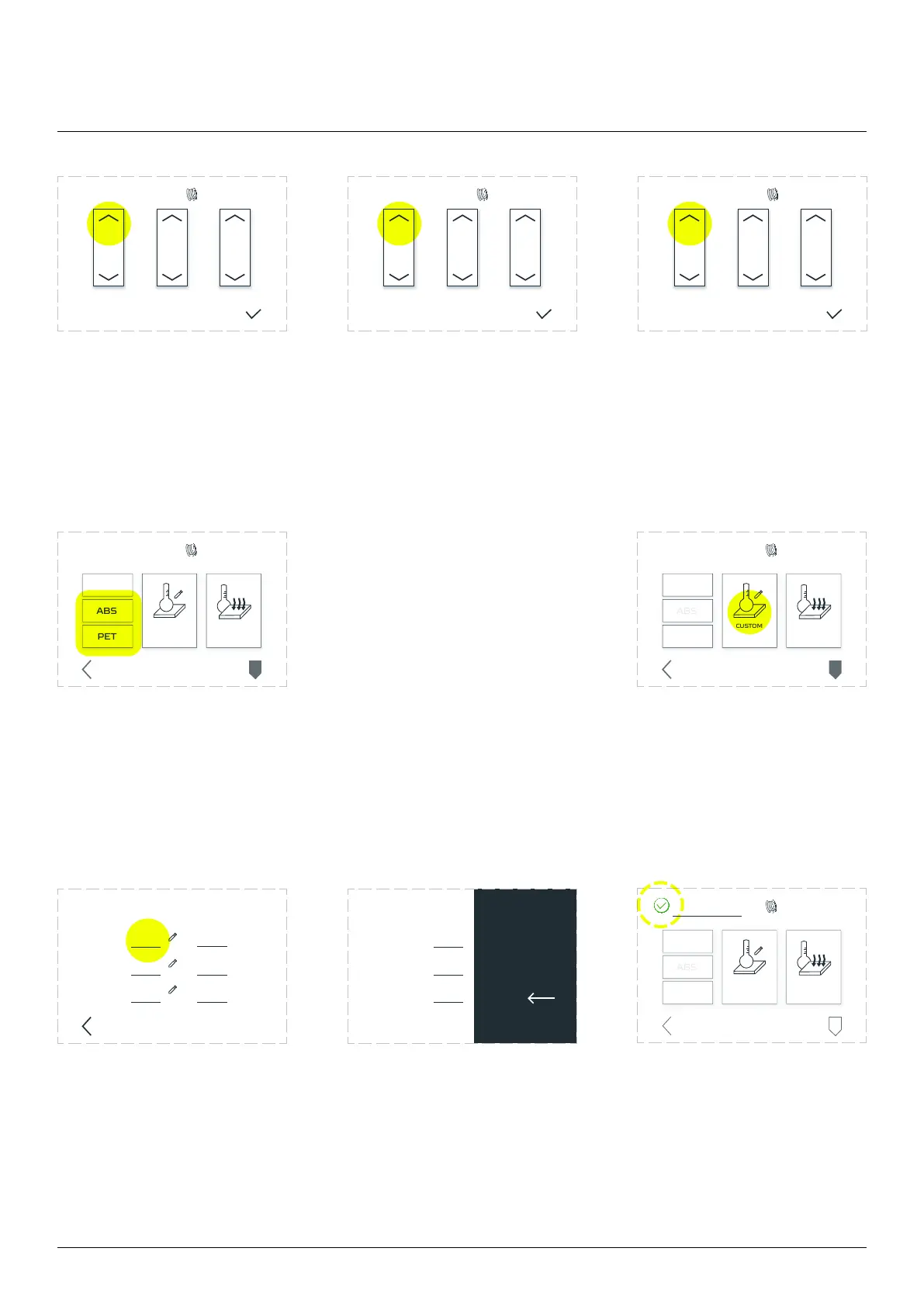
Tap the upper RIGHT arrow
prevent clogging.
Repeat if needed. Third menu
named ALL maintain both
Tap upper arrow with ALL
description to remove both
Adjust the temperature for
will be used. To do that, tap
the ‘TEMPERATURES’ menu
There are two ways to arrange the temperature for other materials
than PLA. First option is by quick set up button ‘ABS’ or ‘PET’, which
For any other materials
than PLA, ABS and PET
temperatures needed to
be set up manually. Tap
the Custom Temperature
button.
Tap the ‘Left’ gap in the
‘Target’: column.
Tap the needed temperature
on the keyboard, then OK
Since the Dual Extruder
Toolhead has one nozzle,
the set up temperature
adjusts for left and right
to heat up
3D printing workow
LOAD/UNLOAD
LEFT RIGHT ALL
TEMPERATURES
DONE
LOAD/UNLOAD
LEFT RIGHT ALL
TEMPERATURES
DONE
LOAD/UNLOAD
LEFT RIGHT ALL
TEMPERATURES
DONE
LOAD/UNLOAD
CUSTOM
TEMPERATURE
COOL
DOWN
TEMPERATURES
PARK
TOOL
BACK
BACK
TARGET
LEFT
RIGHT
BED
CURRENT
OK
CANCEL
1 2
4 5 6
7
0
OK
8 9
3
CANCEL
TARGET
LEFT
RIGHT
BED
LOAD/UNLOAD
PARK
TOOL
CUSTOM
TEMPERATURE
COOL
DOWN
TEMPERATURES
BACK
23



 To Next Page