Product Manual - ZMORPH FAB back to table of content
>>
66
Sometimes after clicking ‘DONE’ the machine won’t resume the work. In those cases repeat the
feeding by pressing one more time the ‘LEFT’ down button and after the extruder stops the feeding
process press the ‘DONE’ button.
3D printing workow
Dual Extruder Toolhead
the same material as the previous one (PLA/PLA) because the temperature of the extruder will be the same
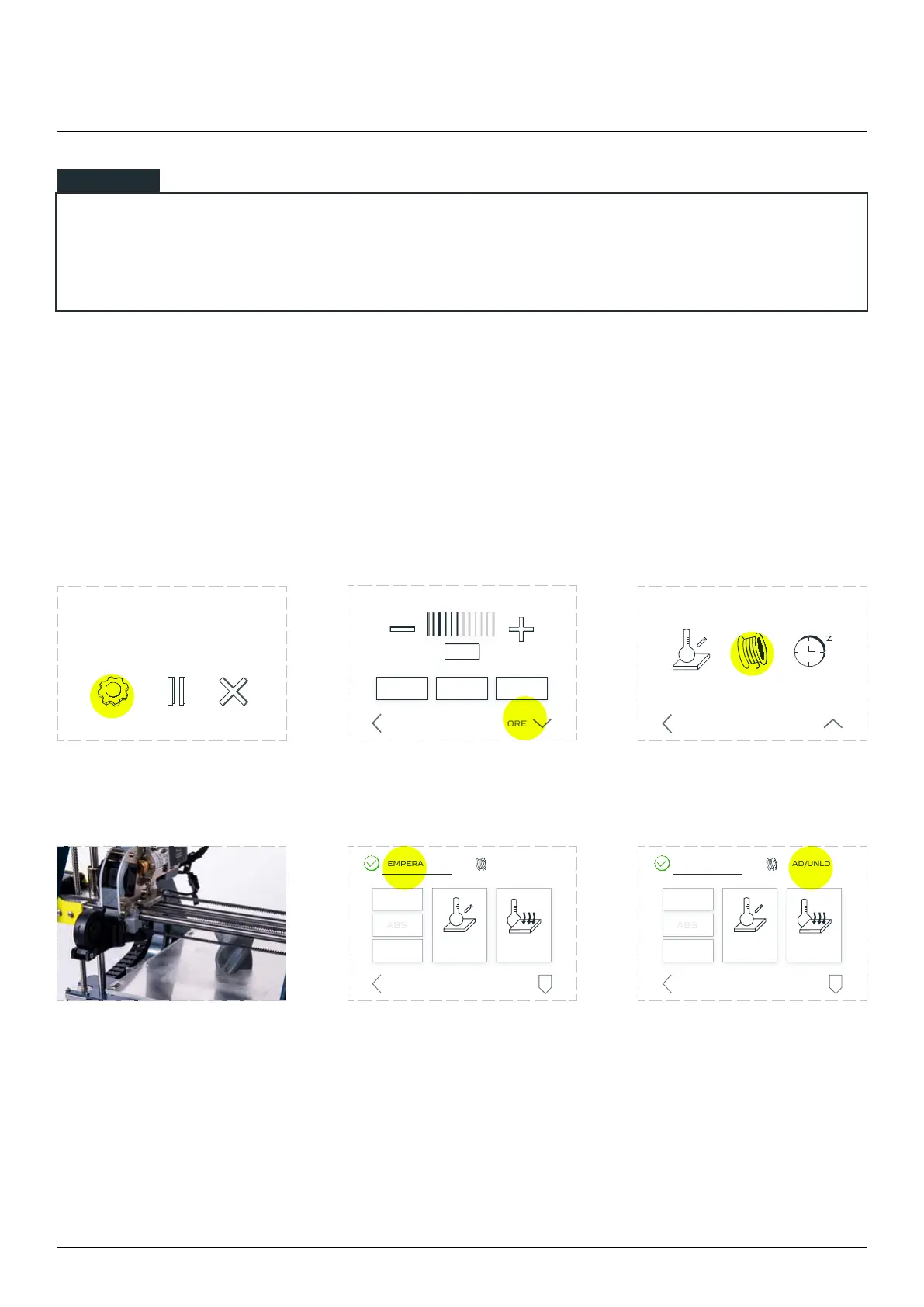
Tap the ‘SETTINGS’ menu. Choose ‘MORE’. Choose ‘CHANGE FILAMENT’.
Wait until the extruder stops
printing and lifts itself up.
Tap the ‘TEMPERATURES’
menu and check if the
extruder has the right
temperature.
Tap the ‘LOAD/UNLOAD’
menu.
NOTE
ON OFF AUTO
FAN SPEED
PRINT SPEED
BACK MORE
HEAT CHANGE
FILAMENT
SLEEP
MORE SETTINGS
BACK LESS
ABORTSETTINGS
example.gcode
progress 20% 0h34m elapsed
LOAD/UNLOAD
PARK
TOOL
CUSTOM
TEMPERATURE
COOL
DOWN
TEMPERATURES
BACK
LOAD/UNLOAD
PARK
TOOL
CUSTOM
TEMPERATURE
COOL
DOWN
TEMPERATURES
BACK



 To Next Page