Product Manual - ZMORPH FAB back to table of content
>>
73
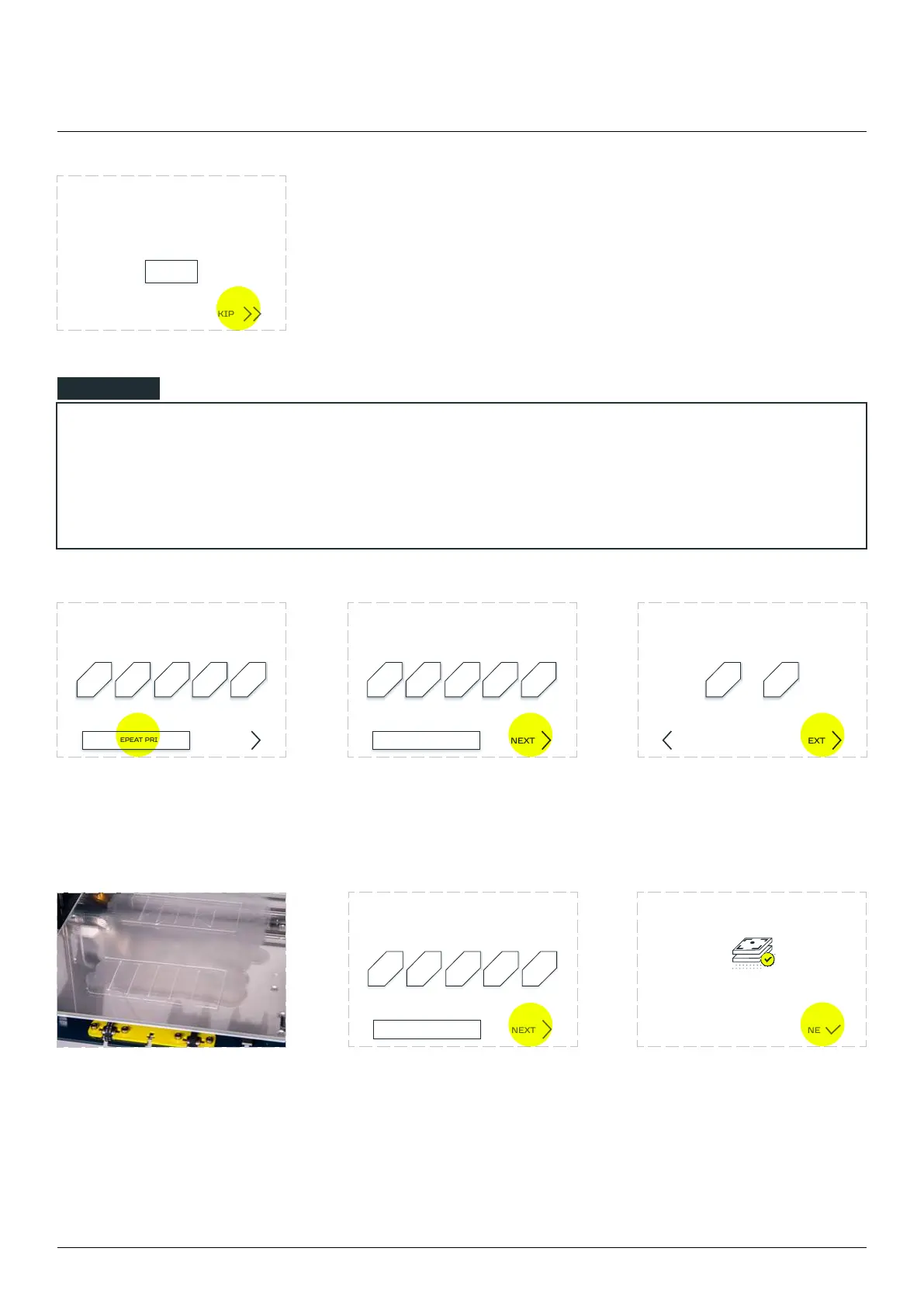
NOTE: by pressing the
‘SKIP’ button the user is
approving the automatic
calibration without visual
validation. After that the
calibration process ends.
In the last calibration step the machine
will print five lines as a final touch
SKIP
START
CALIBRATION
3D printing workow
NOTE
being the result of the automatic calibration process.
If none of the printed lines is proper, please follow these steps:
Choose NONE option. Tap ‘NEXT‘. Printer will ask which of the
line is closest to the best
‘NEXT’.
Printer will prepare
upper according to your
choice. Each line is printed
according to user choice.
Pick the best line and ‘NEXT‘. Calibration completed.
Choose the best printed line
(numeration from le to right)
1 2 3 4 5
NEXT
NONE, REPEAT PRINTING
Choose the best printed line
(numeration from le to right)
1 2 3 4 5
NEXT
NONE, REPEAT PRINTING
Which line was better?
1 5
NEXTBACK
NONE, REPEAT PRINTING
1 2 3 4 5
NEXT
Choose the best printed line
(numeration from le to right)
DONE



 To Next Page