54
Creating a sequence
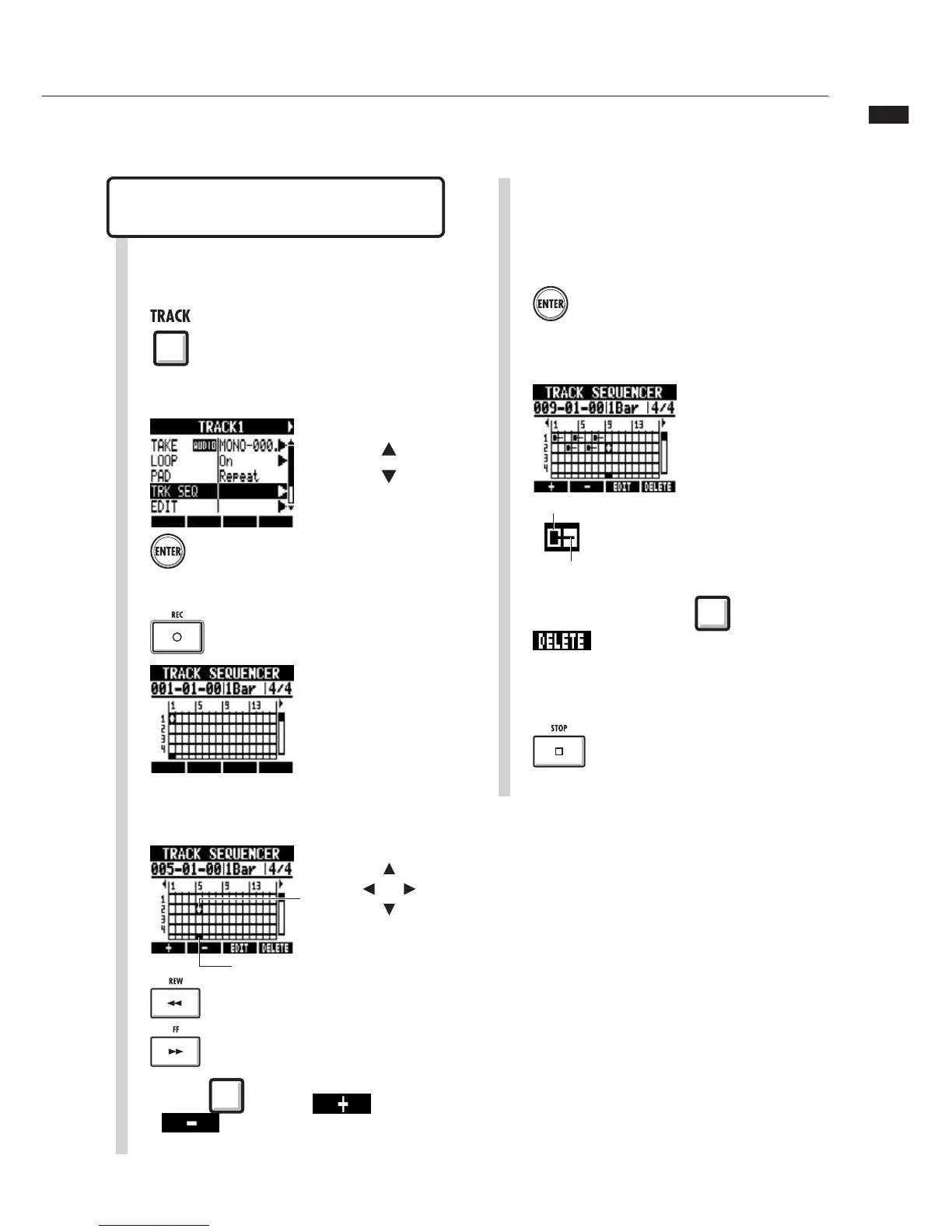
A sequence can be created one step at
a time using step input.
Create a sequence using step
input
Move the cursor to the position where
you want to input or delete data.
4
Move cursor
Go back 1 step
Go forward 1 step
Press a pad to input that pad's data at
that position.
Or, press ENTER to input the data of that
track at that position.
5
6
To delete input, press beneath
to delete data at that
position.
Press to end input.
7
1
Press
Press
Start step input.
3
2
Change menu
Select TRKSEQ.
Press
Press beneath or
to change the length of one
step to a bar, beat or 16th note.
Cursor
>ÀÊVÕÀÃÀÊ
Note-on
Length of loop or rhythm pattern



 To Next Page