Page 30 February 2020 – TD 266 OPERATING MANUAL – ZPulse® DCS 4420/4830/4520/4930
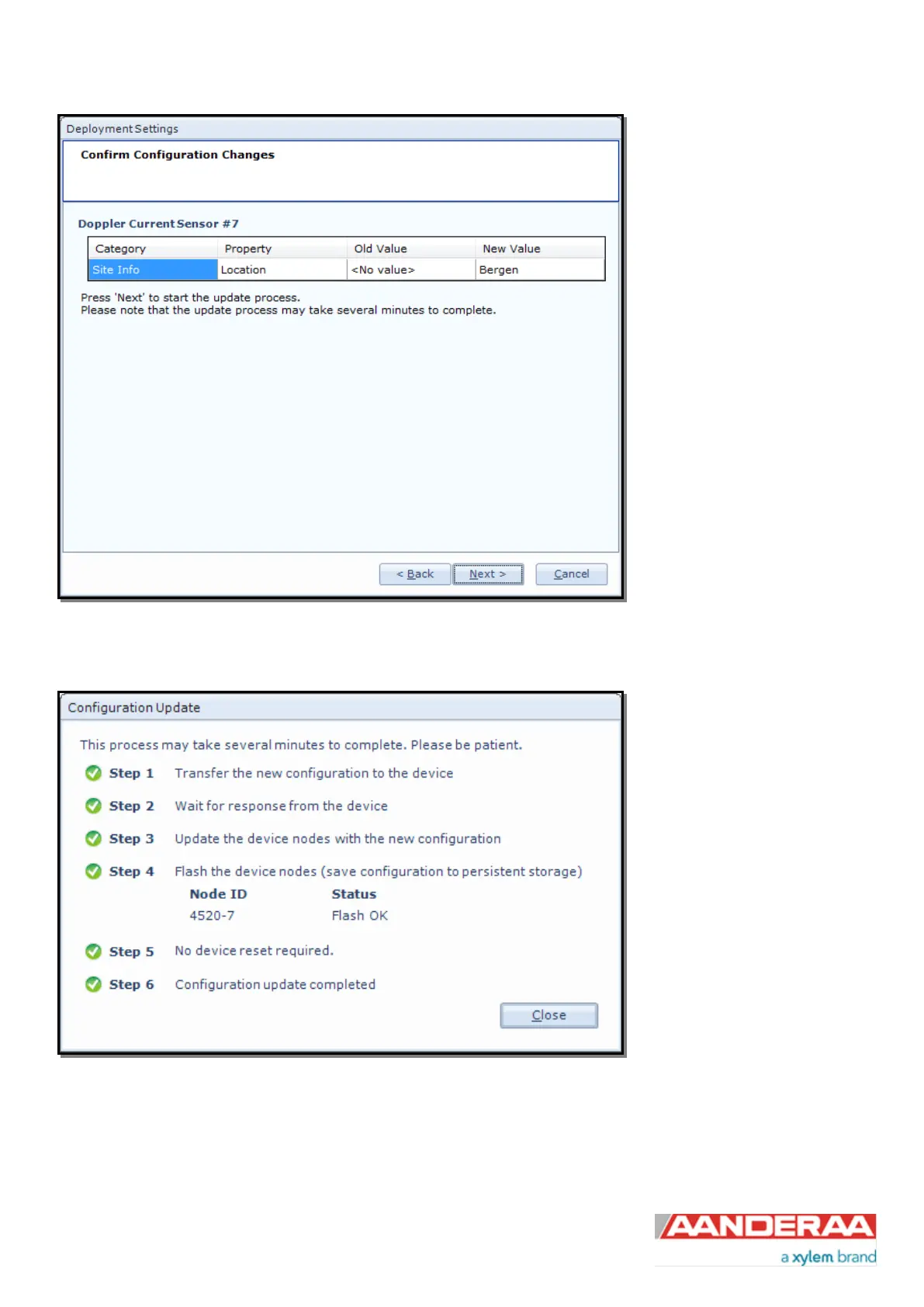
In the next picture a list of all
properties that has been changed
will show up.
If the list of configuration changes
is correct press Next to start the
update process.
Figure 2-9: Confirm Configuration Changes
An automatic process will start
with 6 steps transferring and
storing the new
information/setting in the sensor
Flash. If necessary a reset will be
executed. Do not switch off before
the entire process is completed.
Figure 2-10: Configuration Update



 To Next Page