February 2020 – TD 266 OPERATING MANUAL – ZPulse® DCS 4420/4830/4520/4930 Page 55
3.9 Device Configuration using SeaGuardII and SmartGuard
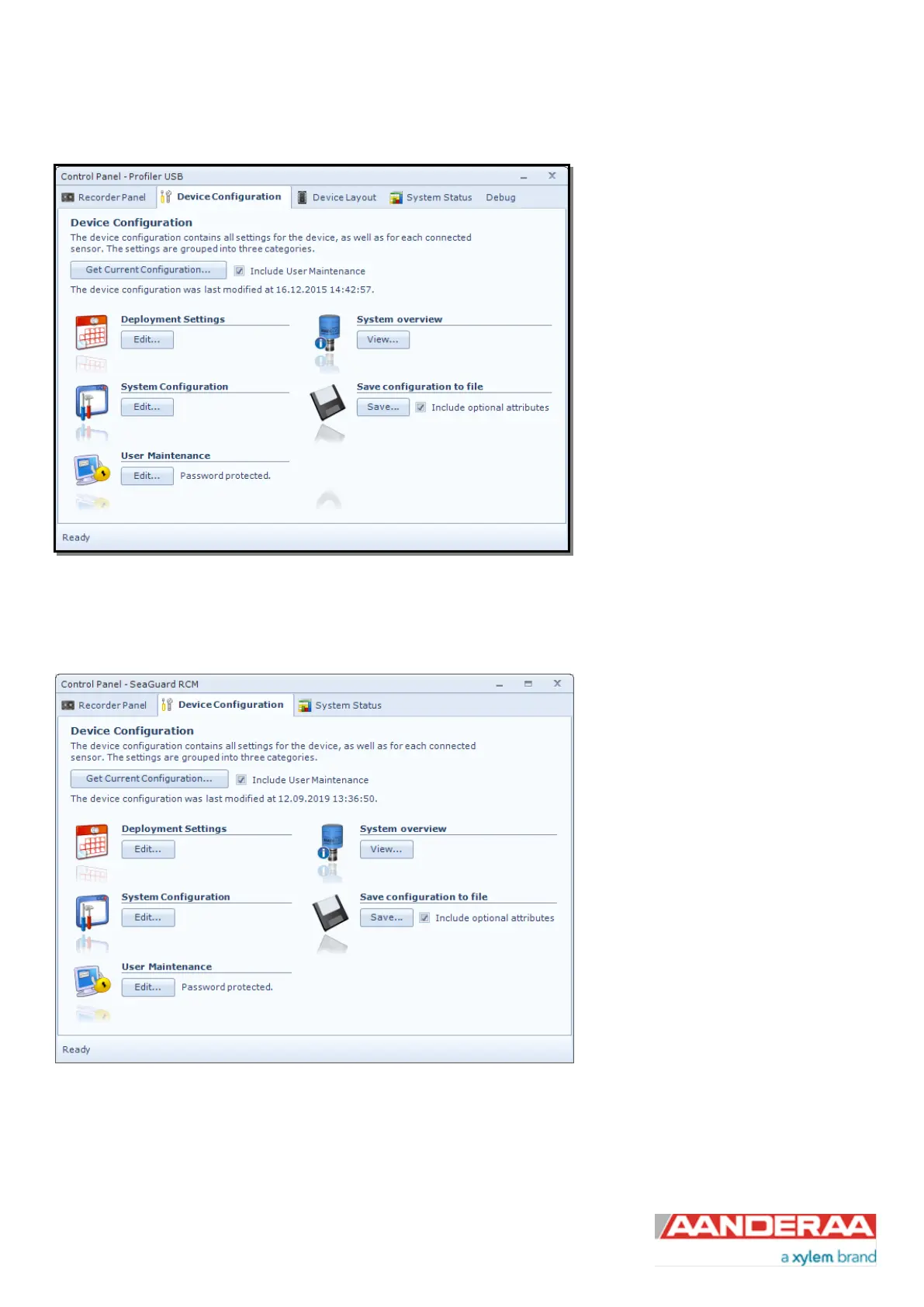
The device configuration is separated into
Deployment settings, System
Configuration, User Maintenance,
System overview and Save
configuration to file.
Settings related to the DCS can be
configured under Deployment Settings,
System Configuration and User
Maintenance. System overview shows a
short list of sensor properties like product
name, serial number and Software
version. Under the heading Save
configuration to file you can save
current settings to a backup file by
pressing Save….Edit the name for your
file and press Save… to save the new
configuration to file in .xml format.
Figure 3-20: Device configuration SeaGuardII and SmartGuard
3.10 Device Configuration using SeaGuard
The device configuration is separated
into Deployment settings, System
Configuration, User Maintenance,
System overview and Save
configuration to file.
Settings related to the DCS can be
configured under Deployment Settings,
System Configuration and User
Maintenance. System overview shows
a short list of sensor properties like
product name, serial number and
Software version. Under the heading
Save configuration to file you can save
current settings to a backup file by
pressing Save….Edit the name for your
file and press Save… to save the new
configuration to file in .xml format.
Figure 3-21: Device configuration SeaGuard
Note! The screen shots might show minor discrepancies compared to screen shots taken from your sensor due
to sensor updates.



 To Next Page