February 2020 – TD 266 OPERATING MANUAL – ZPulse® DCS 4420/4830/4520/4930 Page 71
4.1.2 Starting the sensor and logging to file
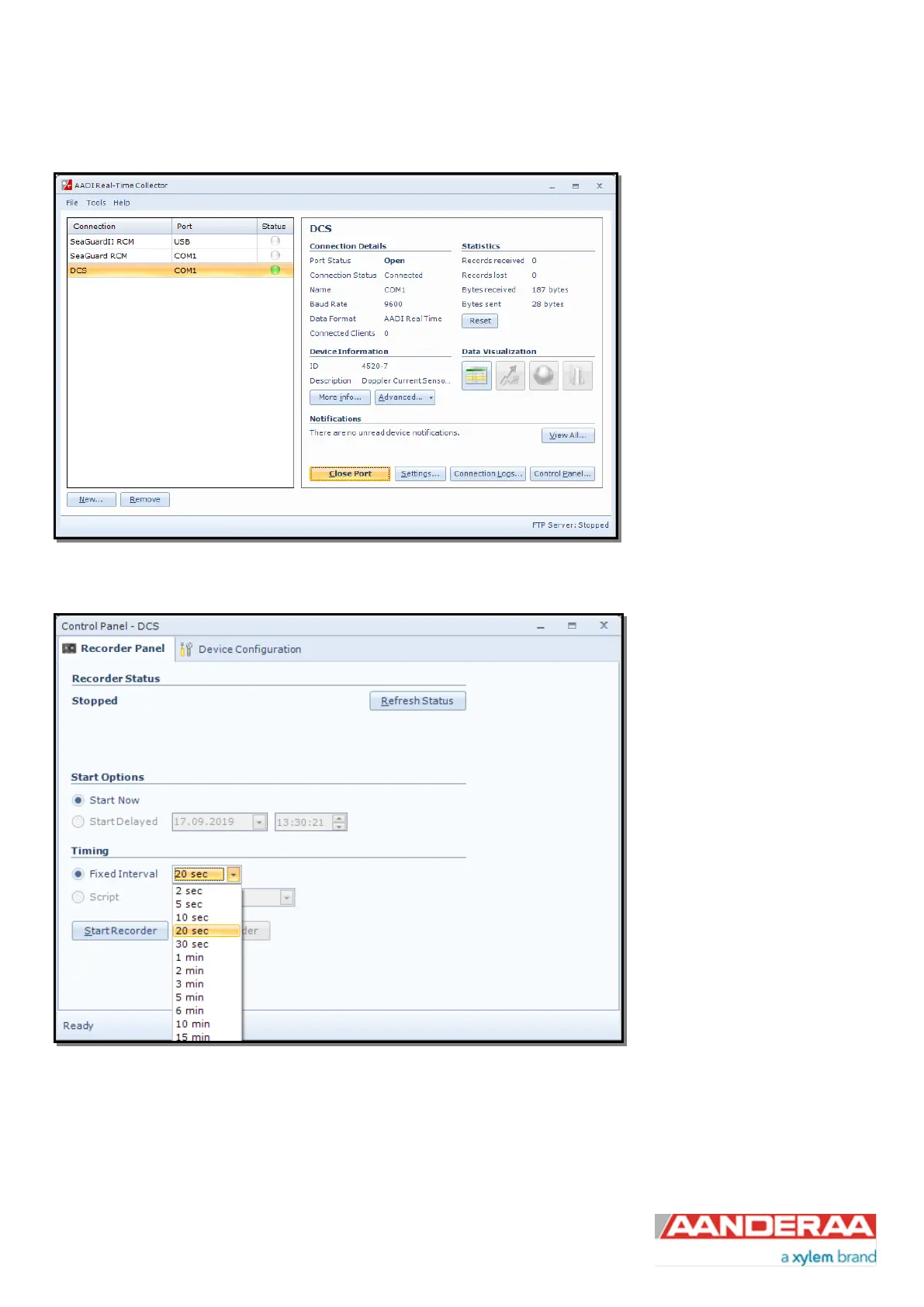
Click on the connection and “Open
Port”. The Status turns green
when the port is opened and
connected.
Figure 4-4: AADI Real-Time Collector start up menu
Click on the “Control Panel…”
button in the lower right corner.
Select the interval duration and
click the “Start Recorder” button.
The shortest interval available
depends on the sensor
configuration. More cells give
longer ping processing time and a
higher minimum available
recording interval.
This configuration is only
available if the sensor is in AADI
Real-Time mode.
Figure 4-5: Recorder panel
Data will start logging in the defined directory. If it is a txt-file, the easiest way to view it is in Excel. Figure 4-6 gives an
example of obtained data file. The different parameters are organized in columns.



 To Next Page