Page 34 February 2020 – TD 266 OPERATING MANUAL – ZPulse® DCS 4420/4830/4520/4930
2.5.1 Common settings
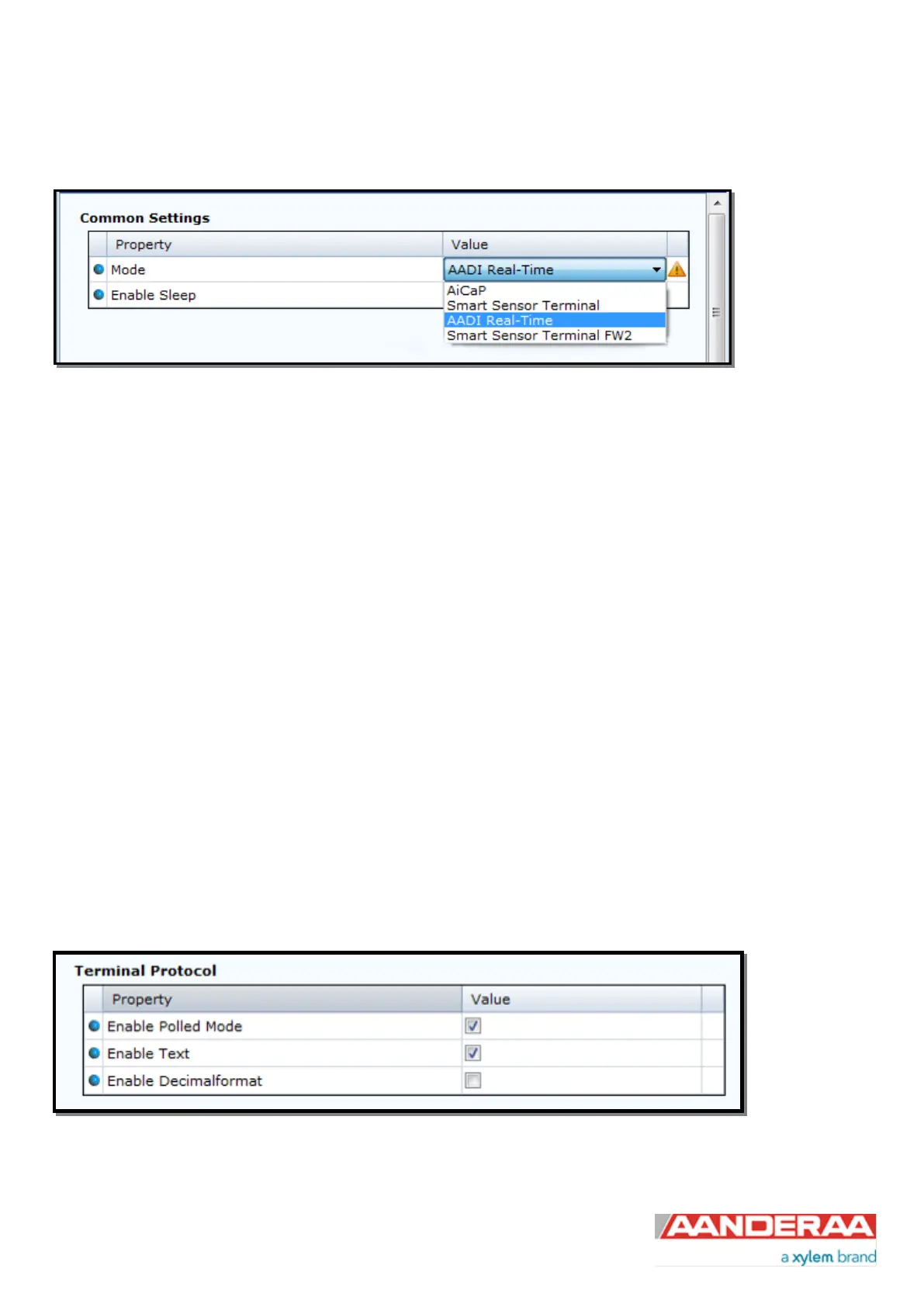
Figure 2-16: Common settings configuration
Refer to Figure 2-16: the communication protocol has to be defined under “Mode”. There are four different choices:
• AiCaP mode: If the sensor is going to be used on a SeaGuard, SeaGuardII or SmartGuard Datalogger, the
mode has to be changed to AiCaP mode first and saved before connecting it to the Datalogger.
• Smart Sensor Terminal protocol is a simplified ASCII protocol which is easy to use together with a PC terminal
program. This protocol is described more detailed in CHAPTER 6.
• AADI Real-Time is the correct mode (protocol) when the sensor is used stand-alone together with Real-Time
Collector or if xml protocol is wanted for RS-232/RS-422 output. AADI Real-Time is an xml based protocol
which includes more metadata in the data messages.
• Smart Sensor Terminal FW2 protocol is a simplified ASCII protocol same as Smart Sensor Terminal but with
some settings and output string that make it compatible with older versions of the sensor. FW2 is an
abbreviation for Frame Work 2. For more information see Appendix 1 Product change notification: Frame
Work3
It is possible to configure the sensor even if it is set to AiCaP or Smart Sensor Terminal mode when it is connected via
RS-232 to the PC, but it is not possible to run and log data with Real-Time Collector unless the sensor is set to AADI
Real-Time. Notice that the sensor always has to be reset when the protocol/mode has been changed.
2.5.2 Terminal Protocol settings
Figure 2-17: Smart Sensor Terminal protocol settings



 To Next Page