Page 44 February 2020 – TD 266 OPERATING MANUAL – ZPulse® DCS 4420/4830/4520/4930
CHAPTER 3 Configuration via SmartGuard, SeaGuard or SeaGuardII Datalogger
3.1 Introduction
The Doppler Current Sensor 4420, 4520, 4830 and 4930 can easily be installed on the Aanderaa SeaGuard platform,
SeaGuardII platform or connected using a cable. For more information about the SeaGuard, refer to TD 262a or
SeaGuardII, refer to TD 303.
It can also be used with the SmartGuard Datalogger using a cable for surface buoy applications or placed on land.
To be able to control the DCS via SeaGuard, SeaGuardII or SmartGuard the sensor need to be in AiCaP mode.
SeaGuardII and SmartGuard are using USB connection for configuration. SeaGuard with touch display are using the
touch screen to configure. SeaGuard with plug assembly are using RS-422/RS-232 for configuration. All instruments
can also be configured via the real-time RS-232/RS-422 output.
3.2 Installation of the DCS on SeaGuard and SeaGuardII
The ZPulse
®
Doppler Current Sensor 4420/4830/4520/4930 can easily be installed on Aanderaa SeaGuard data
loggers.
Note!
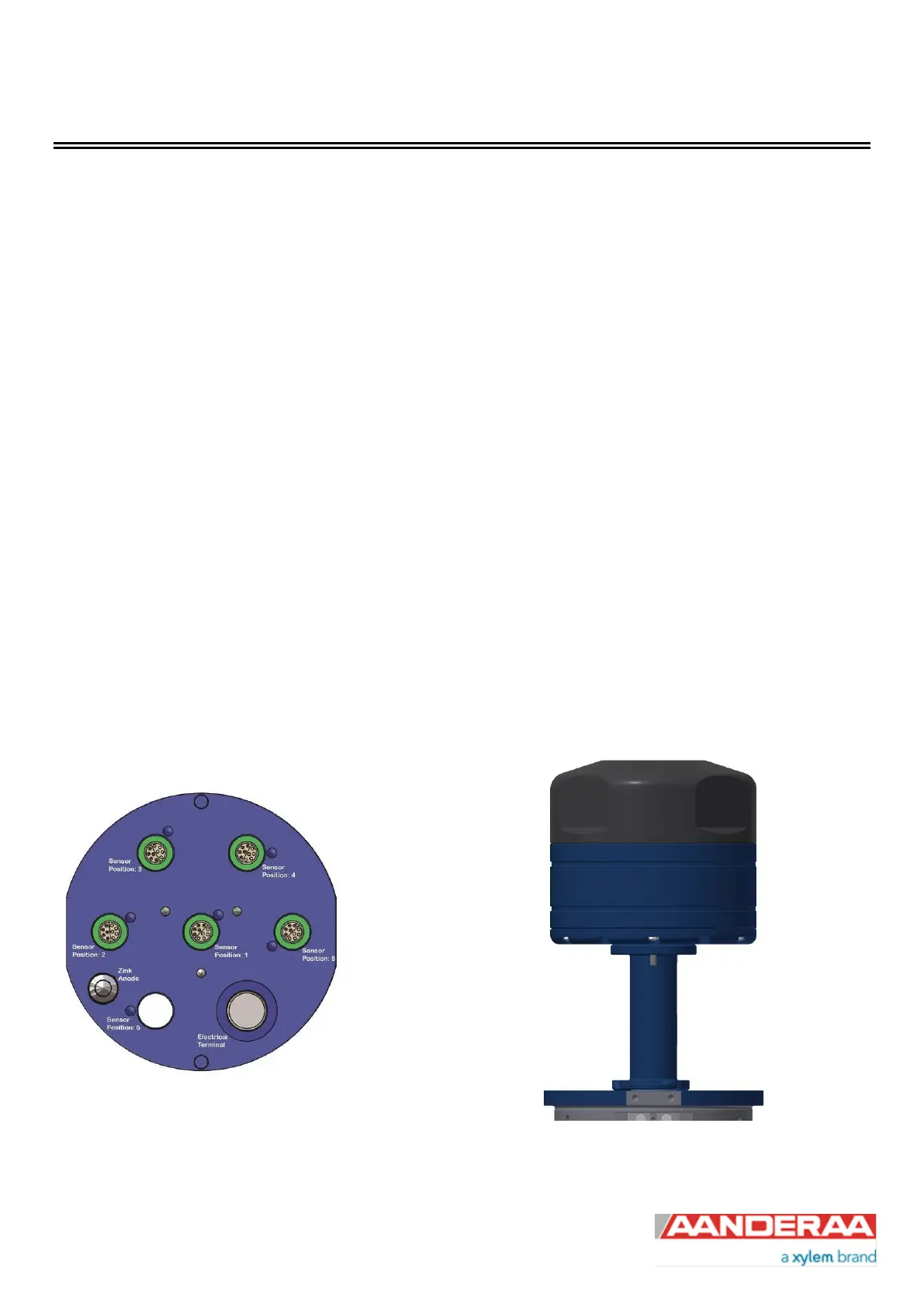
Mount the ZPulse® DCS on the stud and connect the stud in sensor position 1, refer Figure 3-1 and Figure 3-2.
Always replace O-rings when connecting to a sensor or a sealing plug.
Figure 3-1: SeaGuard/SeaGuardII Top End plate
Figure 3-2: ZPulse® DCS 4520/4930 with sensor foot
and top-end plate



 To Next Page