February 2020 – TD 266 OPERATING MANUAL – ZPulse® DCS 4420/4830/4520/4930 Page 51
3.6 Control Panel SeaGuardII and SmartGuard
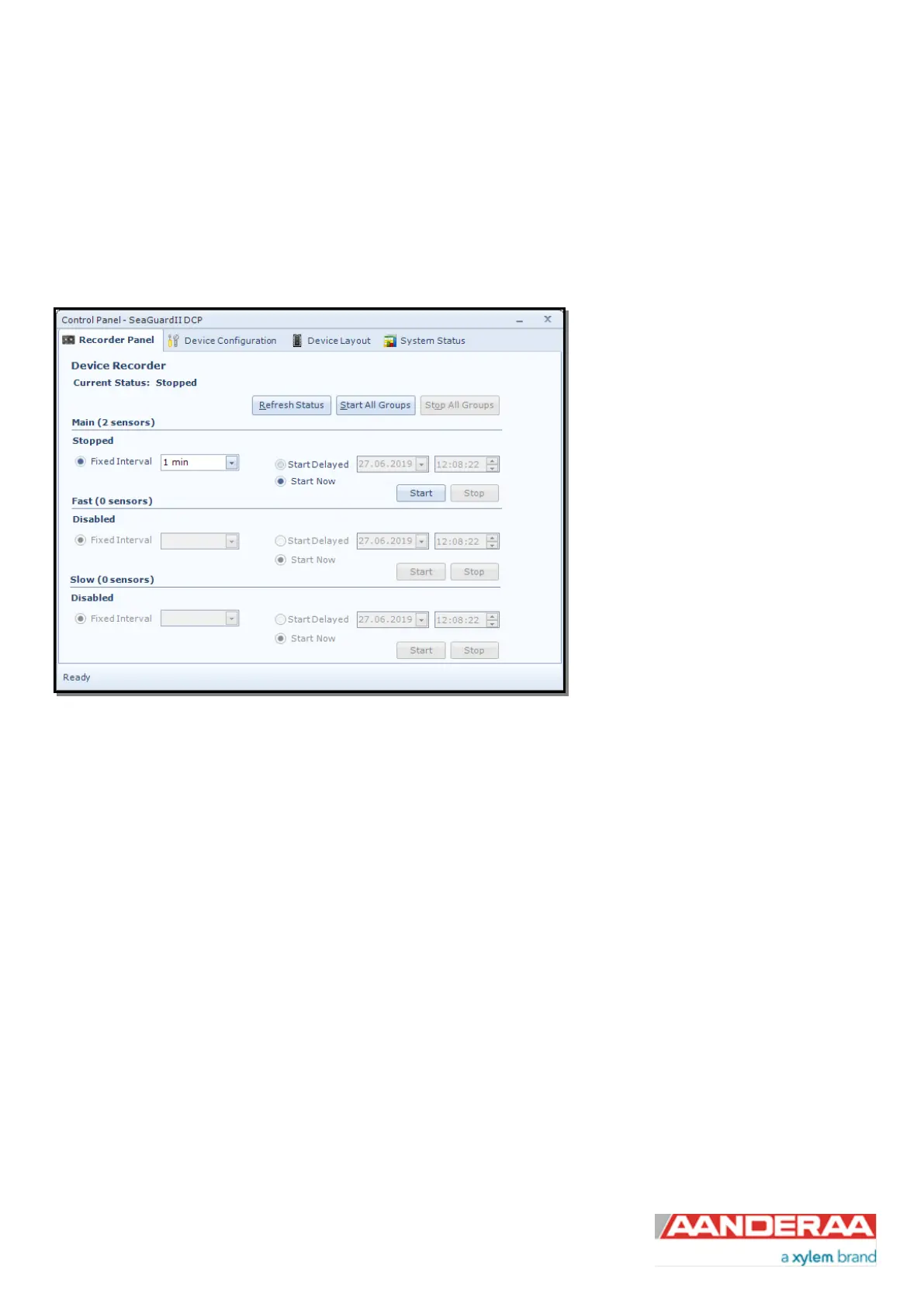
In the Control Panel window on SeaGuardII and SmartGuard you will find four tabs, Recorder Panel, Device
Configuration Device Layout and System Status. Under Recorder Panel you can start and stop recordings. If the
recorder is running first click on the Stop or Stop All Groups as you are not allowed to configure the sensor when
recording. For information about Device Layout and System Status see Manual for SeaGuardII Platform TD303 or
SmartGuard TD293.
The Control Panel is controlling the
SeaGuardII/SmartGuard recorder and not
individual sensors. However the Recorder
Panel consist of three recording groups
where you might put individual sensors in
each group to run them on different
recording interval. See Operation Manual
SeaGuardII / SmartGuard for more info.
Under each group you can start the group
immediately by Start Now, or start at a
later time using the Start Delayed option.
You may also use Start All Groups.
The different groups are controlled under
Device Configuration > Deployment
Settings > Multi Group Recorder
Figure 3-14: Recorder Panel
The Fixed Interval is the recording interval for each group. The configuration of sensors in each group will influence on
the available recording interval. If you change the configuration of one sensor and this cause a longer processing time
the Fixed Interval might be changed.
Note! We recommend that you verify the system settings prior to starting a recording session.



 To Next Page