Page 70 February 2020 – TD 266 OPERATING MANUAL – ZPulse® DCS 4420/4830/4520/4930
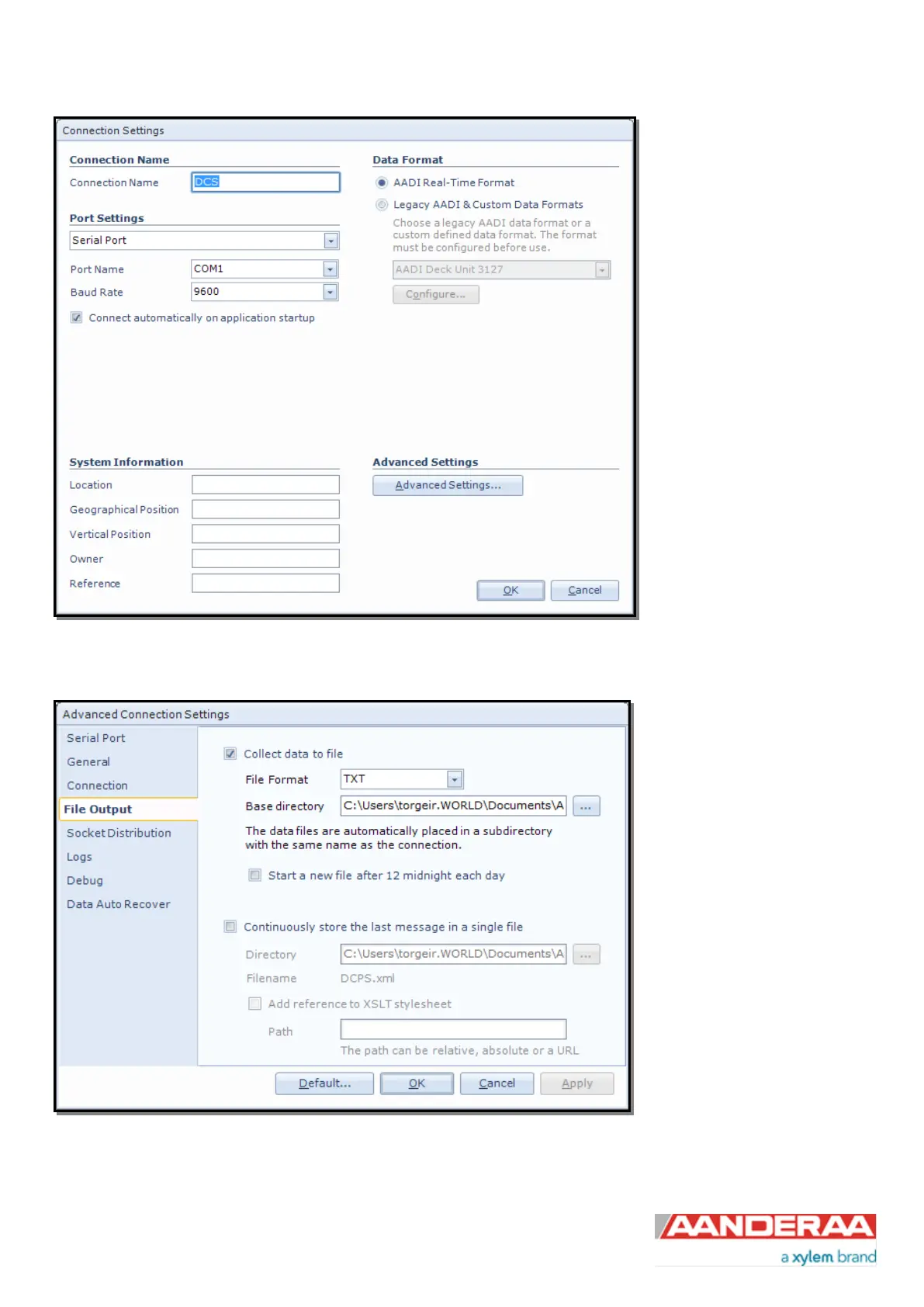
Then click on the “Advanced
Settings…” button in the
Connection Settings window;
refer Figure 4-2
Figure 4-2: Connection settings menu
Choose File Output from the list
on the left side. Check the
“Collect data to file” box to
enable file output. Select a file
format either XML or TXT and
choose a base directory where
you want the file to be saved.
Alternatively you may select
“Continuously store the last
message in a single file”.
Click “OK” in the Advanced
Connection Settings window,
and “OK” in the Connection
Settings window
Figure 4-3: Advanced connection settings / File Output



 To Next Page