5-20 Installation 5702269-C
Advanced Energy
®
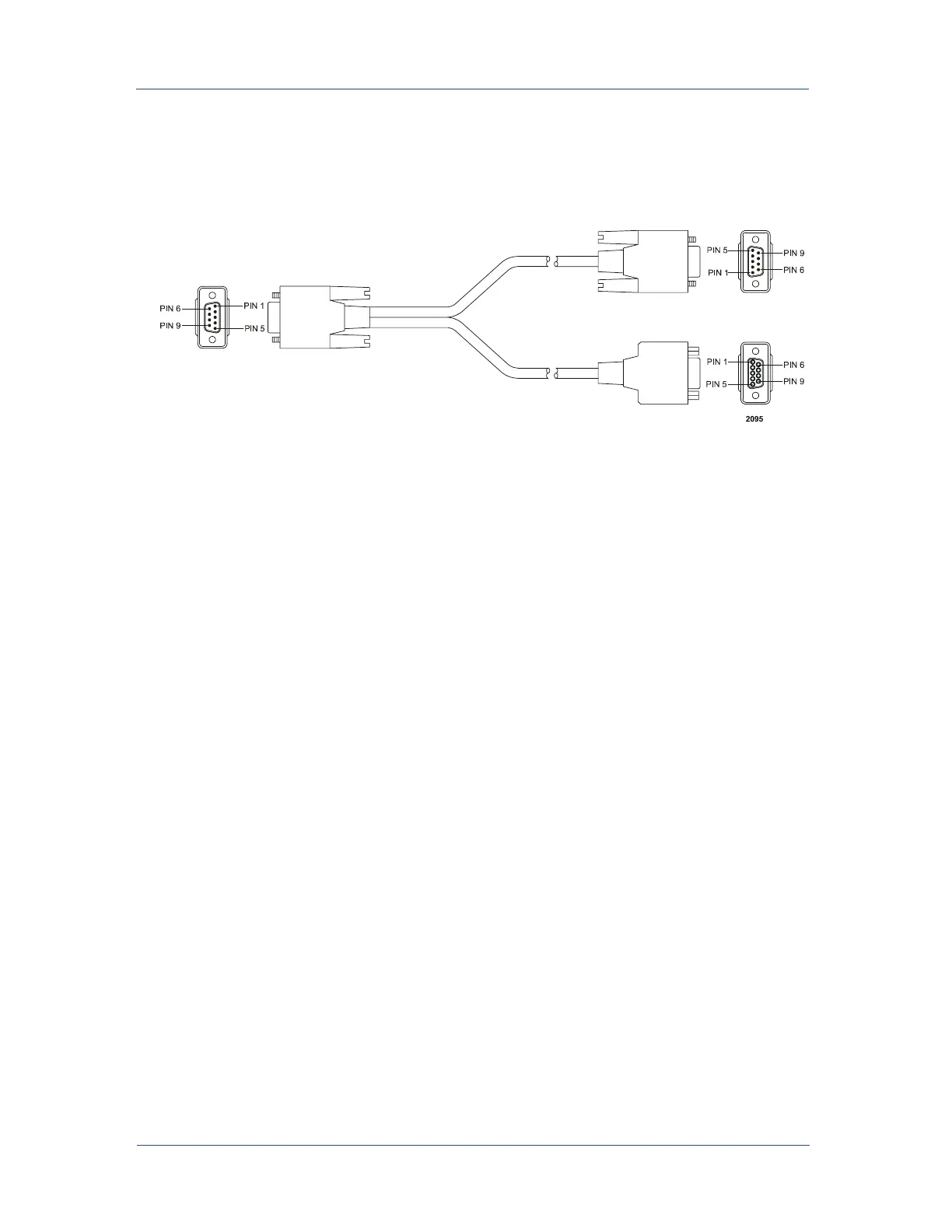
Sync Pulse Port Cable
Figure 5-12. Sync Pulse cable
CONFIGURING FOR SYNC PULSE
TRANSMIT/RECEIVE
To configure the unit to transmit or receive:
1. Remove all input power from the transmit and receive units.
2. Using the soft keys on the Active Front Panel or Remote Active Front Panel,
select: SUPPLY → PULSE → TX/RX.
3. Set the unit to TRANSMITTER or RECEIVER.
Note: One unit must be set to transmit; all other units must be set to receive.
4. Repeat steps 1 and 2 for the rest of the units.
Note: Units can not be hot-plugged for Sync Pulse to operate.
Sync Pulse Configuration Examples
The following block diagrams provide a high-level view of possible configurations for
a Sync Pulse system.
SIMPLE SYNC PULSE SYSTEM
The following configuration allows you to broadcast hard arcs or not broadcast hard
arcs. In this configuration hard arcs are the only detection shared between the network
units.
57" lead
4" lead



 To Next Page