ANDREOLI ENGINEERING
Operator’s Manual
Self-propelled sprayer ATOM
6.2.2 Spraying with automatic controller
Set the controller working mode (Automatic or Manual), using the button
In Automatic mode, set the desired spray program.
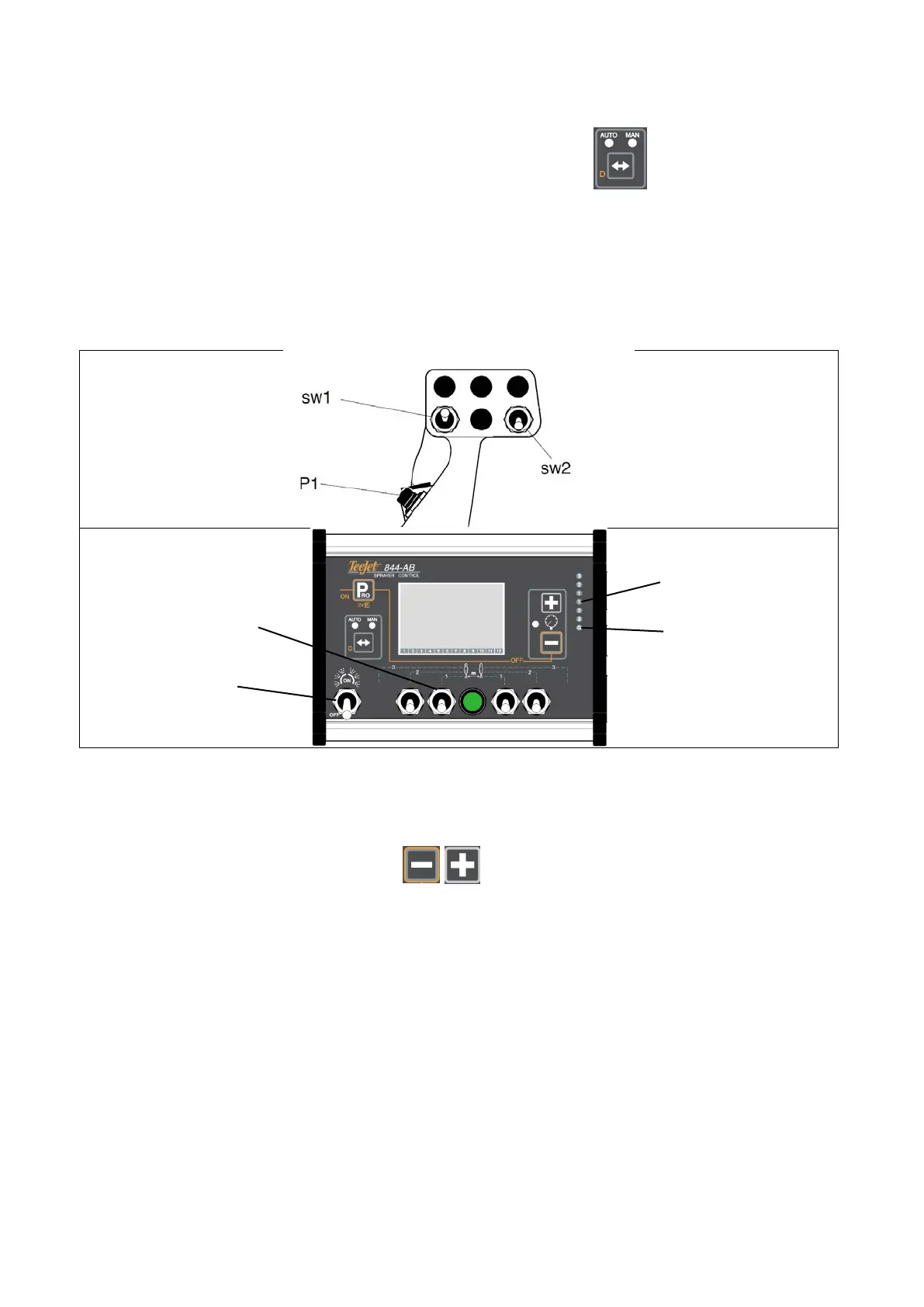
Set the nozzles section to use by the switches on the controller (swc1,2,3,4…).
On main joystick:
(sw1) controls all nozzles sections on the left side
(sw2) controls all nozzles sections on the right side
(P1) and (P2) are main switches for general ON/OFF of all sections and activate also dump valves.
When nozzles sections are open, lights (HL1)…(HL4) are ON, depending on the number of nozzles sections
activated. Dump valves are closed and light (HLD1) is OFF.
When nozzles sections are closed, light (HLD1) is ON and dump valves are open.
In manual mode of controller, use the buttons to manually set spray pressure.
In automatic mode of controller, use your spray programs and the controller will adjust the pressure
automatically.



 To Next Page