7-11
7.5 Outline of Displayed Screen
7.5.6 Power Sensor Data Input (Power Sensor Registration and Selec-
tion) Screen
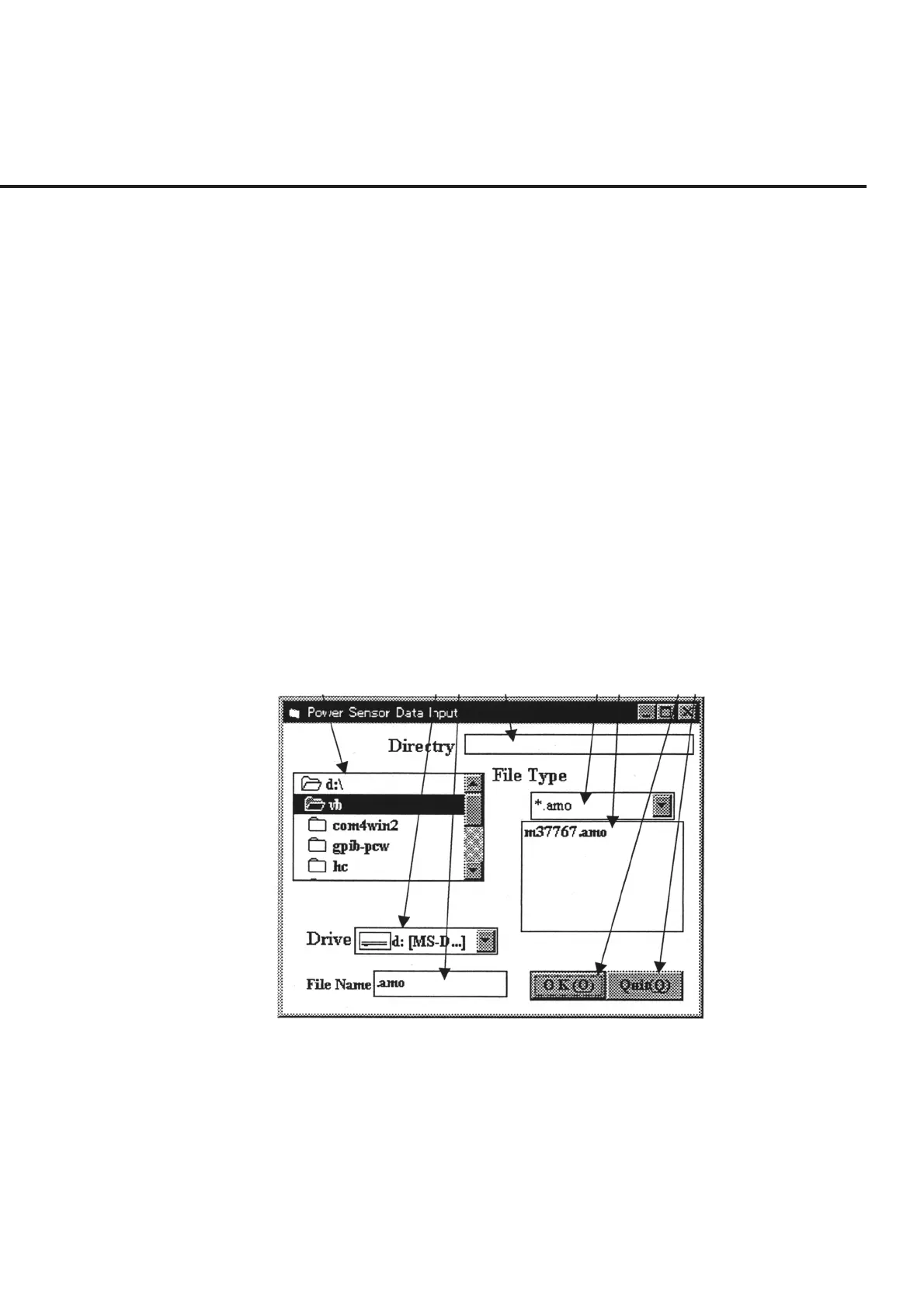
Selection of item [1] “Data_Select” on the “Sensor Data Input Screen” shown in Fig. 7-
5 displays the “Power Sensor Registration and Selection Screen” shown in Fig. 7-6.
The following section describes the name and gives a brief summary of the function of
each control effective on this screen.
[1] Directory display and selection field
Lists the contents of the disk drive selected in item [2] “Drive” area, and enables their
selection.
[2] Drive (Disk drive display and selection field)
Enables the selection of the disk drive where the sensor data are stored. Selection of
this item causes the contents of the selected disk drive to be displayed in item [1].
[3] File Name (File name (serial number) display and input field)
Enter the serial number of a sensor in order to newly register a sensor data file. Selec-
tion is also enabled by entering a serial number already registered. See paragraph 7.6.3
“ Registering Power Sensor and Setting Calibration Factor “ for more information.
[1] [2] [3] [4] [5] [6] [7] [8]
Fig. 7-6 Power Sensor Registration and Selection Screen
[4] Directory (sensor file path display field)
Displays a path when a serial number is entered in item [3] “File Name” or a data file is
selected in item [6].
[5] File Type (Extension display and selection field)
Displays the file name extension of the sensor displayed in item [10] “Input Grid” on
the “Sensor Data Input Screen” shown in Fig. 7-5.



 To Next Page