6-23
6.6.8 Selecting Data File
Selecting “File” –– “Select” in section [1] on the “Measured result Confirmation
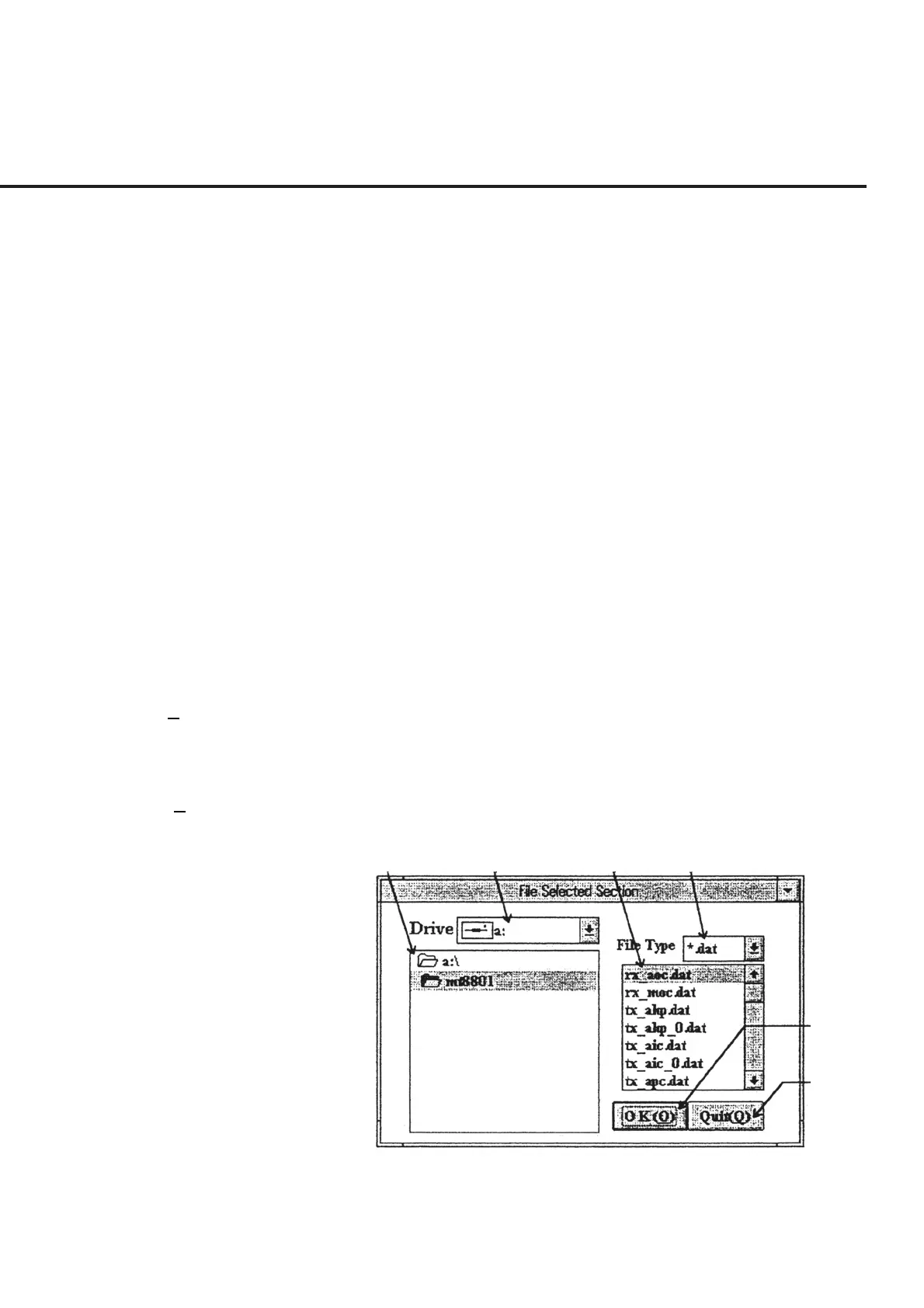
Screen,” shown in Fig. 6-18, causes the “Data File Selection Screen,” shown in Fig. 6-
20, to appear. The following section shows the names of control functions on this
screen as well as an outline of these functions.
[1] Directory display section This section displays a list of contents of the disk drive selected in section [2]. This is
used to select a directory that stores a relevant data file.
[2] Drive (Disk drive display section)
This section is used to select a disk drive that stores a relevant data file.
[3] File name display section This section displays a list of file names with the extension selected in section [4]
located in the currently selected directory.
[4] File Type (File type display section)
This section enables selection of the extension of the data file names displayed in sec-
tion [3]. Incidentally, only two extension types are registered: “TXT” for data created
at the time of correction and “DAT” for data created at the time of frequency response
measurement.
[5] OK (O) (“OK” button) This button is used to display the measured results by graph on the “Measured result
Confirmation Screen” shown in Fig. 6-18. Section [2] on the same screen displays the
data file name selected.
[6] Quit (Q) (“Cancel” button) This button is used to return to the “Measured result Confirmation Screen,” shown in
Fig. 6-18, without displaying the measured results by graph.
[1] [2] [3] [4]
[5]
[6]
Fig. 6-20 Data File Selection Screen
6.6 Operation



 To Next Page