Section 7 Inspection Software
7-16
7.5.9 Attenuator Data Input of Linearity Measure (Attenuator Calibra-
tion Data Input) Screen for CDMA Measurement
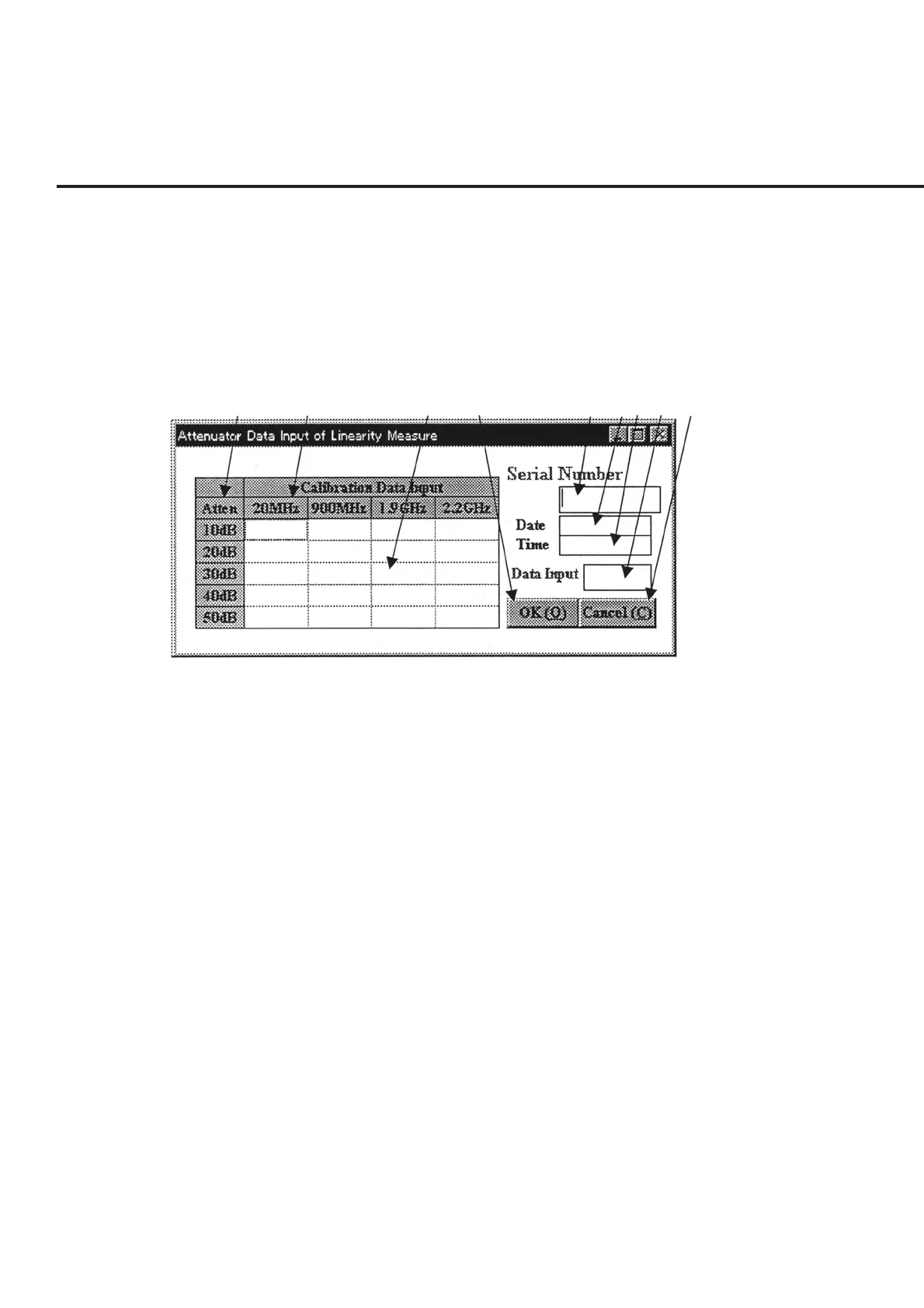
The “Attenuator Calibration Data Input Screen for CDMA Measurement” shown in
Fig. 7-9 appears when the measurement of the IF level meter of a CDMA function is
selected.
The following section describes the name and gives a brief summary of the function of
each control effective on this screen.
[1] [2] [3] [4] [5] [6][7] [8] [9]
Fig. 7-9 Attenuator Calibration Data Input Screen for CDMA Measurement
[1] Attenuation amount display field
Displays the attenuation amount of the attenuator to be used for the measurement. The
data display field of item [3] displays the calibration data for each attenuation amount.
[2] Frequency display field Displays the frequency to be set at the measurement.
[3] Data display field Displays the calibration data for each frequency and attenuation amount set. Clicking
this item causes the information on the relevant cell to be displayed in item [8] “Data
Input”, enabling changes to the setting.
[4] “OK” button Selection of this item displays a message prompting the confirmation of whether the
data is to be saved if changes to information were made, and resumes the measurement.
If no items have been set, an error message is displayed. See paragraph 7.6.6 “Input-
ting Attenuator Calibration Data for CDMA Measurement” for more information.
[5] Serial Number (Serial number input field)
Entry of a serial number in this item displays the registered information for each item if
already registered data are available, or displays the current date and time in items [6]
and [7] if no relevant data are available. In the latter case, the broken line section in the
grid becomes the standby state for data entry from “Data Input” of item [8].



 To Next Page