7-9
7.5 Outline of Displayed Screen
7.5.5 Sensor Data Input (Power Sensor and Calibration Factor Input)
Screen
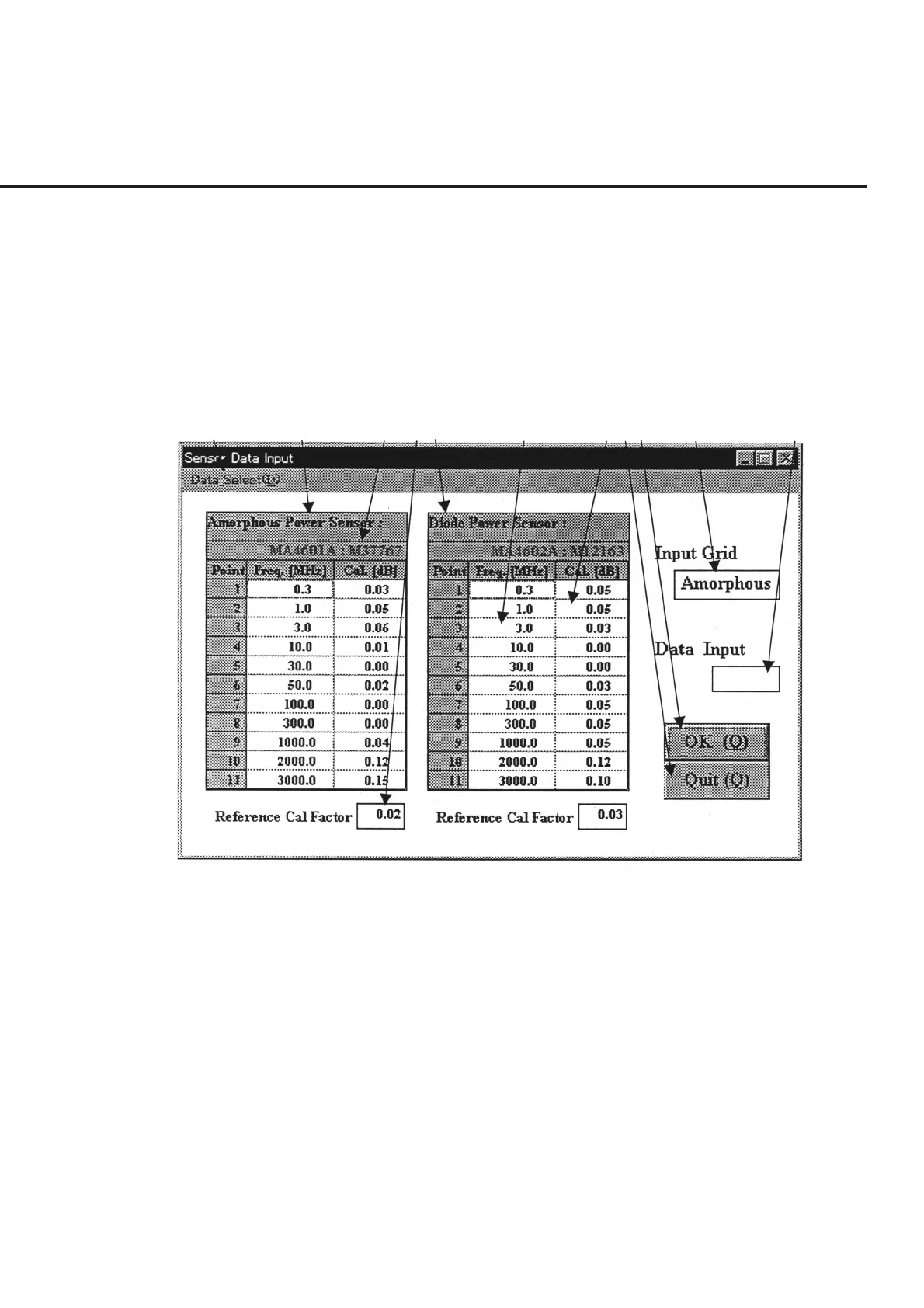
When a measurement is to be performed using a power meter (including prior calibra-
tion), the “Power Sensor and Calibration Factor Input Screen” shown in Fig. 7-5 is
displayed in this program to enable the selection of a sensor and to set the calibration
factor.
The following section describes the name and gives a brief summary of the function of
each control effective on this screen.
[1] [2] [3] [4] [5] [6] [7][8][9] [10] [11]
Fig. 7-5 Power Sensor and Calibration Factor Input Screen
[1] “Data_Select” bar Used for the selection and new registration of the power sensor equipment name. See
paragraph 7.6.3 “ Registering Power Sensor and Setting Calibration Factor” for more
information.
[2] Amorphous Power Sensor (Amorphous sensor data display field)
Displays the data on the currently set sensor when a measurement is performed using
the amorphous power sensor. Editing is performed in item [11] “Data Input”.
[3] Serial number display field Displays the equipment name of the sensor for each sensor type. Changes are made in
item [1] “Data_Select”
[4] Reference Cal Factor (Reference calibration factor display field)
Displays the data on the reference calibration factor currently set for each sensor type.
Changes are made via direct key input.



 To Next Page