Section 7 Inspection Software
7-18
7.5.10 Measurement Item Selection Screen
In this program, the measurement item selection screen varies depending on the item
selected in item [2] “Measure Mode” on the “Initial Menu Screen” shown in Fig. 7-1.
See the following paragraphs for more information on the item selection screen for
each measurement section of Main, Analog, Measurement Software, Spectrum Ana-
lyzer, and MX880231A/32A Measurement Software.
7.5.10.1 Common Items of Transmitter Measurement Screen (Measurement Item
Selection Screen for Main Section)
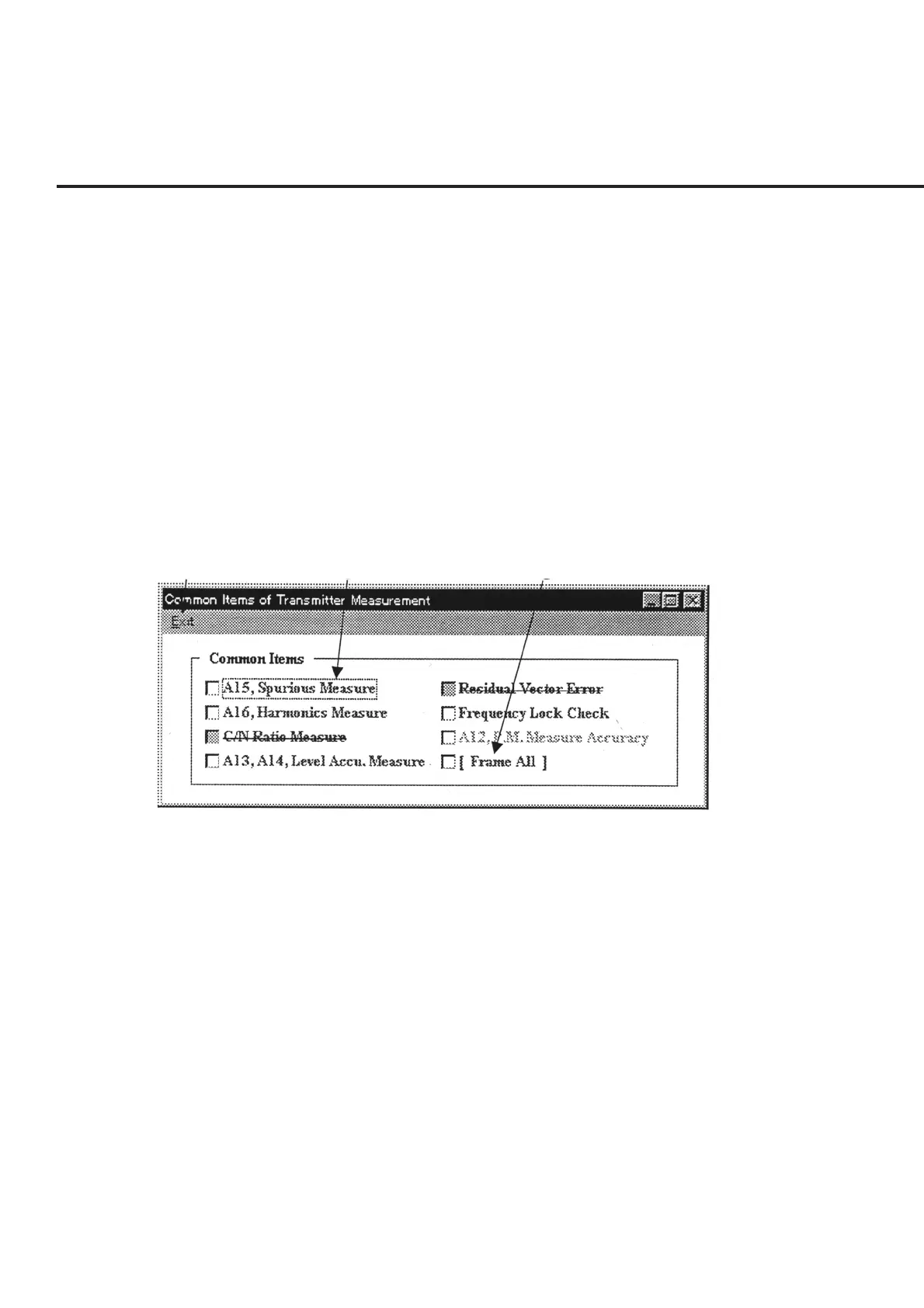
The “Measurement Item Selection Screen for Main Section” shown in Fig. 7-10 is
displayed when “Common Measure Items” is selected in item [2] “Measure Mode” on
the “Initial Menu Screen” shown in Fig. 7-1.
The following section describes the name and gives a brief summary of the function of
each control effective on this screen.
[1] [2] [3]
Fig. 7-10 Measurement Item Selection Screen for Main Section
[1] “Exit” bar Restores the screen to the “Initial Menu Screen” shown in Fig. 7-1. The bit of the
selected measurement item is displayed in hexadecimal in item [6] “Measure Items
(Hex)” on the Initial Menu screen.
[2] Common Items (Measurement items selection field)
The items in blue are for the TX side, while the items in pink are for the RX side. Items
grayed out cannot be selected. But, multiple items can be selected, simultaneously.
[3] [Frame All] check box Selection of this check box causes all items except those grayed out to switch into the
selected state.



 To Next Page