6-11
6.6 Operation
6.6.3 Inputting Serial Number
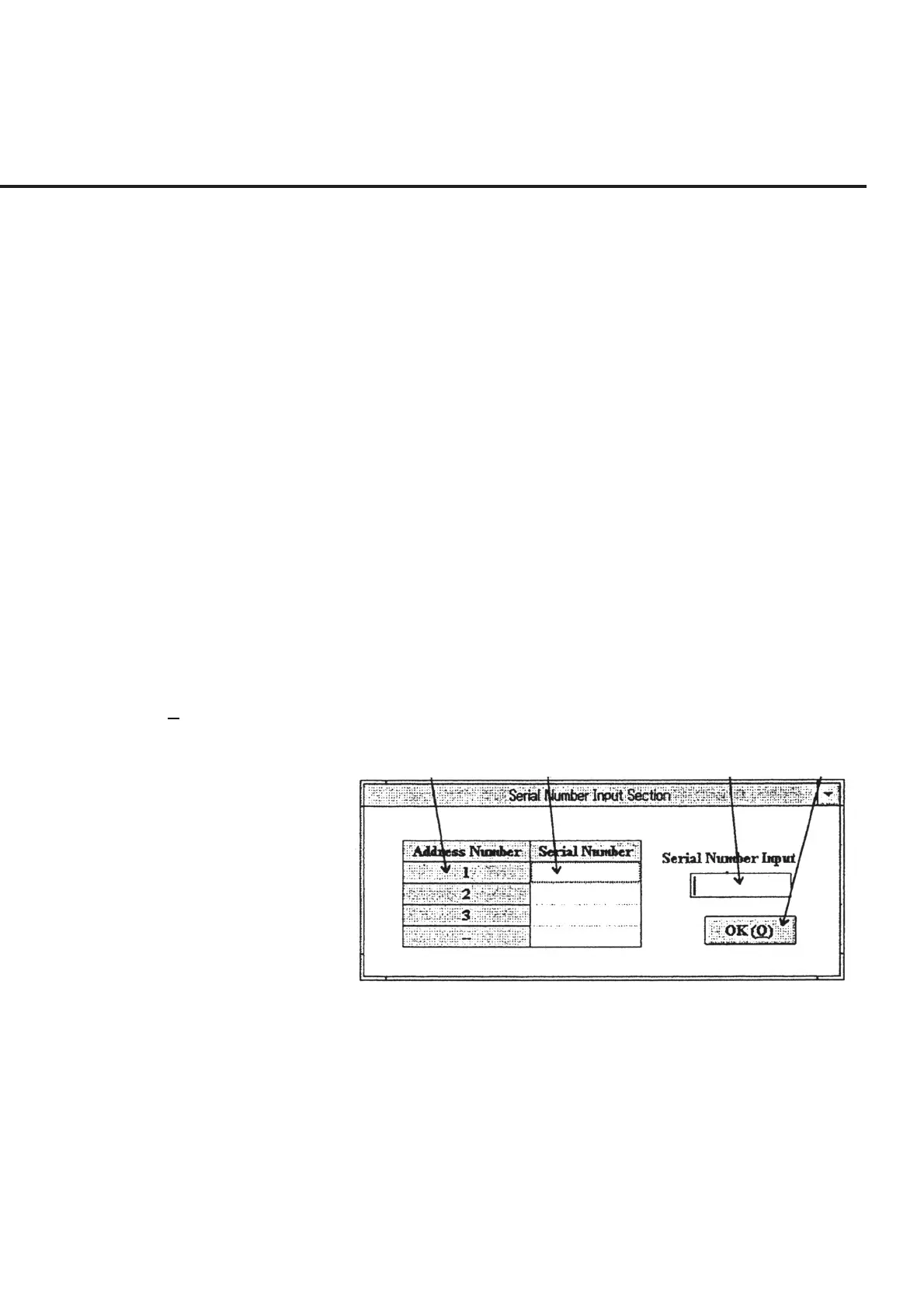
When “Serial Number” of section [17] is selected from “List of Setup Items” shown in
Fig. 6-5; “Serial Number Input Screen,” shown in Fig. 6-6, is displayed together with
the address of the units that have been set up. The following section shows the names
of control functions on this screen as well as an outline of these functions.
[1] Address Number (Address number display section)
This section displays the address numbers for the DUT’s set in section [11] on the “Initial
Menu Screen” shown in Fig.6-4. When the number of DUT input is 1 unit, the address
number shown in section [5] on the same screen is displayed. When more than one unit is
input, sequential numbers starting from 1 are allocated as the address numbers.
[2] Serial Number (Serial number display section)
This section displays the serial number that corresponds to each address number input
in section [3].
[3] Serial Number Input (Serial number input section)
This section enables input of the serial number that corresponds to each address num-
ber. When the CR code is detected after the serial number is input, the input serial
number is displayed in section [2].
[4] OK (O) (“OK” button) This button is used to complete the serial number input. Clicking this button causes the
screen to return to the “Initial Menu Screen” shown in Fig. 6-4.
[1] [2] [3] [4]
Fig. 6-6 Serial Number Input Screen



 To Next Page