Section 7 Inspection Software
7-14
7.5.8 Attenuator Calibration Data Input Screen
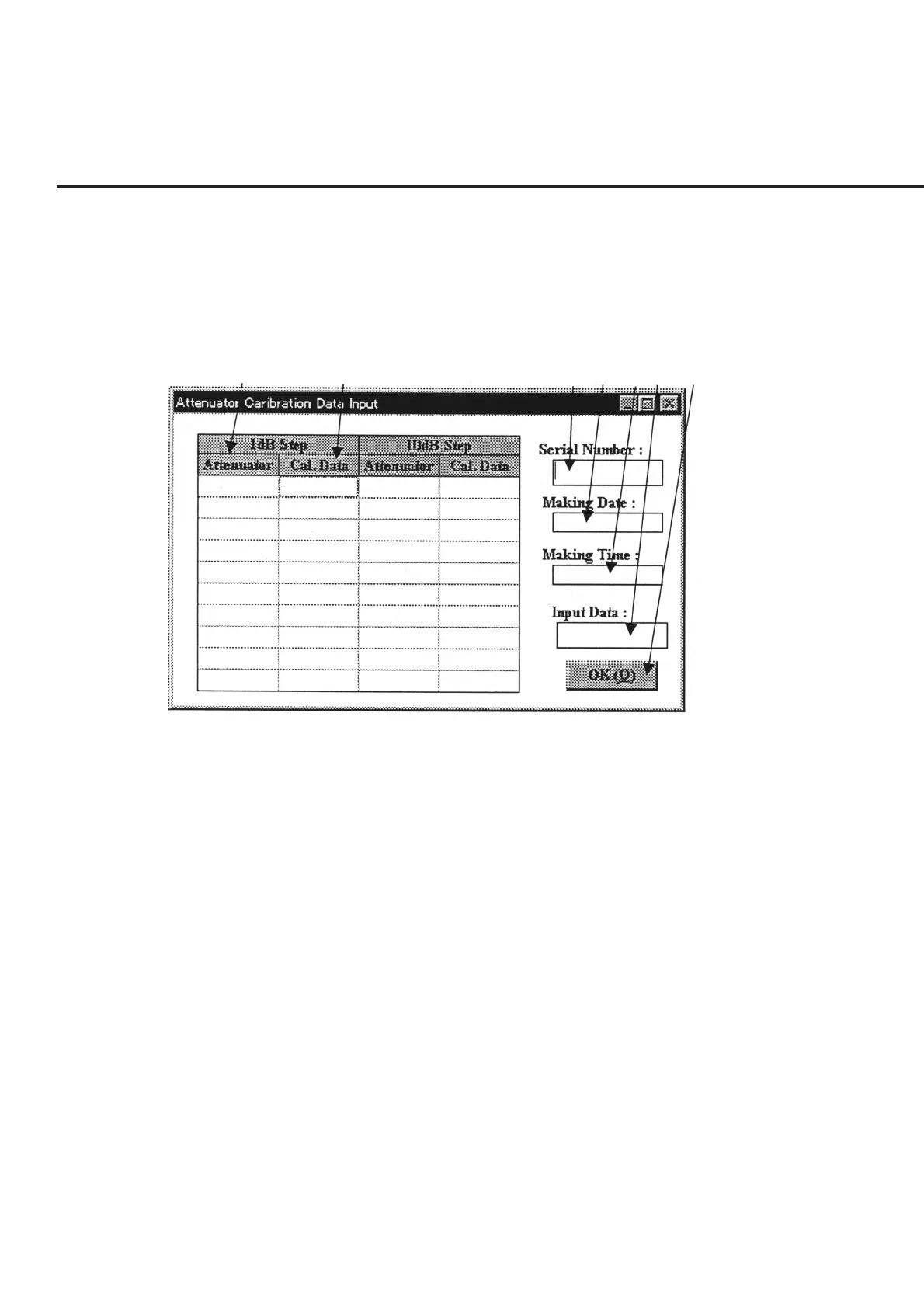
The “Attenuator Calibration Data Input” Screen shown in Fig. 7-8 is displayed when
the measurement of reference level accuracy or log linearity of the spectrum analyzer
function is selected.
The following section describes the name and gives a brief summary of the function of
each control effective on this screen.
[1] [2] [3] [4] [5] [6] [7]
Fig. 7-8 Attenuator Calibration Data Input Screen
[1] Attenuator (Attenuation amount display field)
Entry of a serial number in item [3] displays the attenuation amount in increments of 1
dB and 10 dB, irrespective of the availability of existing data. Data editing is disabled.
[2] Cal. Data (Calibration data display field)
Displays the registered information if data for the serial number entered in item [3] are
available. Clicking this item causes the information on the relevant cell to be displayed
in item [6] “Input Data”, enabling changes to the setting.
[3] Serial Number (Serial number input field)
Entry of a serial number in this item displays the registered information for each item if
previously registered data are available, or displays the attenuation amount in item [1]
and the current date and time in items [4] and [5] if no relevant data are available. In the
latter case, the broken line section in the grid becomes the standby state for data entry
from item [6] “Input Data”.
[4] Making Date (Data creation date display field)
Displays the date of data registration if data for the serial number inputted in item [3]
are available, or displays the current date if no relevant data are available.



 To Next Page