7-19
7.5.10.2 Analog Operation Test Items Screen (Measurement Item Selection Screen for
Analog Section)
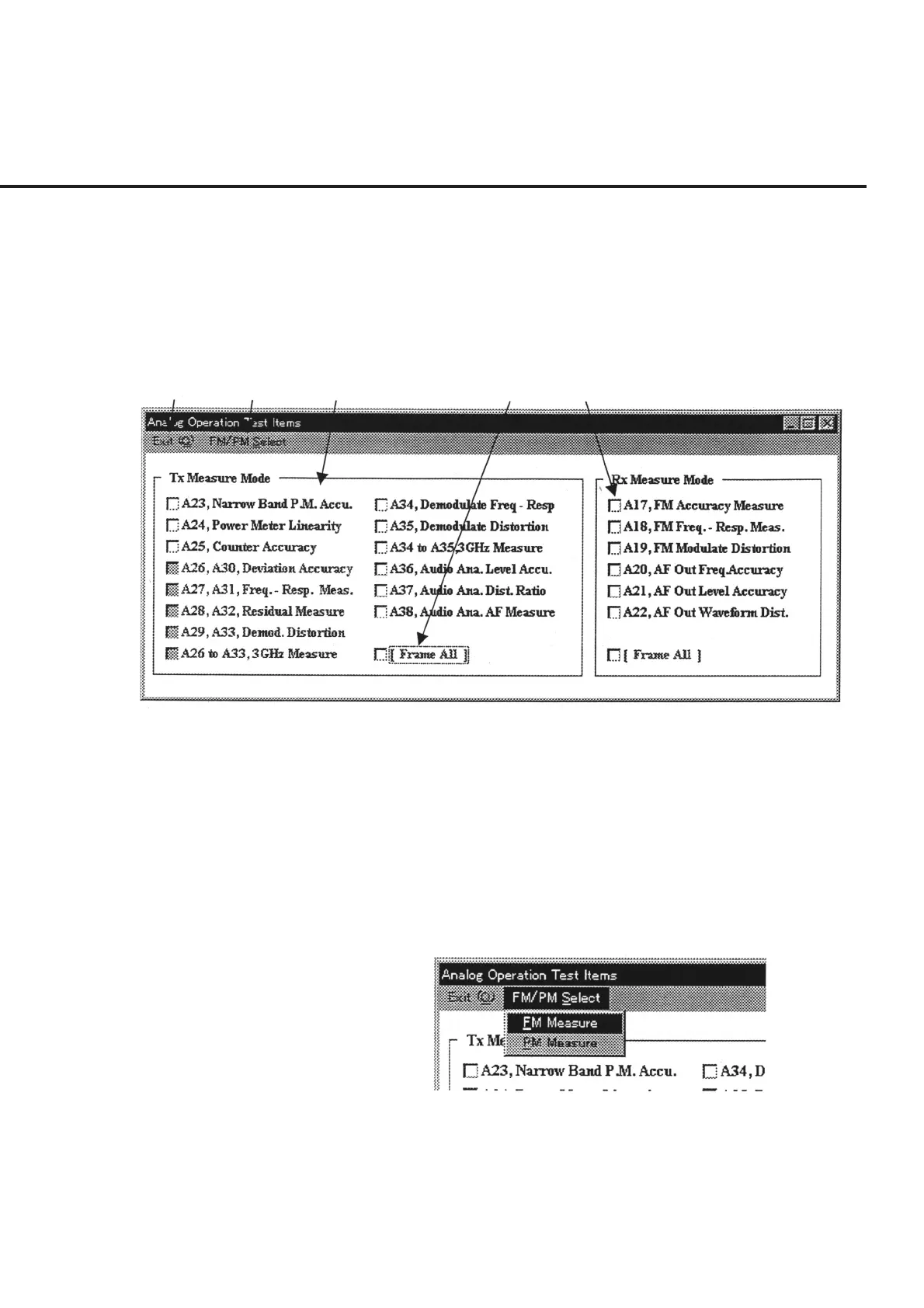
The “Measurement Item Selection Screen for Analog Section” shown in Fig. 7-11 is
displayed when “Analog Measure” is selected in item [2] “Measure Mode” on the “Ini-
tial Menu Screen” shown in Fig. 7-1.
The following section describes the name and gives a brief summary of the function of
each control effective on this screen.
[1] [2] [3] [4] [5]
Fig. 7-11 Measurement Item Selection Screen for Analog Section
[1] “Exit” bar Restores the screen back to the “Initial Menu Screen” shown in Fig. 7-1. The bit of the
selected measurement item is displayed in hexadecimal in item [6]”Measure Items
(Hex)” on the Initial Menu screen.
[2] “FM/PM Select” bar Clicking this item displays the “FM/PM Pull-down Menu” shown in Fig. 7-12. Selec-
tion of an item enables the selection of items grayed out in item [3] “Tx Measure
Mode”. Simultaneous selection of both items of FM Measure and PM Measure, en-
ables continuous FM and PM measurement.
Fig. 7-12 FM/PM Pull-down Menu
[3] Tx Measure Mode (Measurement item selection field for TX side)
Lists the measurement items on the TX side for analog measurement. Items grayed out
in the initial state become displayed as selectable items when FM or PM is selected in
“FM/PM Select” of item [2].
7.5 Outline of Displayed Screen



 To Next Page