Section 7 Inspection Software
7-20
[4] [Frame All] checkbox Selection of this check box results in the selection of all the TX measurement items in
the frame.
[5] Rx Measurement Mode (Measurement item selection field for RX side)
Lists measurement items on the RX side for analog measurement, as the similar man-
ner for TX side.
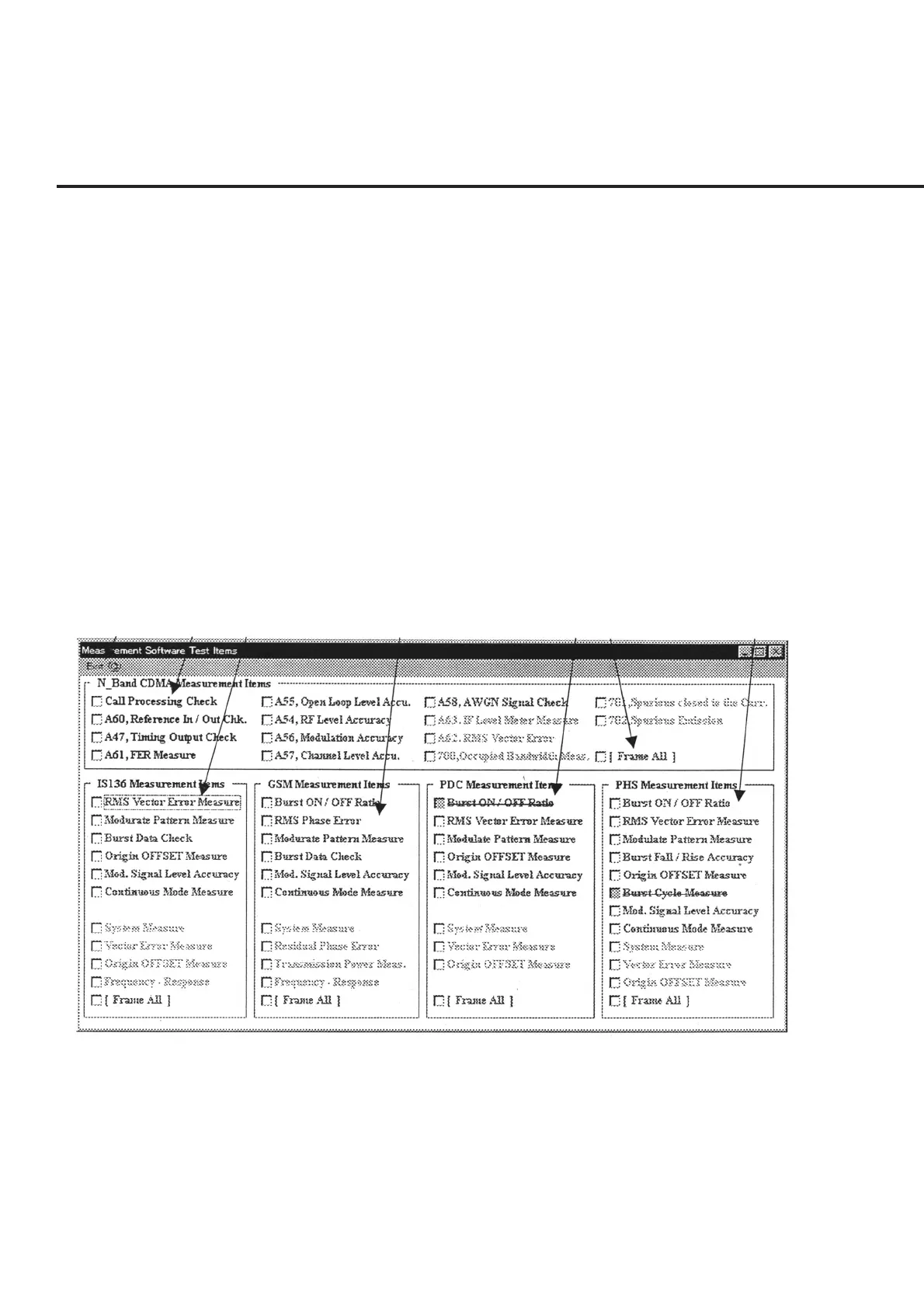
7.5.10.3 Measurement Software Test Items Screen (Measurement Item Selection
Screen for Measurement Software)
The “Measurement Item Selection Screen for Measurement Software” shown in Fig. 7-
13 is displayed when “Mx Software Measure” is selected in item [2] “Measure Mode”
on the “Initial Menu Screen” shown in Fig. 7-1.
The following section describes the name and gives a brief summary of the function of
each control effective on this screen.
Incidentally, the items in blue are for the TX side, while the items in pink are for the RX
side. Items in black do not belong to either category, and are measured using a mobile
equipment or jigs.
[1] [2] [3] [4] [5] [6] [7]
Fig. 7-13 Measurement Item Selection Screen for Measurement Software



 To Next Page