7-23
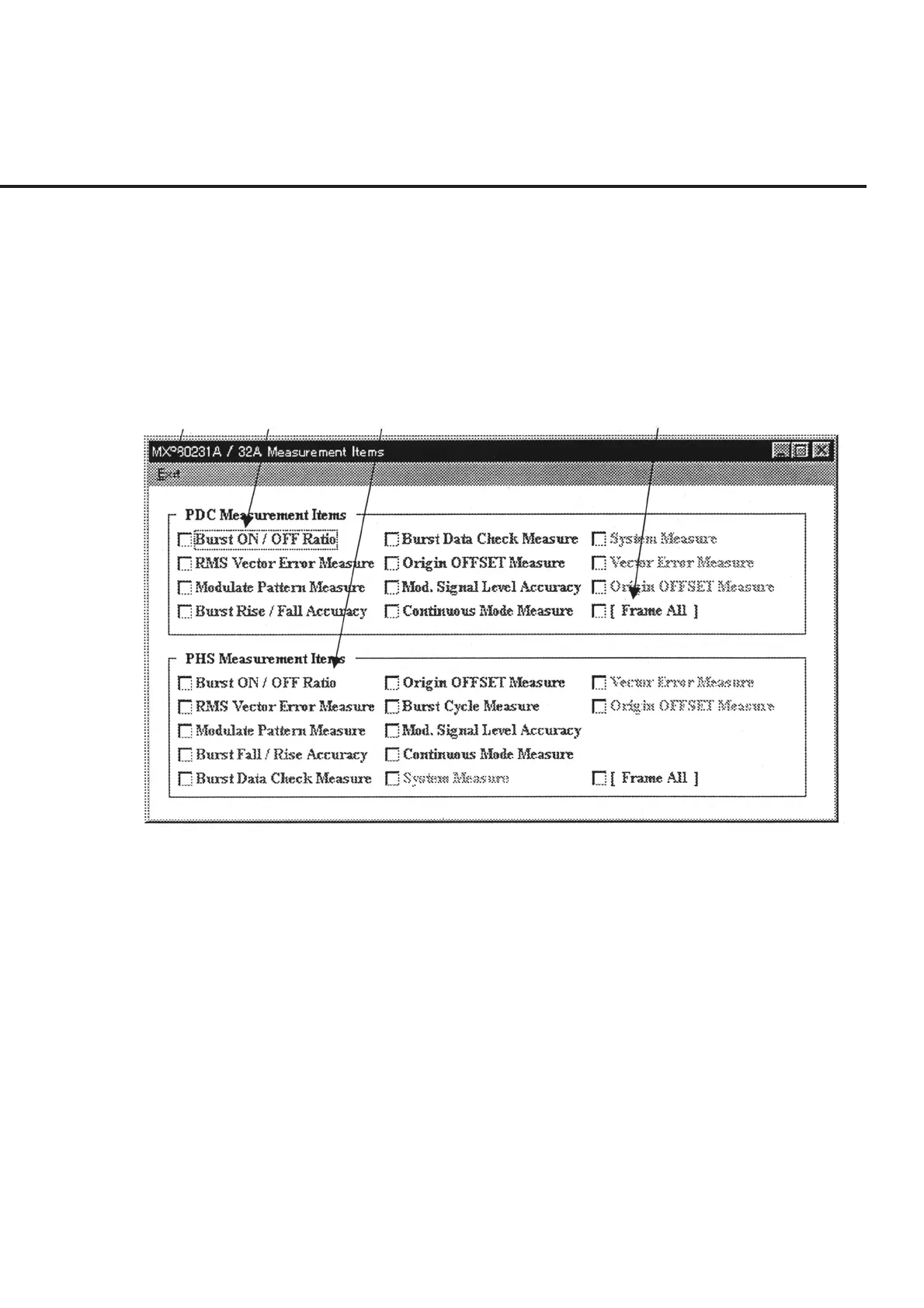
7.5.10.5 MX880231A/32A Measurement Items Screen (Measurement Item Selection
Screen for MX880231A/32A Measurement Software)
The “Measurement Item Selection Screen for MX880231A/32A Measurement Soft-
ware” shown in Fig. 7-15 is displayed when “MX880231A/32A” is selected in item [2]
“Measure Mode” on the “Initial Menu Screen” shown in Fig. 7-1.
The following section shows the name of each control and the summary of the function
of each control effective on this screen. The items in blue are for the TX side, while
those in pink are for the RX side.
Fig. 7-15 Measurement Item Selection Screen for MX880231A/32A Measurement Software
[1] “Exit” bar Restores the screen to the “Initial Menu Screen” shown in Fig. 7-1. The bit of the
selected measurement item is displayed in hexadecimal in item [6] “Measure Items
(Hex)” on the Initial Menu screen.
[2] PDC Measurement Items (Measurement item selection field for “PDC” measurement software program)
Lists the items to be measured by the PDC measurement software program (not
equipped with the call processing function).
[3] PHS Measurement Items (Measurement item selection field for the “PHS” measurement software program)
Lists the items to be measured by the PHS measurement software program (not
equipped with the call processing function).
[4] [Frame All] checkbox Selection of this checkbox results in the selection of all the measurement items in the
frame of the PDC Measurement Items.
7.5 Outline of Displayed Screen



 To Next Page