Section 7 Inspection Software
7-22
7.5.10.4 Spectrum Analyzer Measurement Items Screen (Measurement Item Selection
Screen for Spectrum Analyzer Section)
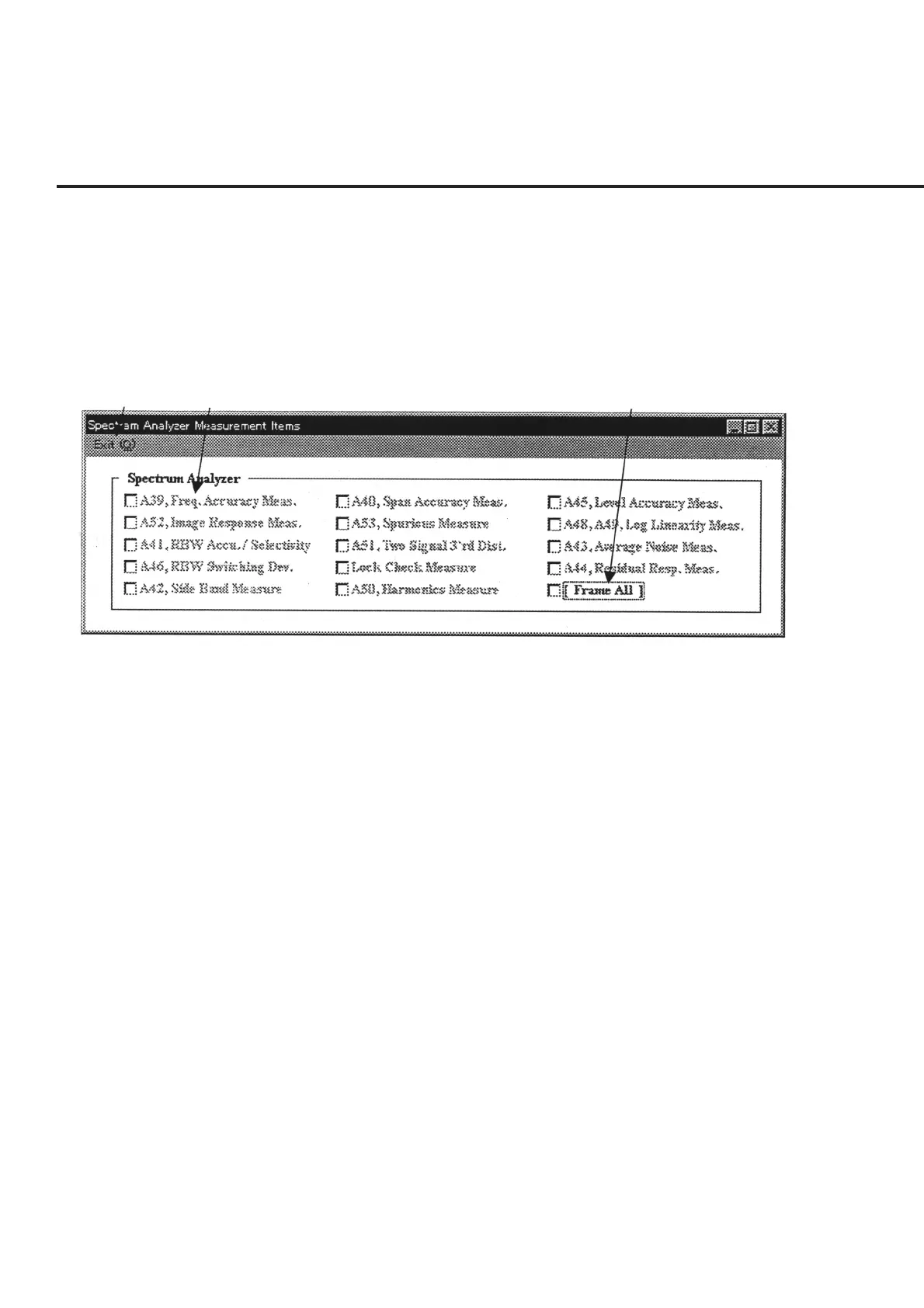
The “Measurement Item Selection Screen for Spectrum Analyzer Section” shown in
Fig. 7-14 is displayed when “OPT: 07 Spectrum Anal.” is selected in item [2] “Measure
Mode” on the “Initial Menu Screen” shown in Fig. 7-1.
The following section describes the name and gives a brief summary of the function of
each control effective on this screen.
[1] [2] [3]
Fig. 7-14 Measurement Item Selection Screen for Spectrum Analyzer Section
[1] “Exit” bar Restores the screen to the “Initial Menu Screen” shown in Fig. 7-1. The bit of the
selected measurement item is displayed in hexadecimal in item [6] “Measure Items
(Hex)” on the Initial Menu screen.
[2] Spectrum Analyzer (Measurement item selection field)
Lists the measurement items for the spectrum analyzer section in this program.
[3] [Frame All] checkbox Selection of this checkbox results in the selection of all the measurement items in the
frame.



 To Next Page