User’s Manual
16
Highlight the box beside Interval and press the button. Set the time interval for synchronization from
30 minutes to 1 day at various time intervals.
Last Sync-Time displays the last time the DVR was synchronized with the time server.
Highlight Run as Server and press the button. Pressing the button toggles between On and Off.
When it is On, the DVR you are setting up will run as a time server.
You can save your changes by highlighting Save and pressing the
button
. Selecting Cancel exits the
screen without saving the changes.
Storage Screen
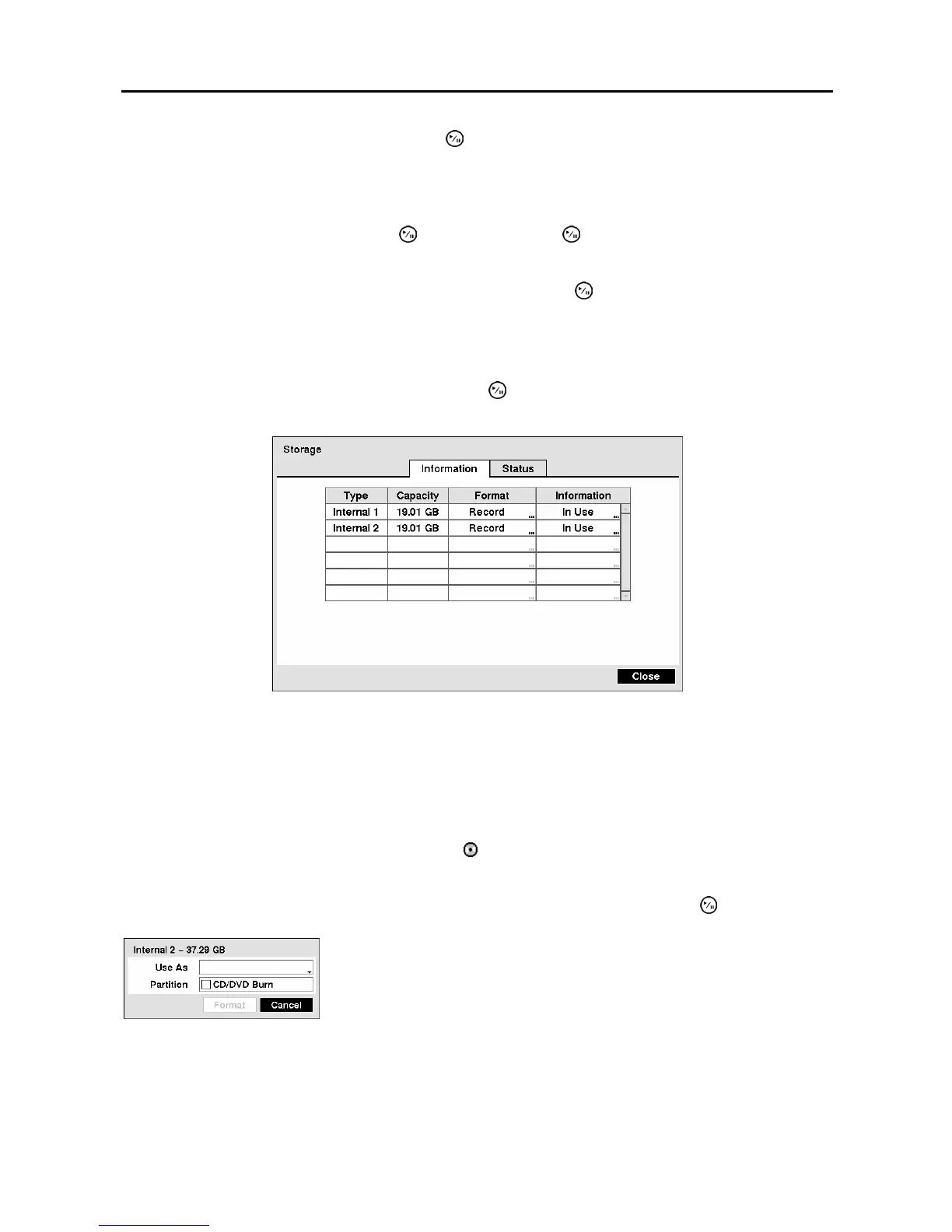
Highlight Storage in the System menu and press the button. The Storage setup screen appears and
displays information about the DVR’s storage devices.
Figure 15 ─ Storage Information screen.
The information in the Type column describes the storage device.
The capacity of the storage device is displayed in the Capacity column.
The Format column displays whether the device is used for recording (Record) or not (Not Using). Not
Formatted indicates the device is not formatted.
indicates when the device has temporary space set
aside so that video clips can be saved on a CD-RW or DVD RW.
Highlight the box in the Format column for the desired storage device and press the button.
Figure 16 ─ Device Format screen.
NOTE: The DVR does NOT support USB hard disk drives with a version lower than 2.0.
NOTE: System upgrades require formatting internal hard disk drives.
You will be able to format the device for recording. When selecting Not
Using from Use As and highlighting the Format button, the device will
not be used for recording. You can also set aside space to store temporary
files for CD or DVD burning by selecting Partition – CD/DVD Burn.



 To Next Page