User’s Manual
30
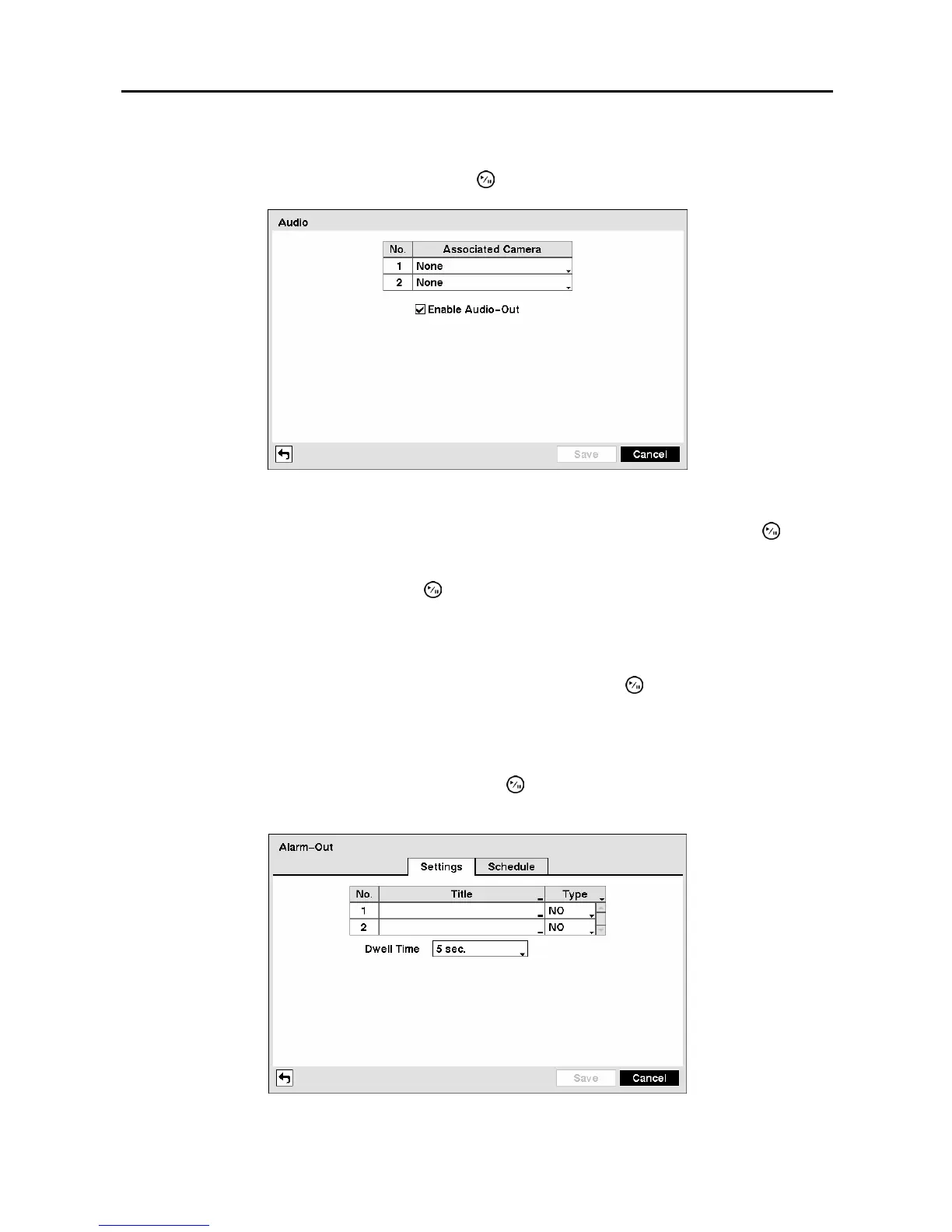
Audio Setup Screen
Highlight Audio in the Devices menu and press the
button. The Audio setup screen appears.
Figure 40 ─ Audio setup screen.
The DVR can record up to two audio inputs. Highlight the box beside the input and press the button.
A list of cameras appears, and you can select which camera you want associated with that audio input.
Highlight Enable Audio-Out and press the
button. This toggles between enabling and disabling
audio out.
NOTE: The DVR will NOT record audio when the recording speed is set to less than 1 ips.
You can save your Audio changes by highlighting Save and pressing the button. Selecting Cancel
exits the screen without saving the changes.
Alarm-Out Screen
Highlight Alarm-Out in the Devices menu and press the button. The Alarm-Out screen allows you to
change the settings and establish a schedule for each alarm output from the DVR.
Figure 41 ─ Alarm-Out Settings screen.



 To Next Page