User’s Manual
26
NOTE: The DVR name you entered should be checked by selecting Check, otherwise the DVRNS
changes will not be saved.
NOTE: When entering no name or a name already registered on the DVRNS server, an error
message displays.
Highlighting Save and pressing the button registers the DVR on the DVRNS server. Proper DVRNS
settings will display the help desk information of the DVRNS server in the box beside Help Desk.
Notification Setup
The DVR can be set up to send an email or to contact a computer running RAS (Remote Administration
System) when an event occurs.
Highlight Notification in the Network menu and press the
button. The Notification screen displays.
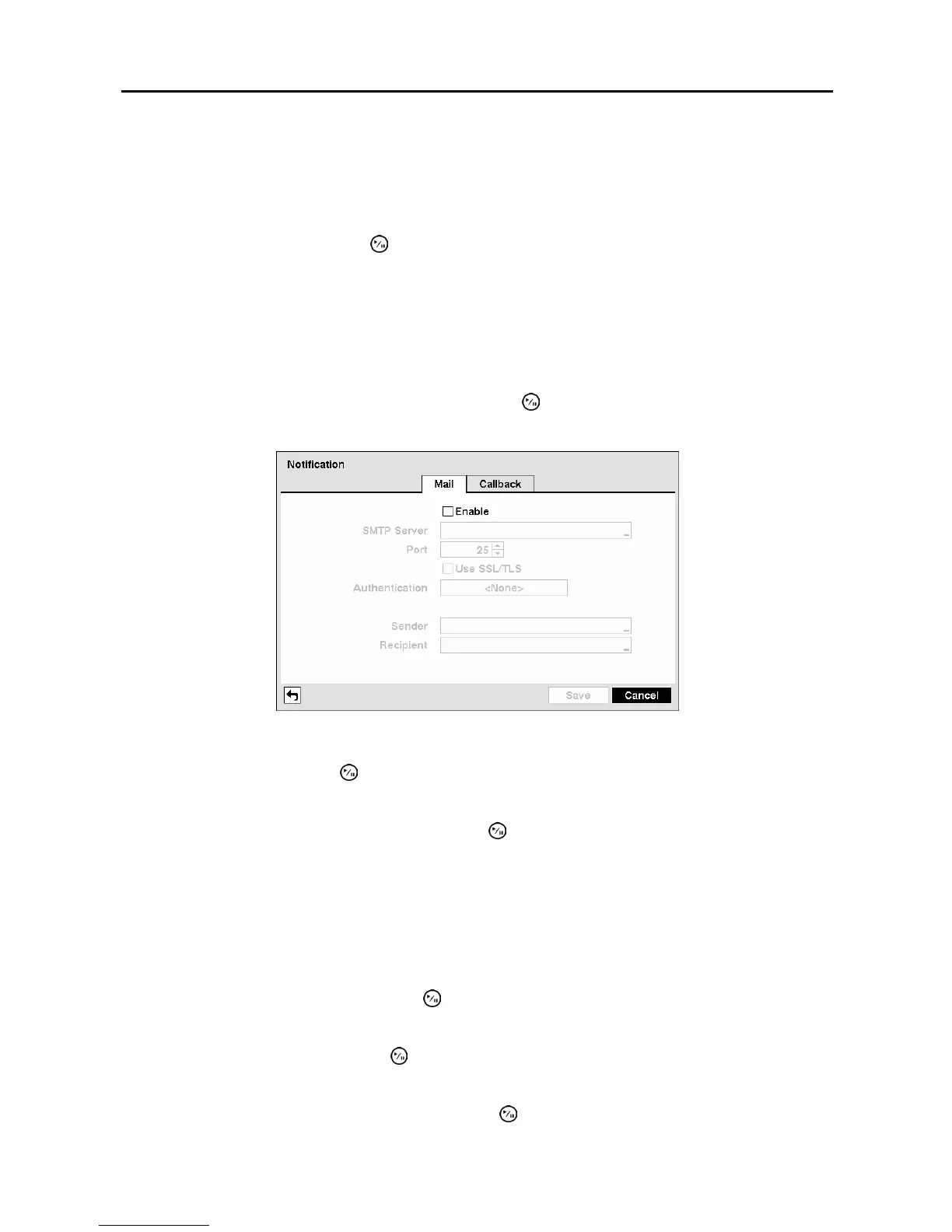
You will be able to change the Mail and Callback settings.
Figure 32 ─ Notification Mail setup screen.
Highlight Enable and press the button to toggle between On and Off. You will only be able to change
the settings if Mail is enabled.
Highlight the box beside SMTP Server and press the
button. A virtual keyboard appears that you can
use to enter the IP address or domain name of the SMTP server.
NOTE: You will need to get the IP Address or domain name of the SMTP Server from your network
administrator.
NOTE: You can use the domain name instead of IP address if you already set up the DNS Server
when setting up the LAN.
Highlight the box beside Port and press the
button. Use the arrow buttons to enter the SMTP Server
port number obtained from your system administrator. The default port number is 25.
Highlight Use SSL/TLS and press the button to toggle between On and Off. When it is On, the DVR
can send an email via an SMTP server requiring SSL (Secure Sockets Layer) authentication.
Highlight the box beside Authentication and press the button. An Authentication screen appears.



 To Next Page