Digital Video Recorder
21
Network & Notification Setup
In the Main screen, use the Left or Right arrow buttons to display the Network menu.
Figure 24 ─ Network Menu.
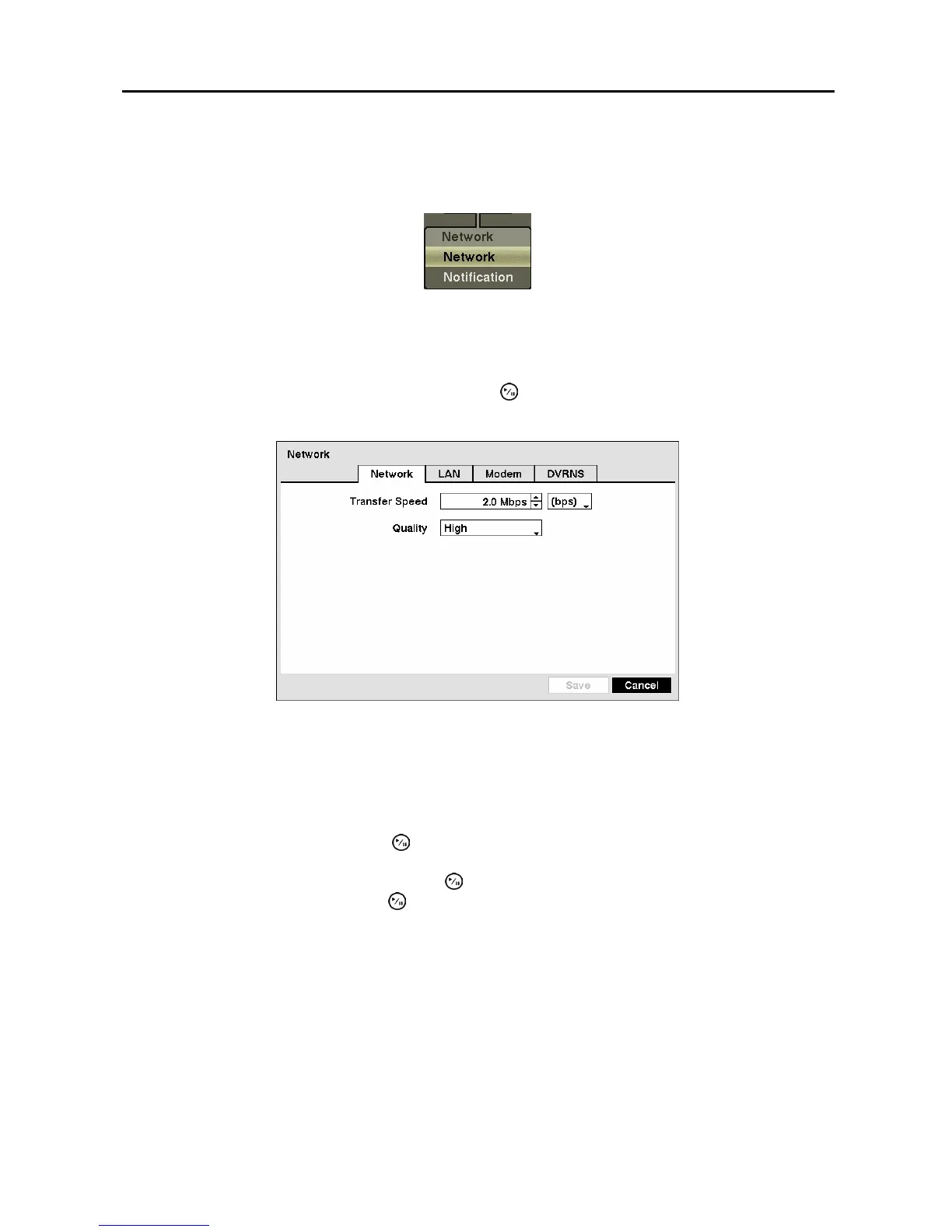
Network Screen
Highlight Network in the Network menu and press the button. The Network setup screen displays.
You will be able to change the Network, LAN, Modem and DVRNS settings.
Figure 25 ─ Network setup screen.
Highlight the first box beside Transfer Speed. Press the Up and Down arrow buttons to set the Transfer
Speed from 50Kbps to 100Mbps.
Highlight the second box beside Transfer Speed. You can select the unit of measure for the transfer
speed between: bps and ips. Press the
button to set the transfer speed.
Highlight the box beside Quality and press the
button. You can select the Quality from: Very High,
High, Standard and Basic. Press the
button to set the Quality.
NOTE: The higher Quality settings require higher Transfer Speed settings. The transfer speed
you set is the maximum speed. Depending on the network environment, this speed may not be
achieved.
NOTE: The local recording speed might be affected by various network bandwidth (Transfer
Speed) conditions.



 To Next Page