User’s Manual
66
You can also toggle On and Off self-diagnostic events as part of your search. The choices are:
y Panic Record
y Check Recording
y Check Alarm-In
y Disk Almost Full
y Disk Bad
y Disk Temperature
y Disk S.M.A.R.T.
Once you set your desired search conditions, highlight Search and press the
button to display the
search results in the Event Log Search screen. Selecting Cancel exits the screen without saving the
changes.
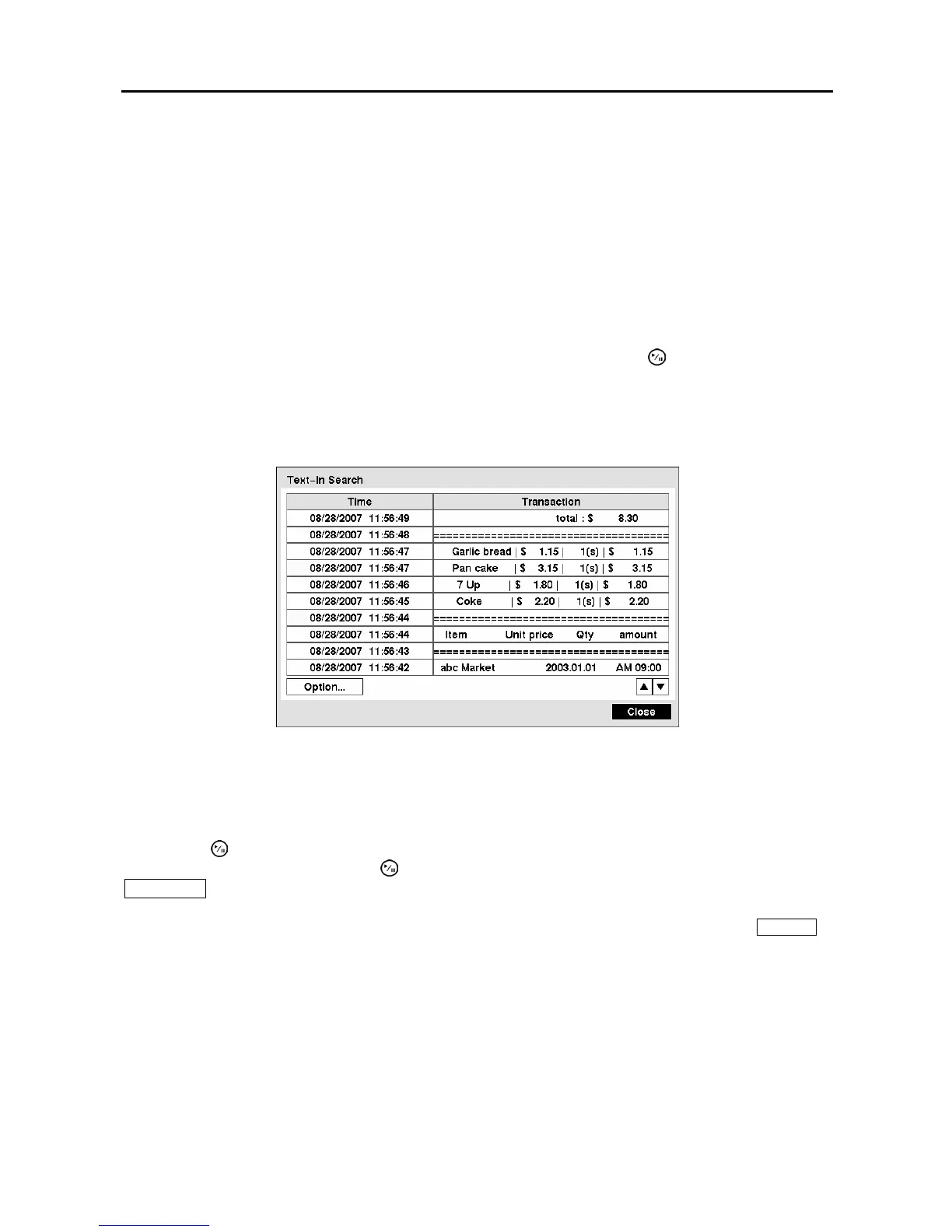
Text-In Search
Figure 91 ─ Text-In Search screen.
The DVR maintains a log of each time there is Text Input. The Text-In Search screen displays this list.
Use the arrow buttons to highlight the event for which you would like to see video.
Pressing the
(Play/Pause) button will extract the video associated with the Text Input and display the
first image of the event. Pressing the
button will start playing the “event” video segment. Pressing
PLAYBACK returns to live monitoring.
NOTE: It is possible that no recorded image displays on the current screen. Press the DISPLAY
button and change the screen mode to 4x4. You will be able to easily see the camera have
recorded video during target time.
NOTE: Text Input information will be overlaid on the image while the recorded video is played at
regular speed.
You can also narrow your event search by selecting the Option… button and setting up the new search
condition.



 To Next Page