PAGE 76
Windows PC Software
The functionality of a TTL Pin - Input or Output - can be selected with the op-
tion Direction.
The following description applies to all three configuration windows TTL1
(Pin 2), TTL2 (Pin 3) and TTL3 (Pin 4).
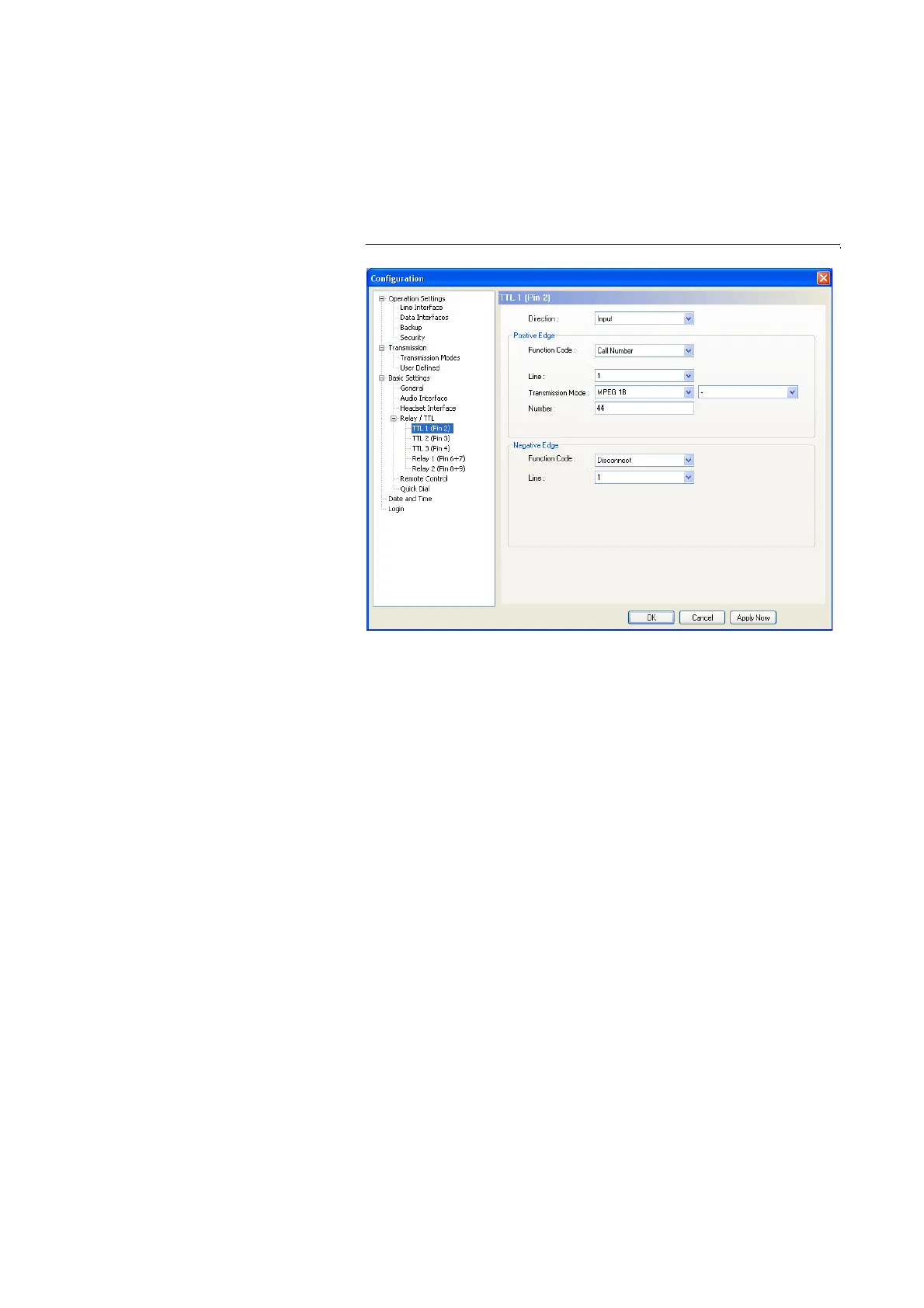
TTL-Pin as Input
FIG. 48 TTL-PIN AS INPUT
If you use a TTL Pin as Input, you can program two different functions when
the edges change:
• Positive edge: The event is triggered when the voltage at the TTL Pin can-
ges from 0V to +5V.
• Negative edge:The event is triggered when the voltage at the TTL Pin can-
ges from +5V to 0V.
• The following Function Codes are programmable:
– - ( Nicht benutzt): Keine Funktion, der Pin wird nicht verwendet. Diese
Auswahl ist auch für eine Gerätefernsteuerung über die Funktion Out-
put
→ Remote TTL Input (see PAGE 79) auszuwählen.
– Call Number (Rufaufbau/Ruf annehmen):
Mit dieser Funktion können Sie eine Verbindung zu einer bestimmten
Rufnummer (Number) aufbauen. Mit Line (Kanal) legen Sie den Kanal
(1 oder 2) fest, auf dem die Verbindung aufgebaut werden soll (nur in
der Betriebsart ISDN). Unter Transmission Mode wählen Sie die ge-
wünschte Betriebsart aus.
The functionality of a TTL Pin - Input or Output - can be selected with the op-
tion Direction.
The following description applies to all three configuration windows TTL1
(Pin 2), TTL2 (Pin 3) and TTL3 (Pin 4).
TTL Pin as Input
FIG. 1 TTL PIN AS INPUT
If you use a TTL Pin as Input, you can program two different functions when
the edges change:
• Positive edge: The event is triggered when the voltage at the TTL Pin can-
ges from 0V to +5V.
• Negative edge:The event is triggered when the voltage at the TTL Pin can-
ges from +5V to 0V.
• The following Function Codes are programmable:
– - ( Not used): No function, the PIN is not used. This option is to be sel-
ected for remote control via the function Output
→ Remote TTL Input
(see PAGE 79).
– Call Number:
With this function you can establish an connection with a certain cal-
ling Number. With Line you select the line (1 or 2) on which the con-
nection is to be established (only in the ISDN operating mode). Under
Transmission Mode you select the desired mode for the transmission.



 To Next Page