PAGE 78
Windows PC Software
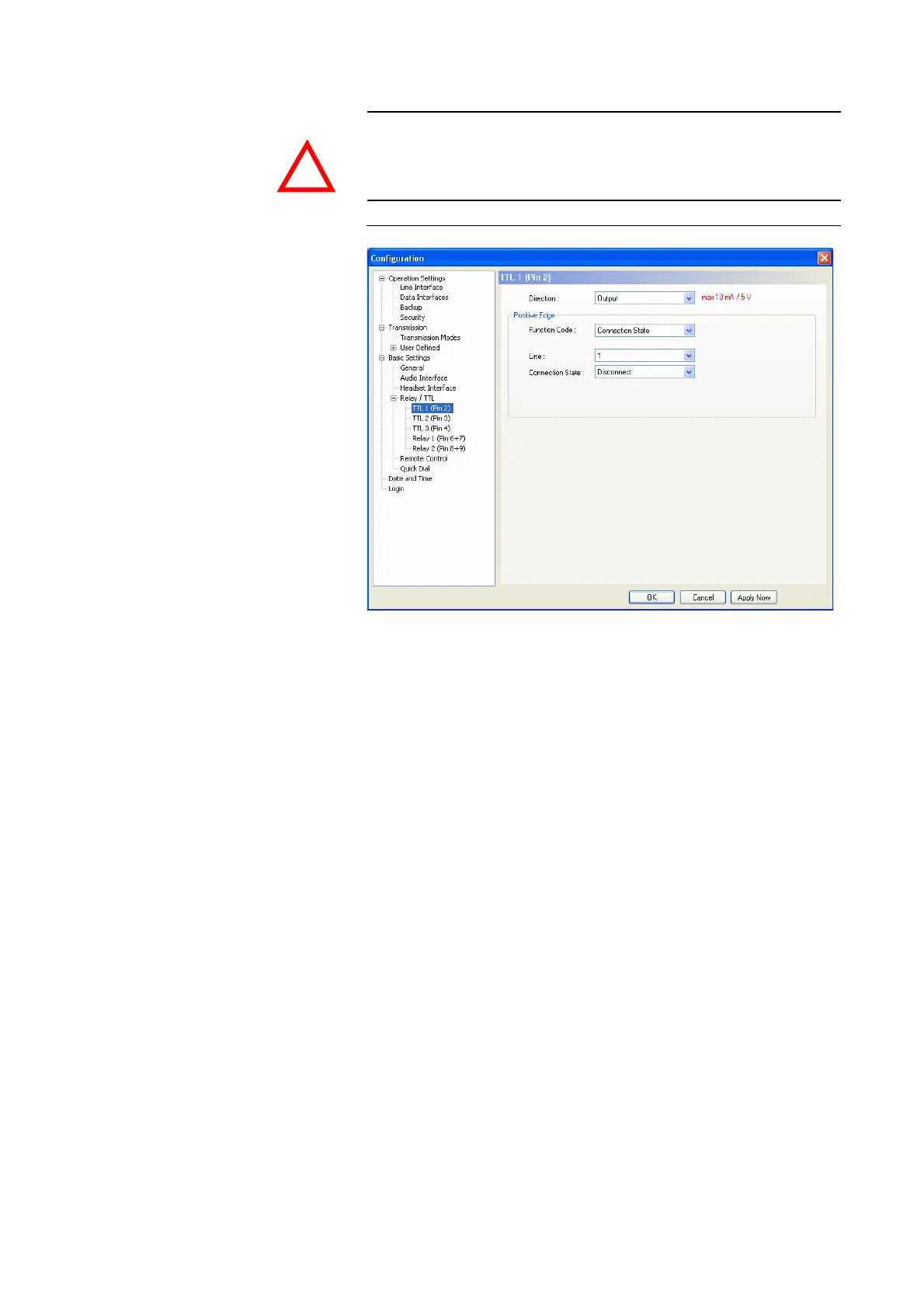
TT Pin as Output
FIG. 50 TTL-PIN AS OUTPUT
If an TTL Pin is configured as an Output, the event is signalled when the
voltage at the TTL Pin changes from 0V to +5V.
Under Positive edge you can select the following Function Codes:
– Fixed Low (0V): The TTL Pin is fixed to 0V.
– Fixed High (5V): The TTL Pin is fixed to +5V.
– PC Controlled: Special function for projects.
– Connection State: Via this function you can signal the connection state of
a line. Please select the desired connection state under Connection State.
The following options are available:
– Disconnect
– Call Out
– Call In
– Connect
– Call Setup
Under Line (only in the operation mode ISDN) you can select the line
which connection state you want to signal. Besides line 1 and line 2 you
can monitor the connection status of both lines if you select All. As soon as
one of the two lines meets the criteria, the signal is triggered at the TTL Pin.
– Information Base Entry: Special function for projects.
ATTENTION Please note that the maximum switching current is 10 mA and the maximum
switching voltage is 5Vper TTL output.
!



 To Next Page