V4.7 | 06/24/2024 | 11165414
38
4.5 Filter replacement
A lter is installed in color cameras. This lter can lead to limitations in the applicability of
the sensor for specic applications.
Proceed as follows to replace the lter.
Notice
Avoid contamination of the lter, sensor and the lens by dust and airborne particles!
Perform the lter replacement in a dust-free room with clean tools!
Procedure
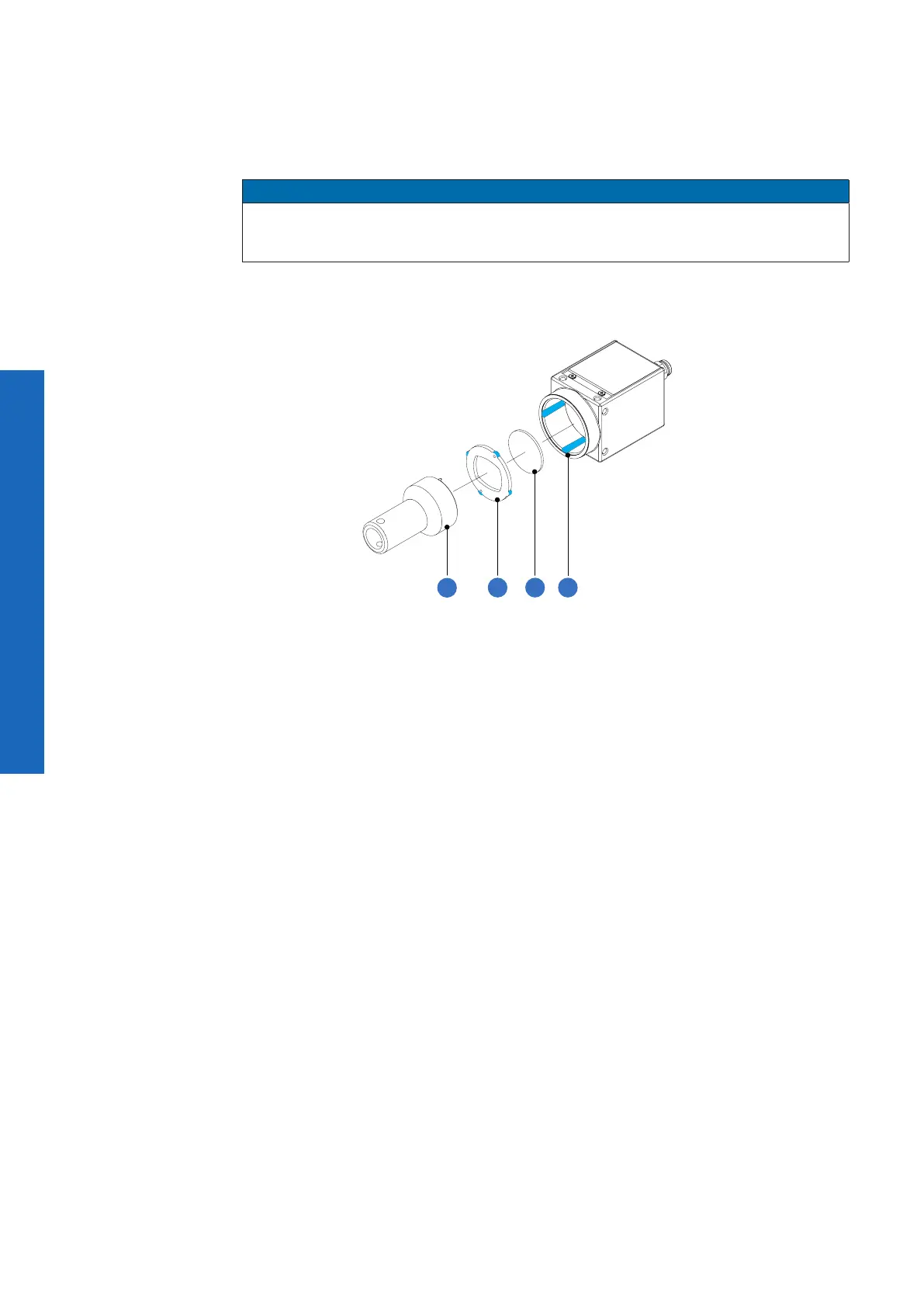
1. Insert the assembly tool (1) into the sensor opening. Place the two pins at the
front end into the locator holes of the lter holder (2).
2. Turn the lter holder (2) until the guide tabs can be seen in the guide grooves
(4).
3. Remove the lter holder (2).
4. Carefully remove the existing lter (3). Do not touch the sensor!
5. Insert the new lter into the sensor opening.
6. Put the lter holder (2) back in.
7. Turn the lter holder (2) until the guide tabs cannot be seen in the guide grooves
(4).
4.6 Cable requirements for UL conformity
For UL conform installations the cables used must meet the following requirements:
▪ shielding for optimum electrical noise immunity
▪ IP protection class according to intended use
▪ UL approval
▪ dielectric strength according to the operating voltages used (min. 30 V)
▪ temperature stability in the specied device temperature range (min. 70 °C (158 °F))
▪ minimum cross section of cable suitable for max. output current



 To Next Page