V4.7 | 06/24/2024 | 11165414
99
7.5 Category: ColorTransformationControl (color cameras only)
Category that contains the Color Transformation control features.
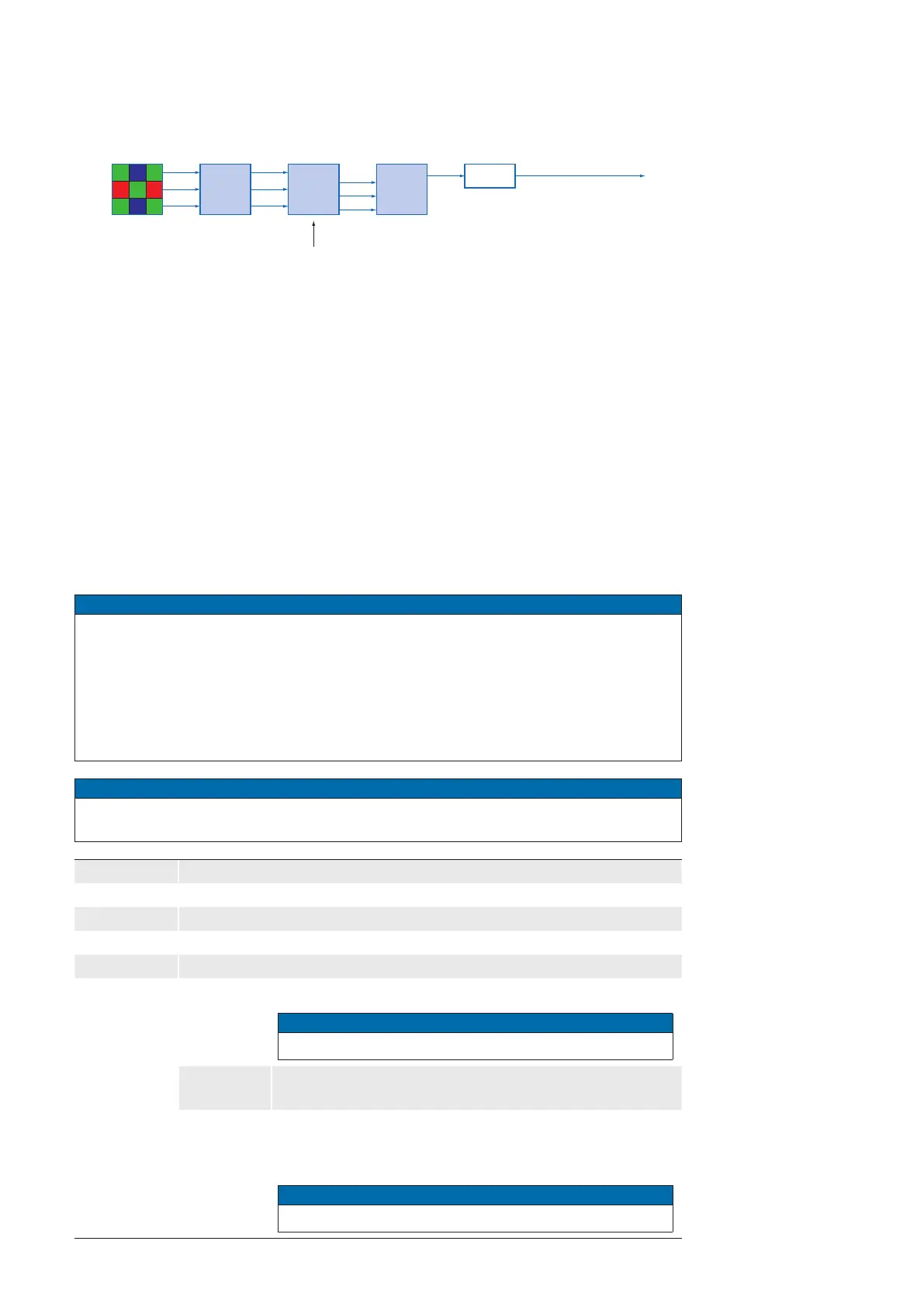
Oversimplied, color processing is realized by 4 modules.
Camera
Module
Bayer
Processor
Color-
Transfor-
mation
RGB
r
g
b
r'
g'
b'
r''
b''
g''
The color signals r (red), g (green) and b (blue) of the sensor are amplied in total and
digitized within the camera module.
Within the
Bayer processor, the raw signals r', g' and b' are amplied by using of indepen-
dent factors for each color channel. Then the missing color values are interpolated, which
results in new color values (r'', g'', b'').
The next step is the color transformation. Here the previously generated color signals r'',
g'' and b'' are converted to optimized RGB (Color adjustment as physical balance of the
spectral sensitivities).
7.5.1 ColorTransformationAuto(≥Release3only)
Controls the mode for automatic adjusting the gains of the active transformation matrix.
Notice
The ColorTransformationAuto feature can always be activated and the camera calcu-
lates the appropriate color matrices.
If the range of the estimated illumination to the measured reference illuminations ex-
ceeds a certain threshold, a white balance is triggered even if BalanceWhiteAuto =
o.
However, the matrices in Image Format RAW are not used.
Notice
It is not possible to use the Sequencer when the feature ColorTransformationAuto is
enabled.
Name ColorTransformationAuto
Category ColorTransformationControl
Interface IEnumeration
Access Read / Write
Unit -
Values
Continuous
Color transformation is constantly adjusted by the device.
Notice
Color Gains not adjustable.
O
Color transformation is user controlled using the various
Colortransformation features.
Once
Color transformation is automatically adjusted once by the
device. Once it has converged, it automatically returns to
the O state.
Notice
Color Gains not adjustable.
Color processing mod-
ules of color cameras.



 To Next Page