V4.7 | 06/24/2024 | 11165414
87
AutoFeature ROI - General Information
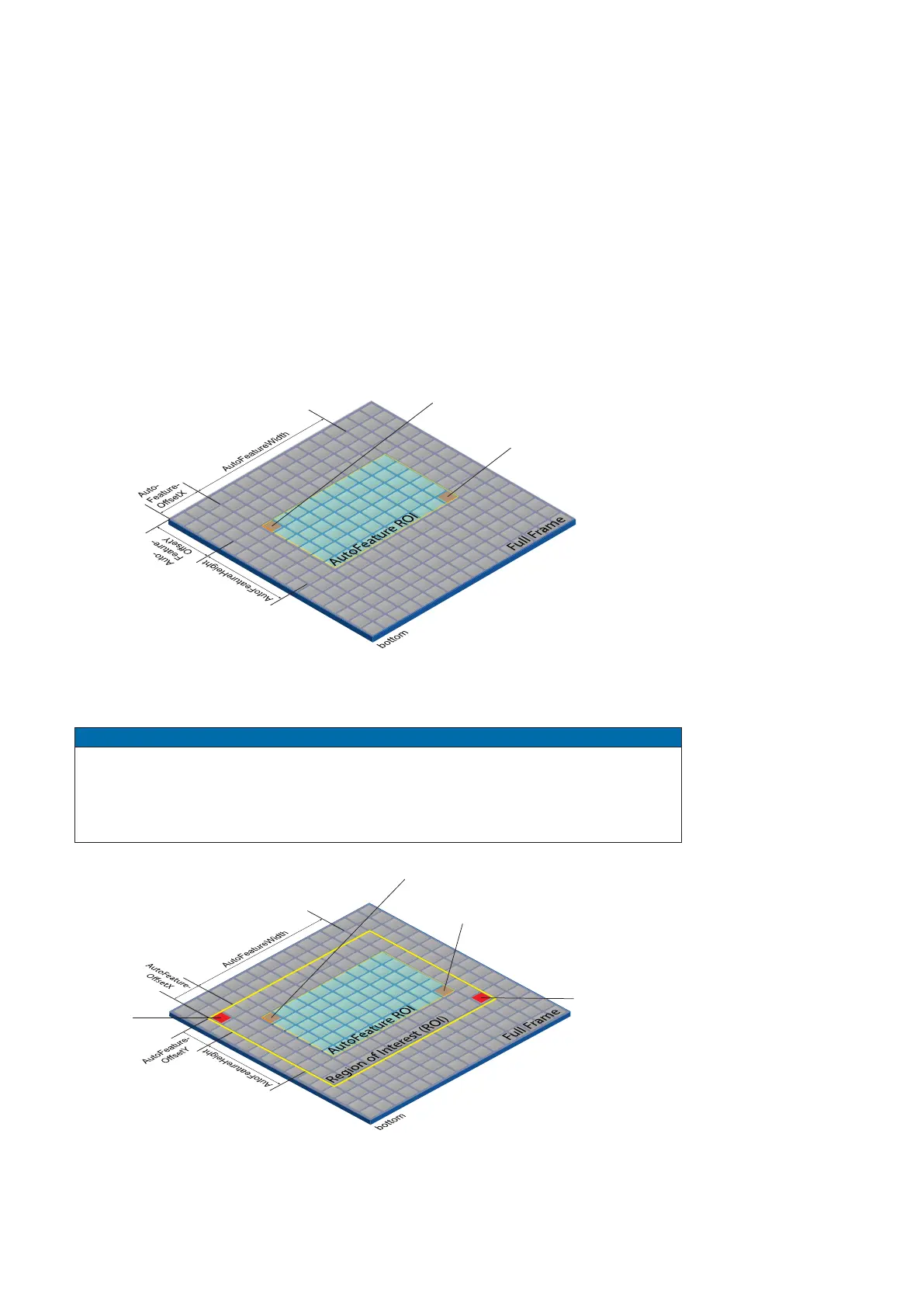
You can use the AutoFeature Region of Interest (ROI) function to predene a so-called
region of interest. This ROI is an area of pixels on the sensor.
This function is used if only the image data (e.g. brightness) of a particular region of the
image is of interest. The calculated corrections will be applied to the entire image.
The
AutoFeature ROI is specied using four values:
▪ AutoFeatureOsetX - x-coordinate of the rst relevant pixel
▪ AutoFeatureOsetY - y-coordinate of the rst relevant pixel
▪ AutoFeatureWidth - horizontal size of the Region
▪ AutoFeatureHeight - vertical size of the Region
AutoFeature ROI in Full Frame
End AutoFeature ROI
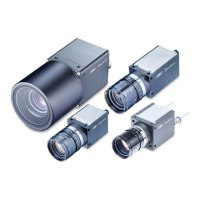
AutoFeature ROI in an ROI
Notice
It is possible to set an AutoFeature ROI in an ROI (Category: ImageFormatControl). The
values that can be set for the AutoFeature ROI are adjusted accordingly.
The starting point for AutoFeatureOsetX and AutoFeatureOsetY is determined by the
ROI (Category: ImageFormatControl).
End AutoFeature ROI
End ROI
Start AutoFeature ROI
Start ROI



 To Next Page