Chapter 2: BD FACSDiva Software Overview 35
Plate Layout
The plate layout is a representation of a multiwell plate. The plate layout in the
Setup view is where you add samples, setup controls, and cytometer settings to
the plate. You can also copy and paste HTS settings, rearrange samples, add
wells, assign keywords, and set recording rules. Once you have set up the plate
layout, you can print the view to use as a guide when adding samples to the
multiwell plate. For information on the functions you can perform in Setup view,
see Setup View Functions on page 43.
The plate layout in the Setup view displays the run sequence and status of each
well.
• Wells are numbered according to sample type (setup controls first,
compensation controls second, specimens last), and then the order
assigned.
• During setup or acquisition, wells are colored according to their status.
See Table 2-1.
• After acquisition is complete, wells are colored according to acquisition
status. See Table 2-2 on page 36.
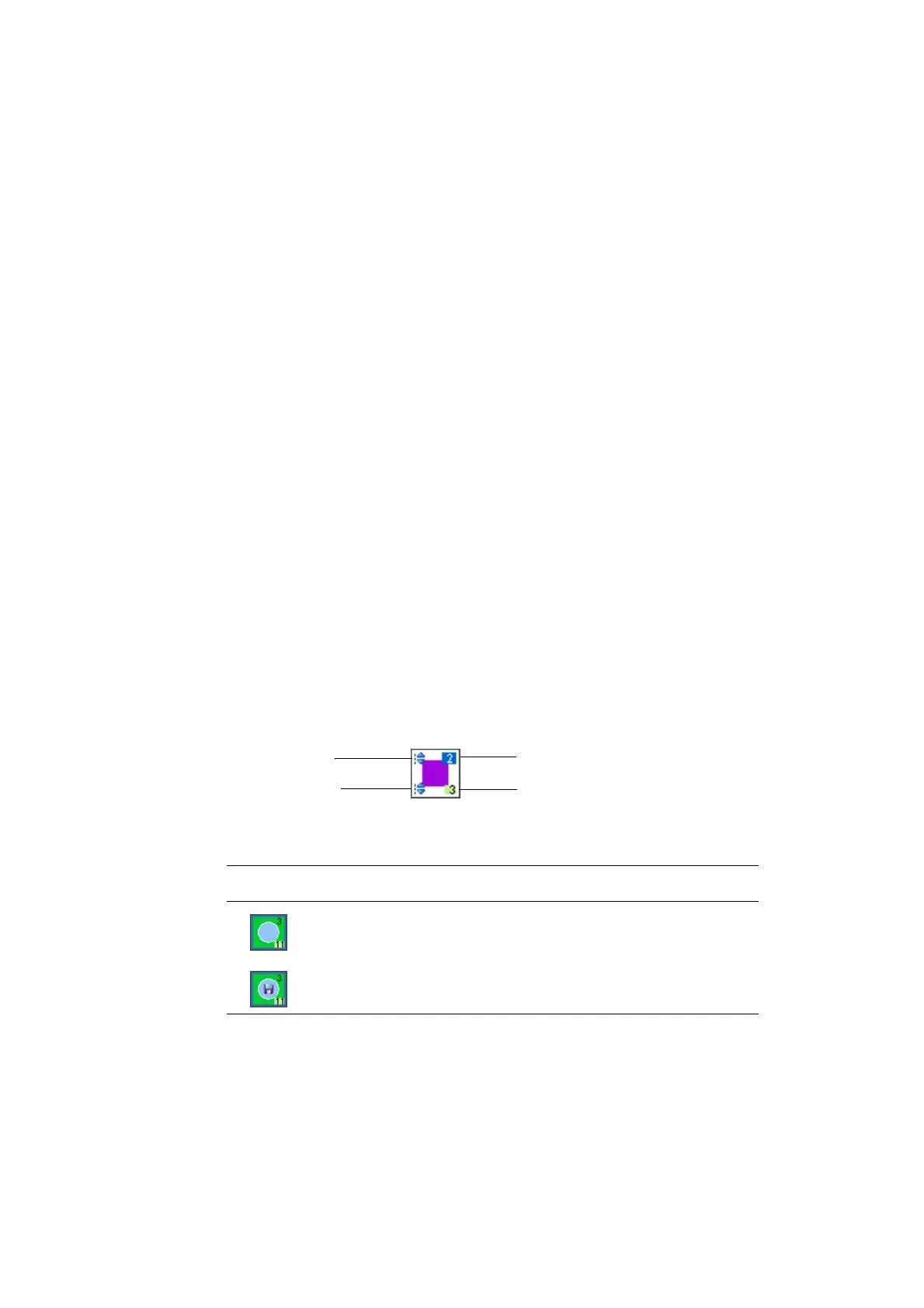
The basic layout of each well appears as follows:
Table 2-1 Assessing well status during setup or acquisition
Well Status
selected for acquisition
selected for acquisition and contains previously recorded data
acquisition order
specimen/control group ID and
indicator or first well in group
specimen-level cytometer
settings placeholder
well-level cytometer
settings placeholder











 To Next Page