Monitor screen type
Code Nam e / De s cription Factory setting
Mdt
[Display value type]
[Digital]
(dEC)
[Digital]
(dEC)
[Bar
graph]
(
bA
r
)
[Lis t]
(LISt)
*
[AI1]
[AI2]
[AI3]
[AO1]
[ETA s tate world]
[Alarm groups]
[Frequency ref.]
[Output frequency]
[Puls e in. w ork. freq.]
[M otor current]
[M otor s peed]
[M otor voltage]
[M otor power]
[M otor torque]
[M ains voltage]
[M otor thermal state]
[Drv. the rmal s tate]
[Cons umption]
[Run tim e]
[Pow er on time]
[IGBT alarm counter]
[M in. freq time]
[PID re ference]
[PID feedback]
[PID error]
[PID Output]
in V
in V
in mA
in V
in Hz: parameter displayed in factory configuration
in Hz
in A: parameter displayed in factory configuration
in Hz
in rpm
in V
in W
as a %
in V
as a %
as a %
in Wh or kWh depending on drive rating
in hours (length of time the motor has been sw itched on)
in hours (length of time the drive has been sw itched on)
in seconds (total time of IGBT overheating alarms)
in seconds
as a %
as a %
as a %
in Hz
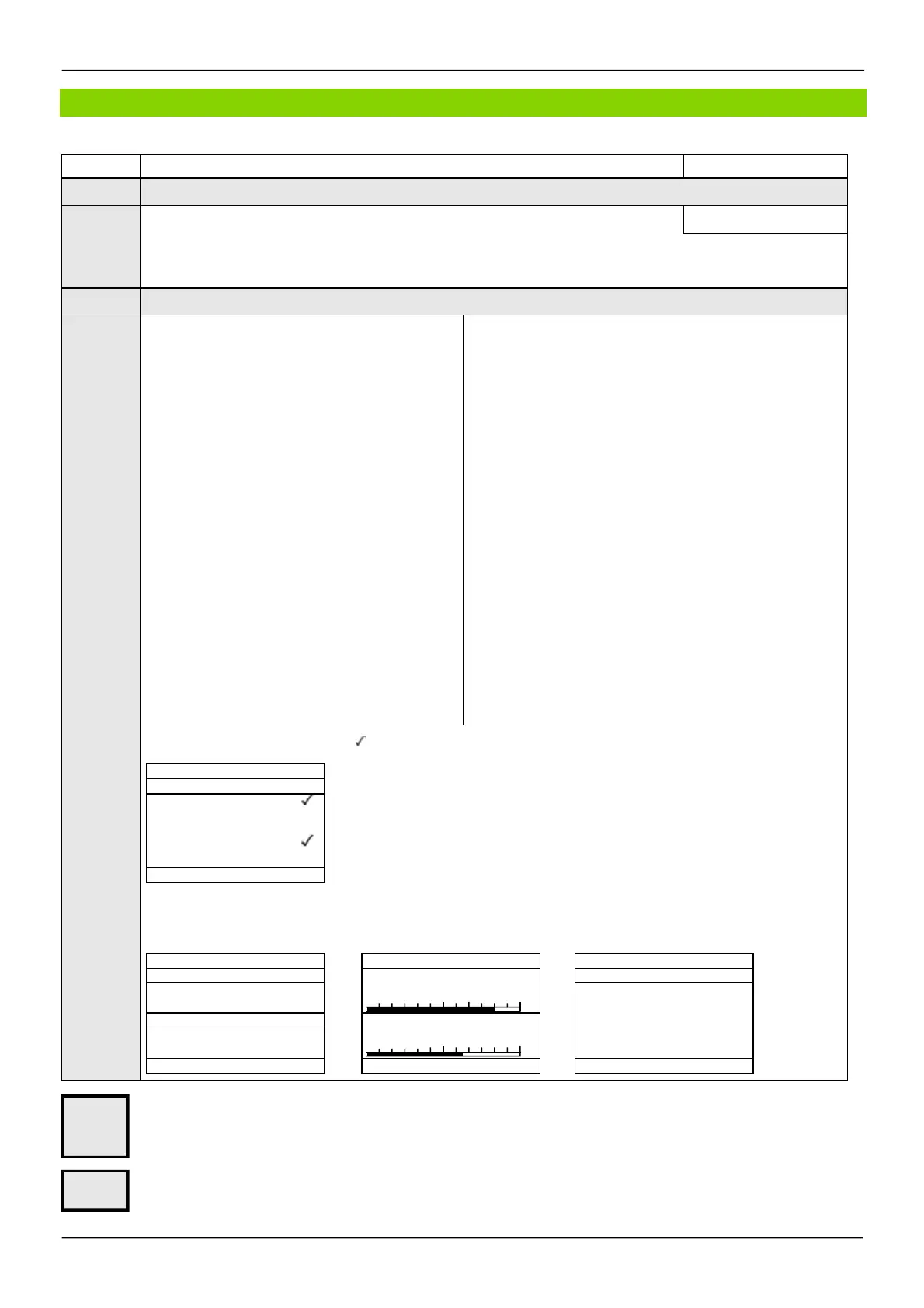
Select the parameter(s) using ENT (a then appears next to the parameter). Parameter(s) can also be deselected using ENT.
Examples include:
Display of 2 digital values Display of 2 bar graphs Display of a list of 5 values
These parameters only appear if the corresponding function has been selected in another menu. When the parameters can
also be accessed and adjusted from w ithin the configuration menu for the corresponding function, their description is detailed
in these menus, on the pages indicated, to aid programming.
Parameter that can be modified during operation or w hen stopped.
Parameters described in this page can be accessed by:
ITF- > MCF- > MSC-
*
- - - - - - - - -
- - - - - - - - -
- - - - - - - - -
0
1250 rpm
1500
0
80 A
150



 To Next Page