Replace the Maintenance Cartridge
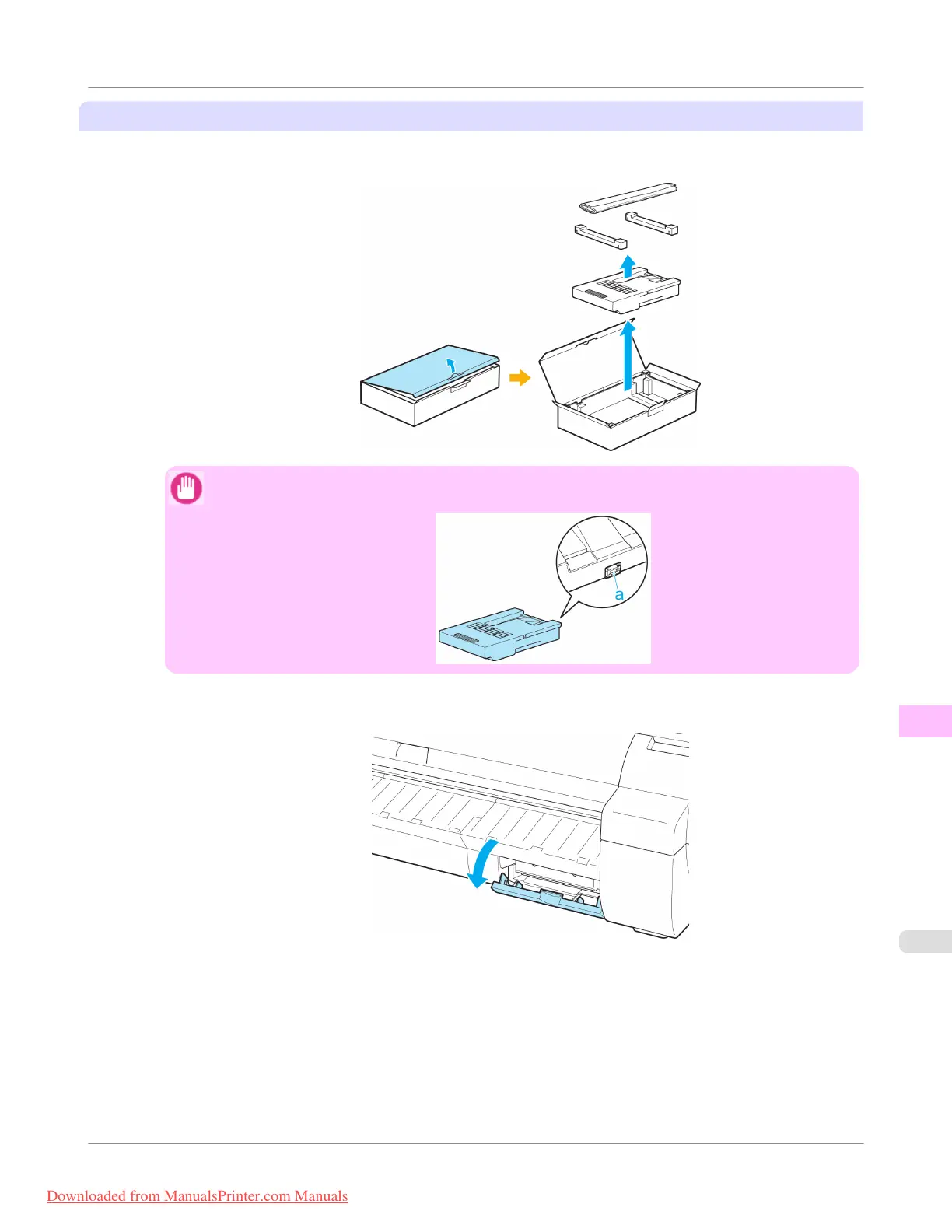
1. Open the box, remove the plastic bag and packaging material, and take out the Maintenance Cartridge.
Important
• Never touch the metal contacts (a). This may damage the Maintenance Cartridge.
2. At this point, open the Maintenance Cartridge Cover.
Maintenance and Consumables
>
Maintenance Cartridge
>
iPF755
Replacing the Maintenance Cartridge
11
819
Downloaded from ManualsPrinter.com Manuals


 To Next Page
 Loading...











