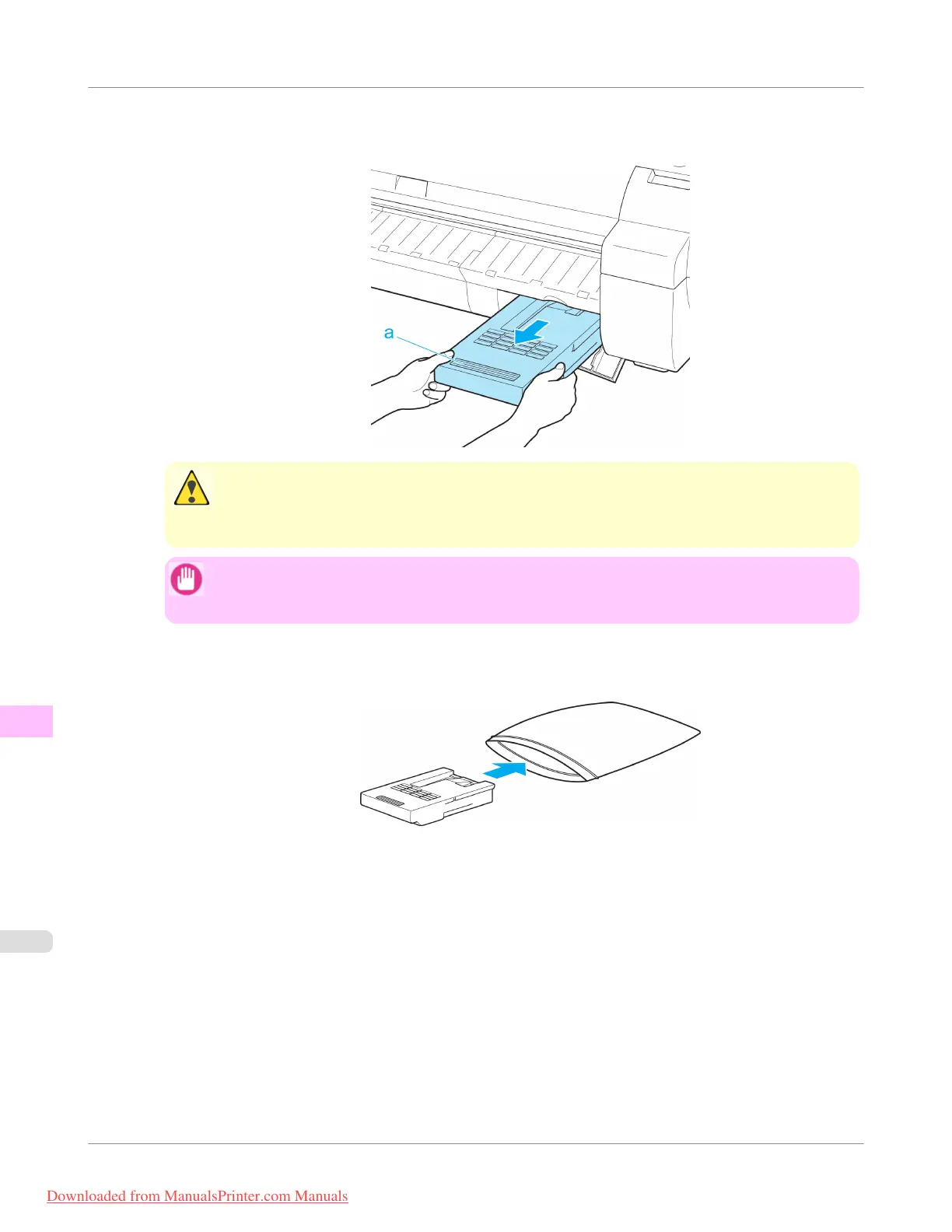
3. Hold the used Maintenance Cartridge by the grip (a) with one hand and put your other hand under the Maintenance
Cartridge to hold it firmly on the bottom, keeping it level as you pull it out.
Caution
• Used maintenance cartridges are heavy. Always grasp the cartridge firmly and keep the cartridge
level during removal and storage. If you drop a used Maintenance Cartridge or store it at an angle,
ink may leak and cause stains.
Important
• The remaining Maintenance Cartridge capacity is recorded on each printer. Do not install a used
Maintenance Cartridge in another printer.
4. Keep the used Maintenance Cartridge level as you put it in the plastic bag. Expel excess air from the plastic bag
and seal the zipper.
Maintenance and Consumables
>
Maintenance Cartridge
>
Replacing the Maintenance Cartridge
iPF755
11
820
Downloaded from ManualsPrinter.com Manuals


 To Next Page
 Loading...











