CS 7600_User Guide (8J4071)_Ed04 9
Scan & Go Overview
Scan & Go is an optional device that enables you to link the imaging plate to a specific exam acquisition (for
example, patient) prior to acquisition.When the plate is inserted into the scanner, the information which was
tagged onto the plate is retrieved by the scanner and the imaging plate is scanned automatically according to
this information (resolution, target workstation, etc). Scanned images are then routed automatically to the
correct workstation, associated to the correct exam acquisition and placed in the correct frame in the CS
7600 image Acquisition interface.
Scan & Go Generation 1 (Models Released before June 2012)
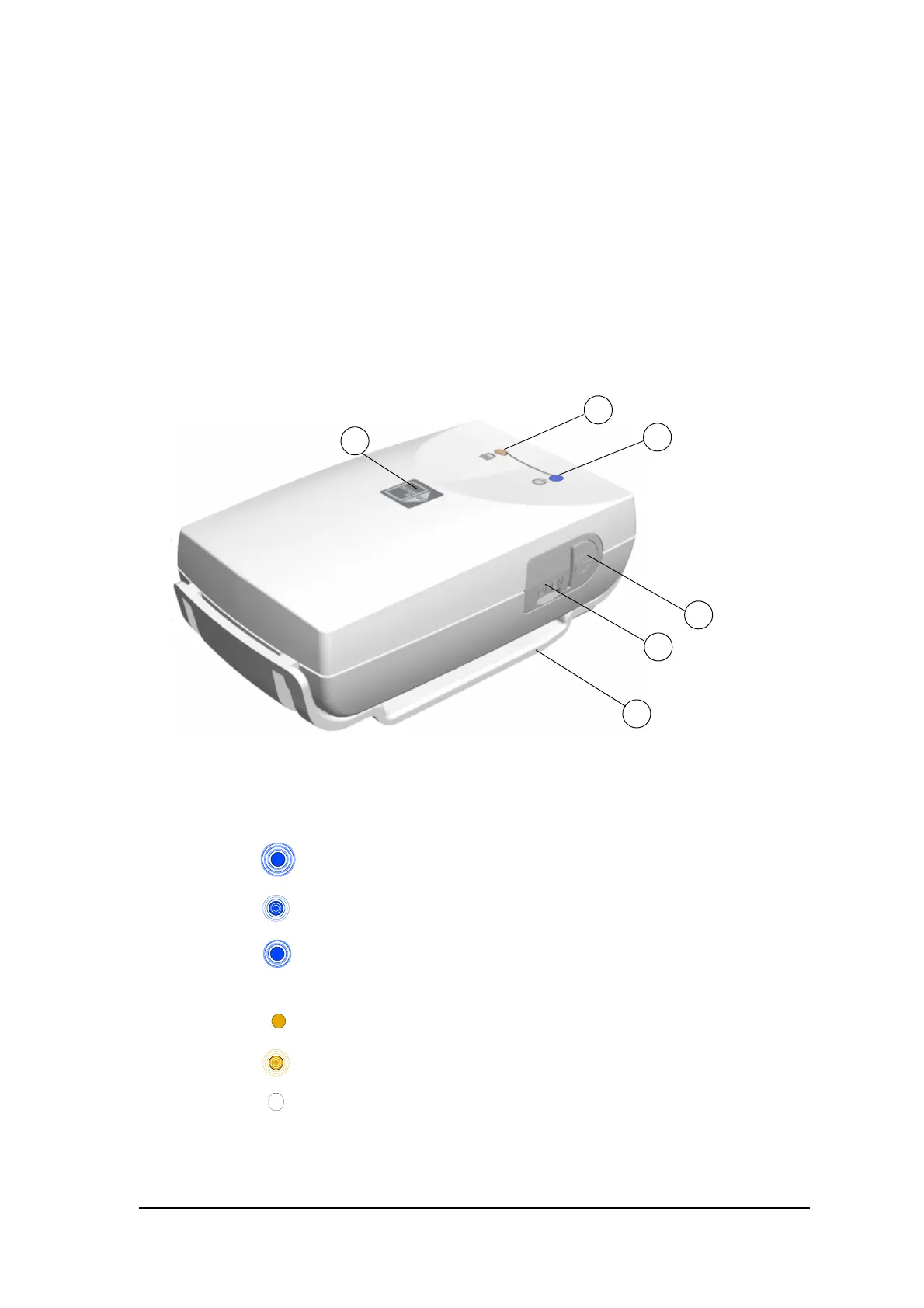
Scan & Go Generation 1 (models released before June 2012) have a rechargeable battery, accessible from
the panel at the back of the device.
Figure 5 Scan & Go device, Generation 1 (before June 2012)
1 USB 2.0 port
2 On/Off button
3 On/Off/Recording LED status indicator (blue)
Turning On/Off, 3 short flashes
Standby (intermittent flashing)
Recording data to the imaging plate (successive short flashes)
4 Battery LED status indicator (amber):
Charging (static light)
Low battery (successive short flashes)
(light Off) battery charged
5 Recording surface for imaging plate
6 Mounting adapter











 To Next Page