46 Chapter 4 Scanner Interface Overview
IP Setup
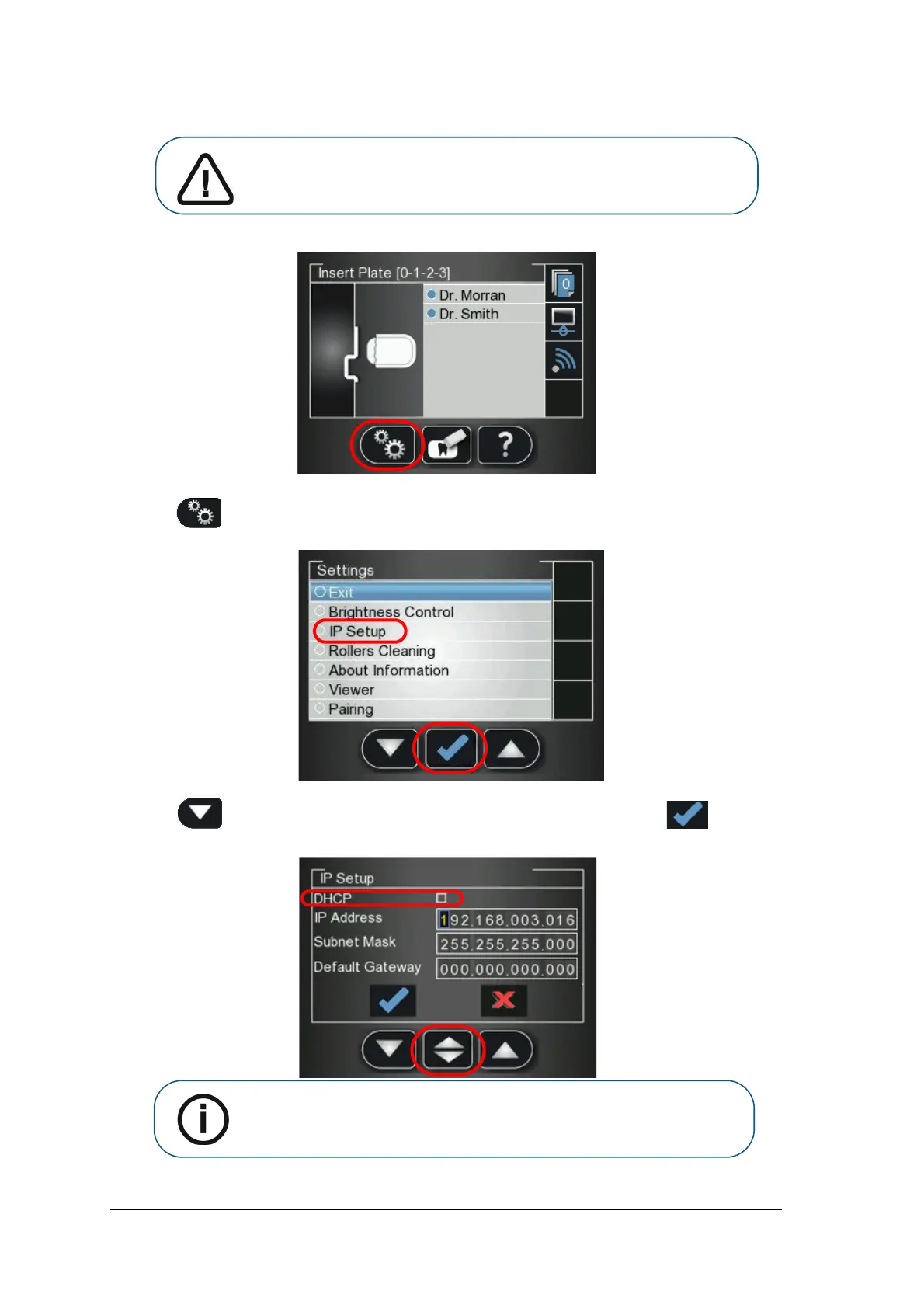
To manually set the scanner’s IP address, follow these steps:
1 Press to access the Settings menu.
The Settings screen is displayed.
2 Press the scanner’s left function button to scroll down to IP Setup and press
The IP Setup screen is displayed.
Important: Do not perform any action in the IP Setup without direct
supervision from dental service engineer or Carestream representative
Note: The DHCP automatically detects the scanner IP address. If you are
using a Peer to Peer link, you must leave the DHCP checkbox unchecked.











 To Next Page