78 Chapter Appendix:
Scanner Manager
The scanner manager is mainly for use by technicians or under direct supervision of a dental service
technician.
Accessing the Scanner Manager
To access the Scanner Manager, perform the following steps:
1 On the desktop, double-click on the Scanner Manager icon.
OR
Click Start > Programs > IP Image Acquisition > Scanner Manager
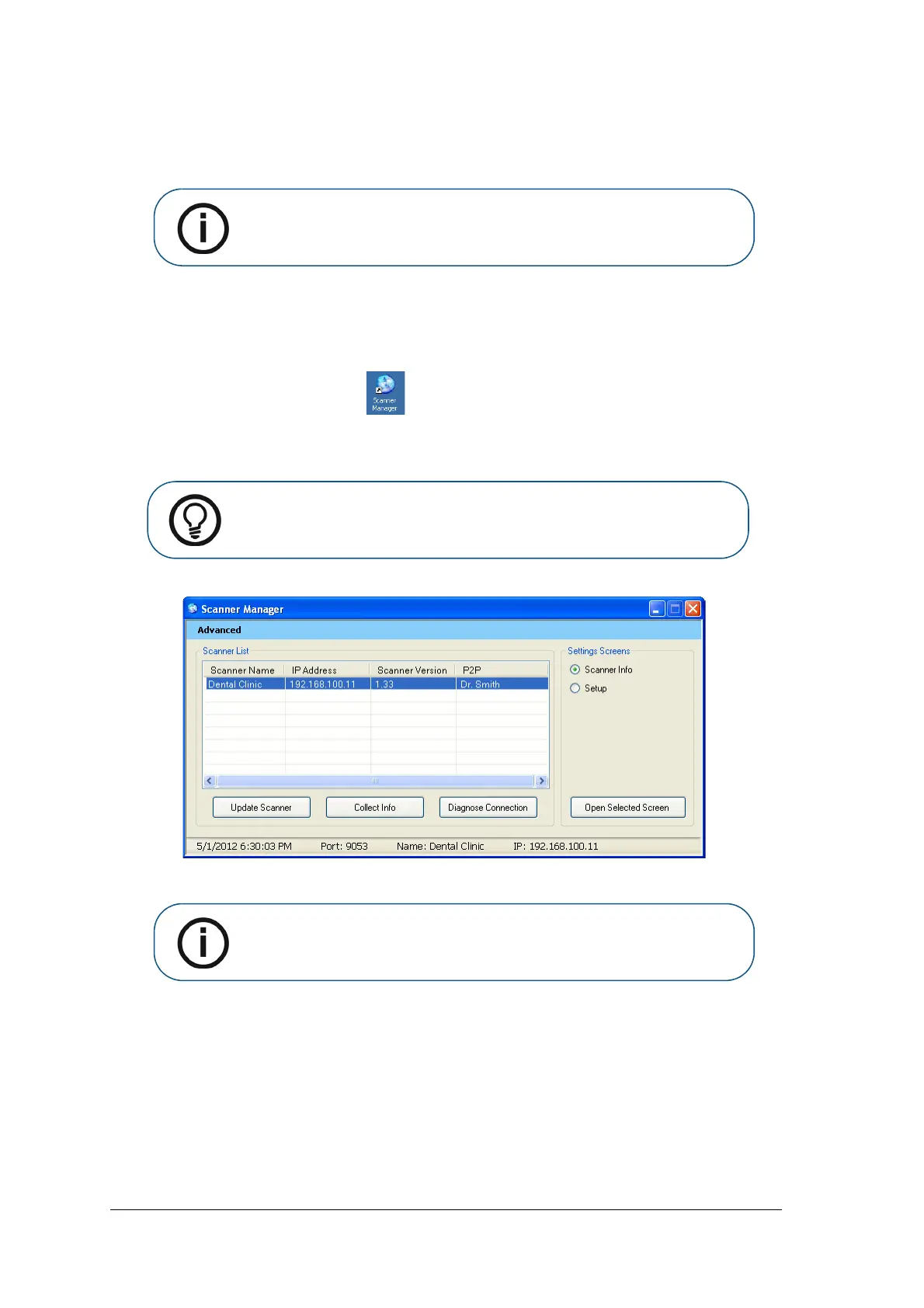
The Scanner Manager opens
Figure 1 Scanner Manager
.
2 Select a scanner from the Scanner List.
If the message Scanner not found appears, Please check scanner connectivity, See “Quick
Troubleshooting” on page 73..
The following functions can be selected from the Scanner Manager window:
• “Scanner Info” on page 79 – Presents General system information
• “Scanner Setup” on page 80 – Enables Setting of Scanner name, user language, time &date
Note: For information on the Scanner Manager for technicians, see the CS
7600 Service Guide.
Tip: To create a desktop shortcut for the Scanner Manager, click Start >
Programs > IP Image Acquisition > Scanner Manager and drag and drop
the Scanner Manager to the desktop
Note: The connected scanner or scanners are shown in the Scanner List











 To Next Page