CS 7600_User Guide (8J4071)_Ed04 67
Cleaning the Scanner Rollers
The scanner rollers should be cleaned in the following cases:
• When the scanner prompts to clean the rollers (after every 1000 cycles).
• When there are dirt-related artifacts on the scanned image.
To clean the scanner rollers, follow these steps:
1 If the size 4 insertion slot is not installed, replace the insertion slot with the size 4 insertion slot. (See
page 64.)
2
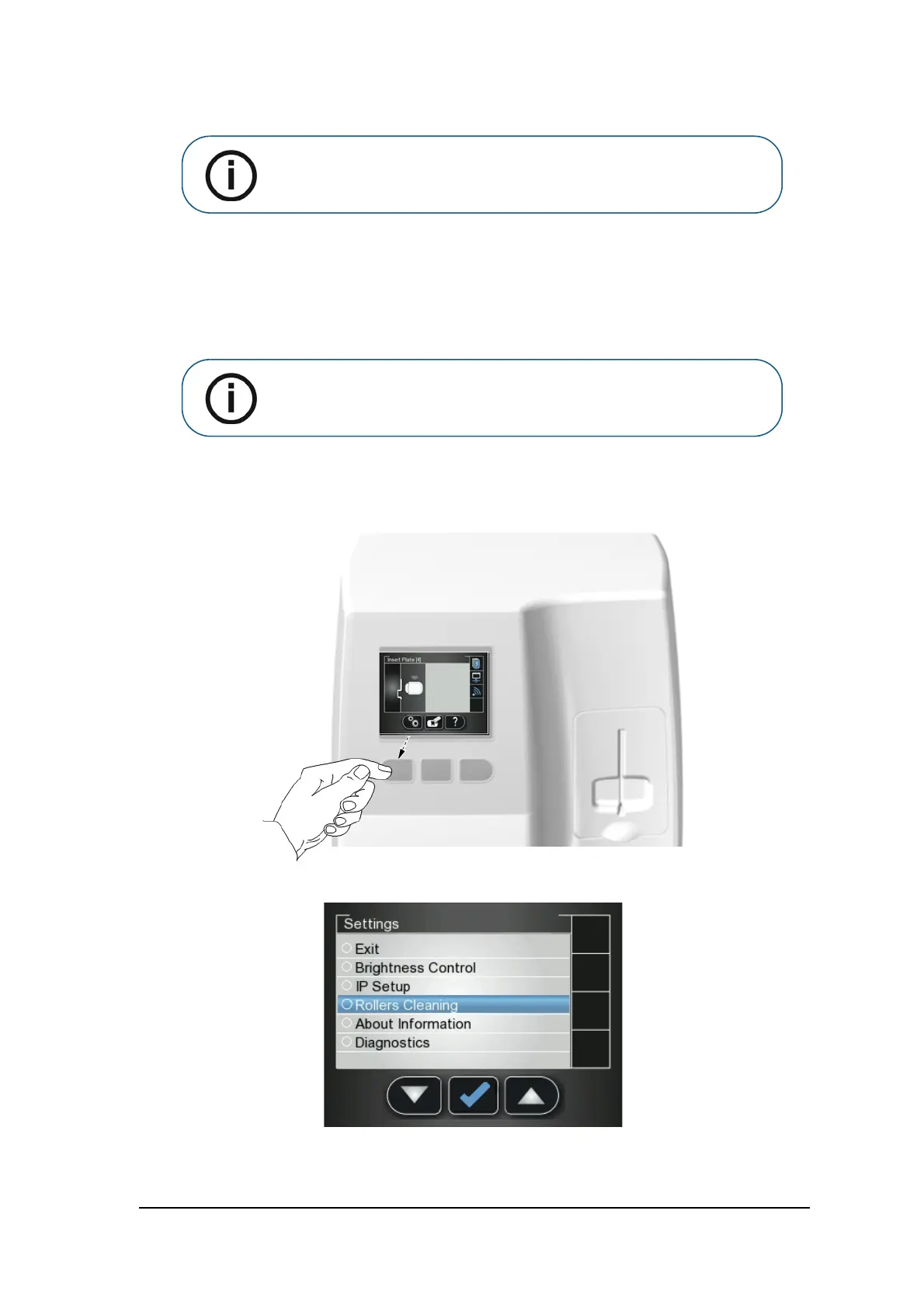
Press the scanner’s left function button to access the Settings menu.
3 Select Rollers Cleaning.
Note: Before you perform this procedure, make sure you have the rollers
cleaning plate.
Note: Cleaning the rollers requires using the size 4 insertion slot











 To Next Page