70 Chapter 6 Maintenance
Scan & Go Device Care
Cleaning the Scan & Go
Use disinfection wipes for medical equipment to clean the Scan & Go device thoroughly from all sides.
Replacing the Battery (Scan & Go Generation 1)
For Scan & Go Generation 1 models released before June 2012.
Scan & Go devices after June 2012 do not have a battery.
To replace the Scan & Go battery, follow these steps:
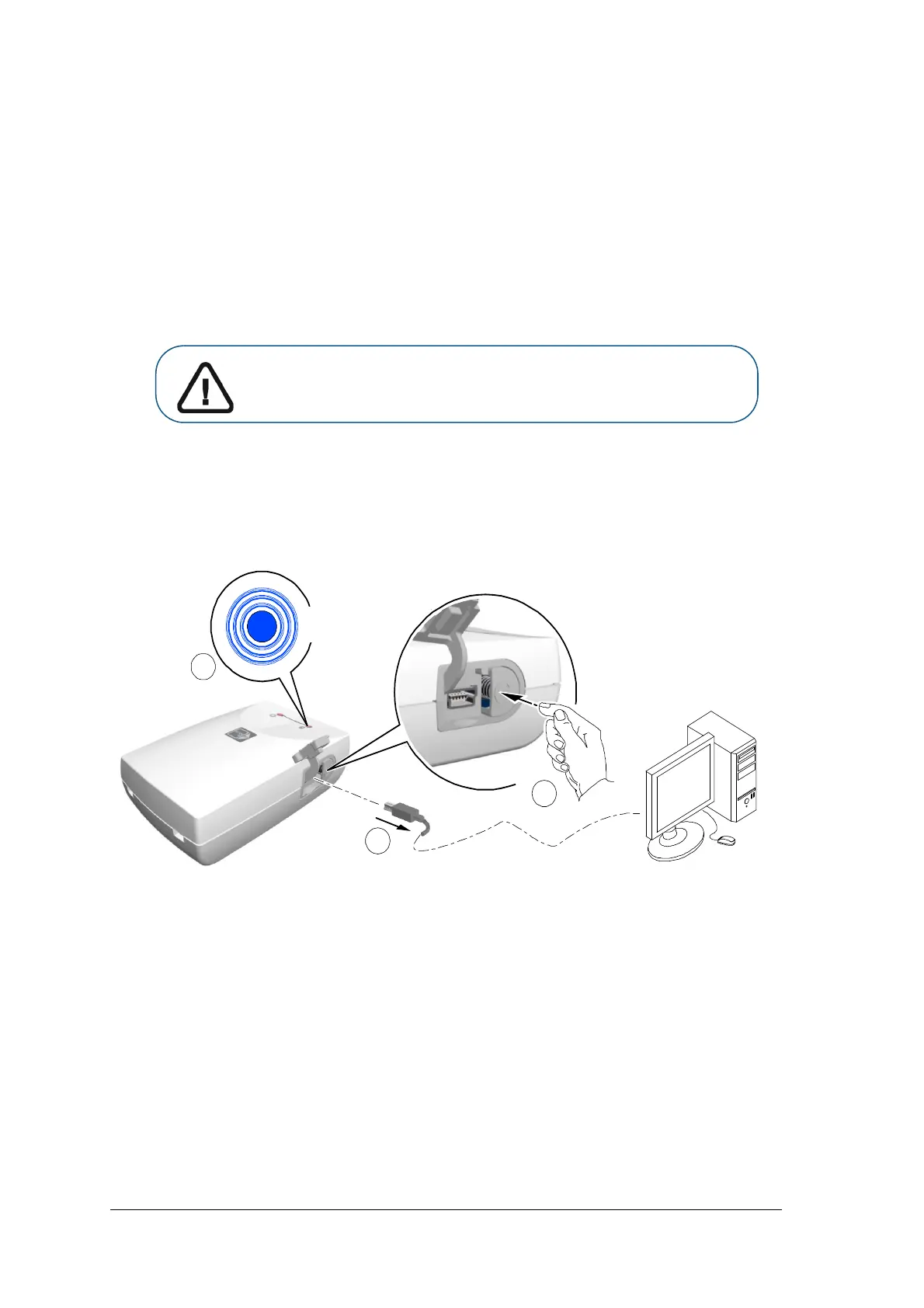
1 Press the On/Off button for 5 seconds to turn off the Scan & Go device (A).
(The blue LED will flash quickly 3 times (B) and then the device is powered off.) Disconnect the Scan
& Go device’s USB cable (C).
Important: Replace only with a Carestream genuine BL-5C battery.











 To Next Page