4 Chapter 2 CS 7600 System Overview
CS 7600 Components Overview
Scanner Overview
The CS 7600 scanner performs the functions necessary for scanning and acquiring images from the imaging
plates.
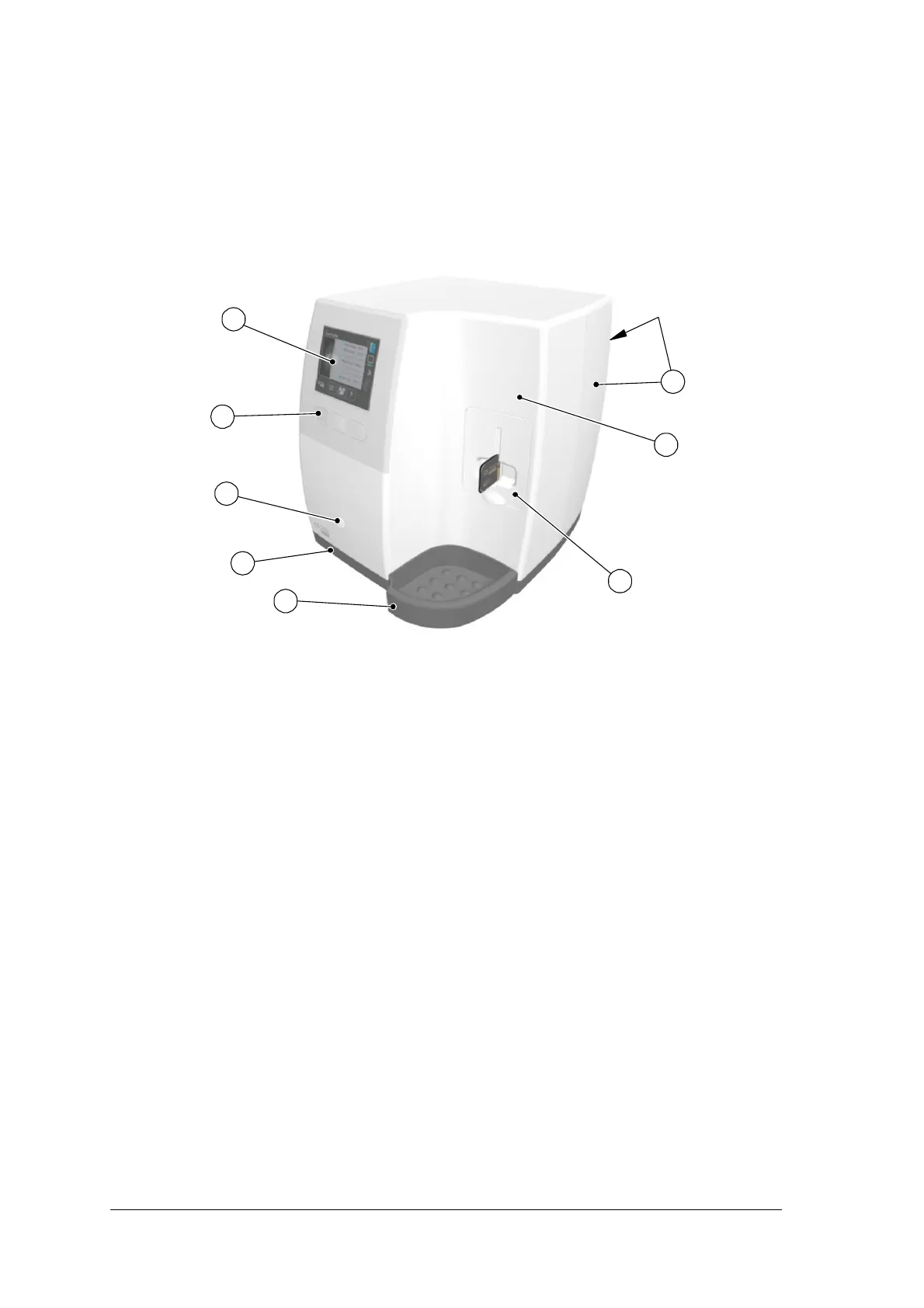
Figure 1 CS 7600 Front View
1 3.5" QVGA color LCD (320 X 240 pixels, landscape matrix)
2 Function buttons for scanner use and menu navigation
3 On/Off button + LED power indicator
On/Off button functions:
• Turn scanner On: press for 1 second
• Turn scanner Off (close application and files and then turn off): press for 2 seconds
4 Base
5 Intraoral imaging plates tray
6 Detachable insertion panel. The CS 7600 makes use of three insertion panel sizes according to the
inserted imaging plates size (0, 0–3, or 4).
7 Front cover
8 Back covers











 To Next Page