34 Chapter 3 Software Overview
Creating a Peer to Peer Connection
A Peer to Peer connection makes a scanner dedicated to a Workstation. This saves time by not having to
select a scanner each time you make a scan.
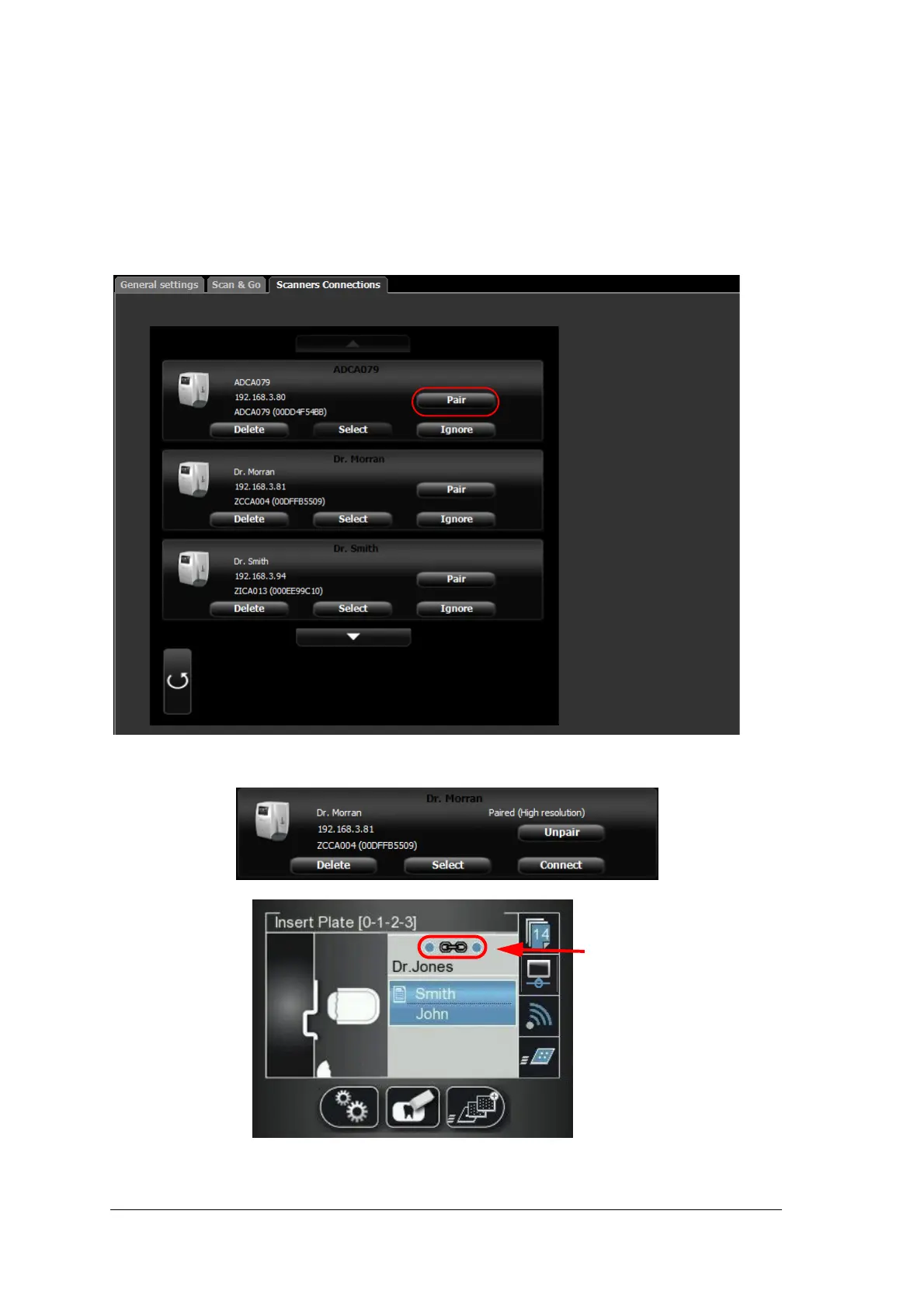
To create a Peer to Peer connection, follow these steps:
1 In the Scanners Connections tab, click the Pair button on the scanner you wish to pair with the image
Acquisition interface.
The status (located above the Pair/Unpair button) changes from Connected to Paired and the Pair button
changes to Unpair.











 To Next Page