36 Chapter 3 Software Overview
3 Press and press
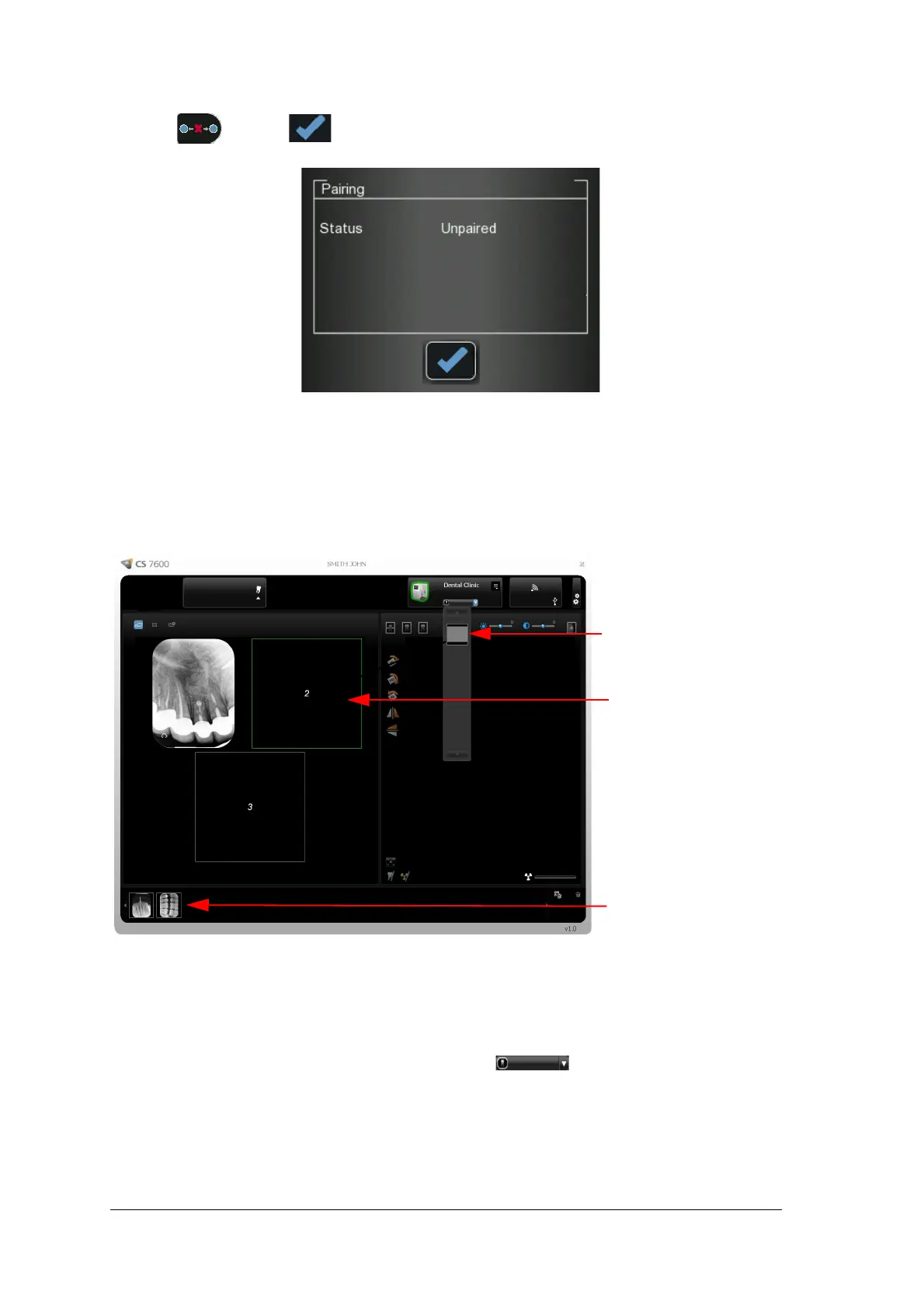
The Pairing status screen shows an unpaired status.
Retrieving No ID Images
“No ID” is a term for scanned images that are not associated with any exam acquisition (patient). When you
scan a plate and select the No ID option in the scanner’s Select Patient screen, the scanned image is stored as
a No ID image in the scanner’s memory. No ID is usually selected when the required exam acquisition is not
available, such as when the image Acquisition interface is closed on the workstation. These images are
routed to the scanner’s Unclaimed list for further operations.
To retrieve a No ID image, follow these steps:
1 Access the CS 7600 image Acquisition interface from the patient file in the imaging software.
2 In the Scanner List, select the desired scanner and click the small arrow.
The list of No ID images for this scanner is displayed.
No ID Images in the
Drag and drop to here to
delete (Images Gallery)
scanner.
Drag and drop to here
(available frame) for use.











 To Next Page